23
Book Feeder
All KAS Side Feeders are equipped with one book feeder. This feeder has a range of feed
thicknesses from one sheet to 5mm.
Setting Book Feeder
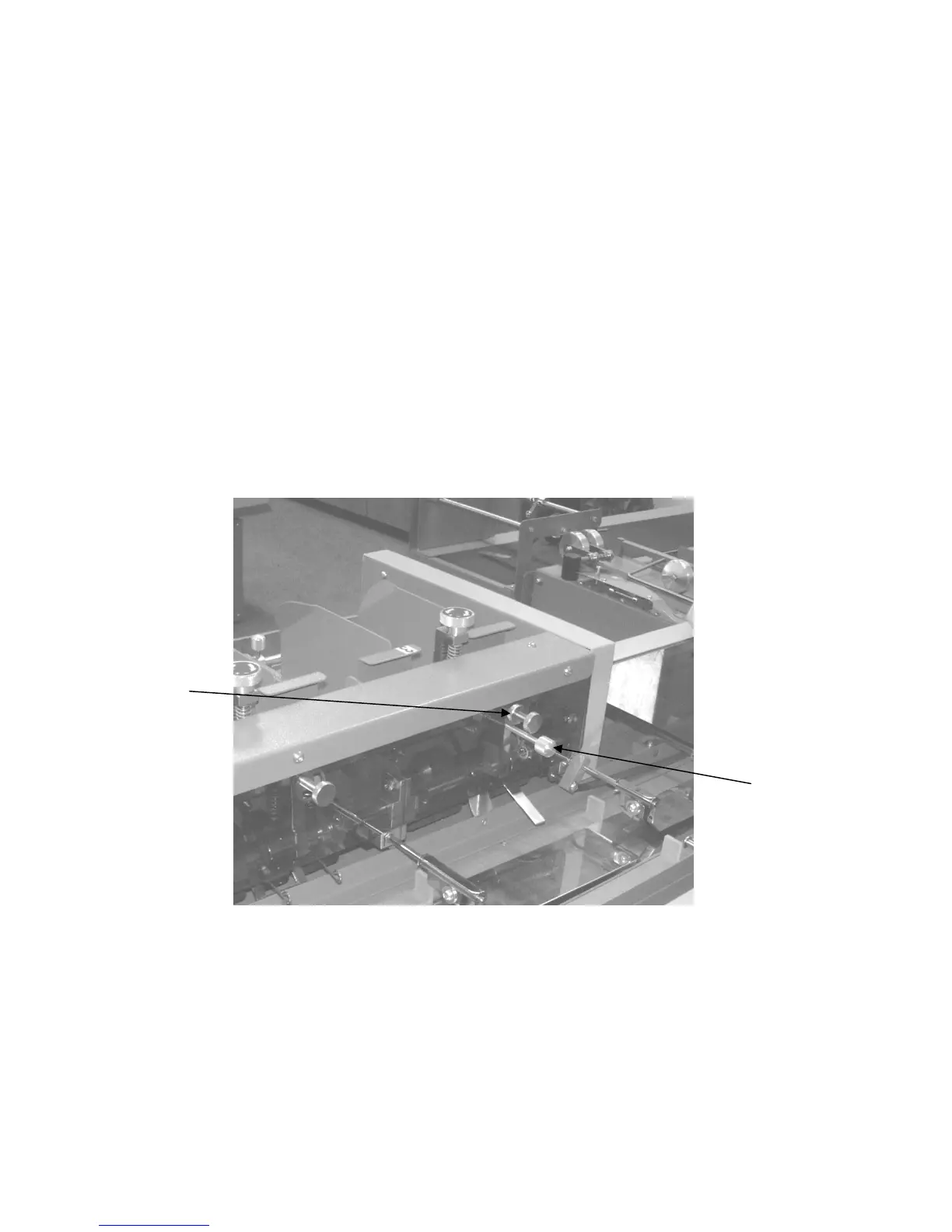
Set the feed gate (3.1) to the correct document thickness and fill the hopper. Select the
correct stations in test mode (2.7), and select YES to set the ‘double sensors’. If a thick
booklet is being fed from the booklet feeder, it may be necessary to open the feed rollers first
to allow the booklet to pass between them. This can be achieved by turning the booklet
thumbscrew clockwise until a gap is visible between the two rollers. Once a booklet is
between the rollers, the booklet thumbscrew can be turned anticlockwise, until the rollers
meet the booklet. The double sensor may now be set in the normal way. Continue with the
test procedure. When the test run is complete, rotate the booklet thumbscrew anticlockwise
by one turn .
Note: When setting back to a thin document the booklet and double adjustment screws
should be turned anticlockwise in unison as they interact with each other.
Booklet
Double Sensor
Thumbscrew



 To Next Page