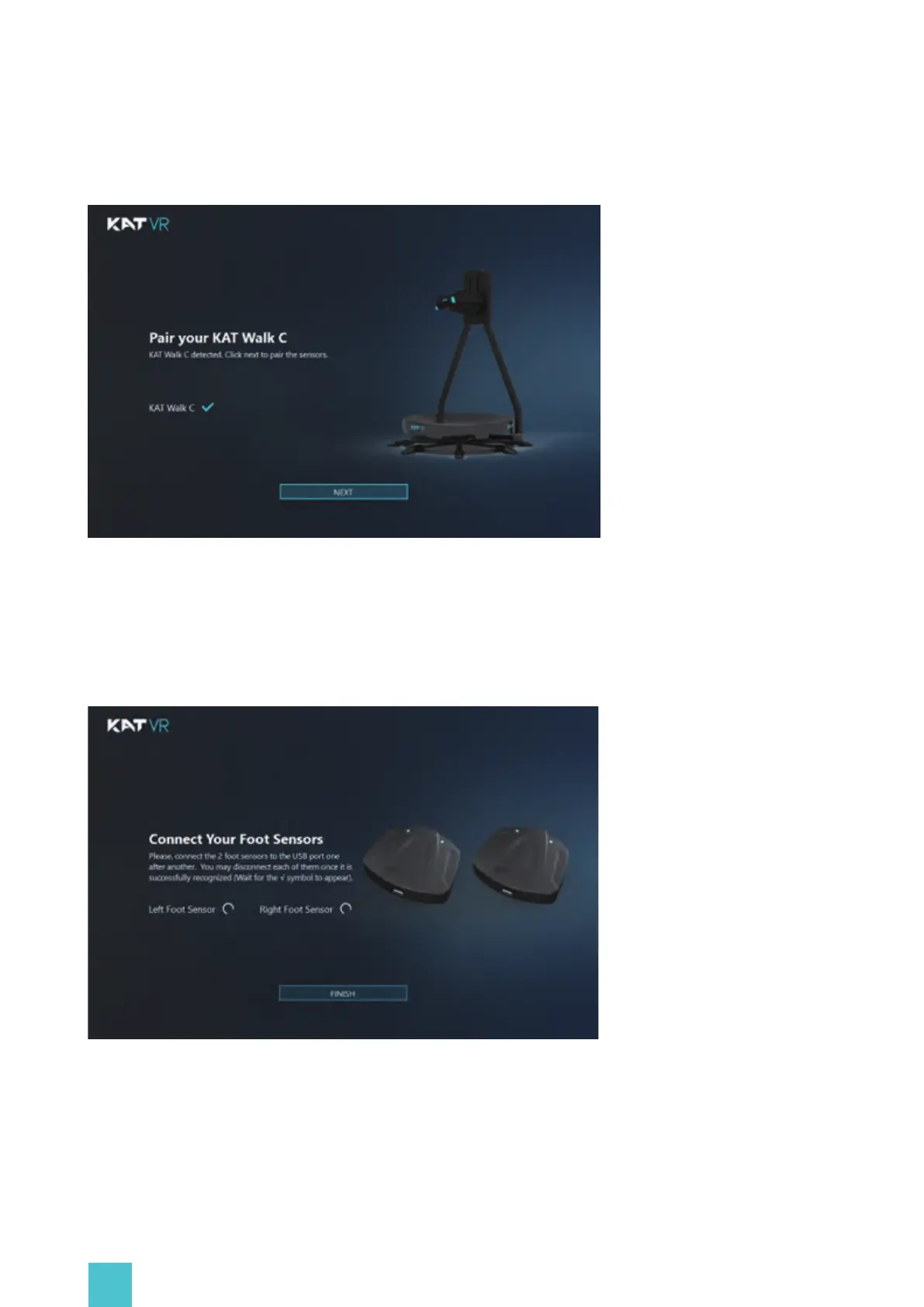
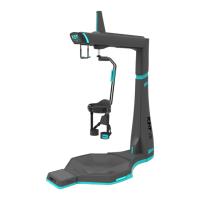
Click “NEXT” and use the gray cable of the tiple-ended micro USB wire from the KAT Walk C
sensor kit to connect the foot sensors to your PC. Follow the software instructions and click
“FINISH” to complete the sensor pairing.
19
Connect the USB data cable of the KAT Walk C to the PC USB port. Once the below window
appears, the treadmill pairing is complete.


 To Next Page