22
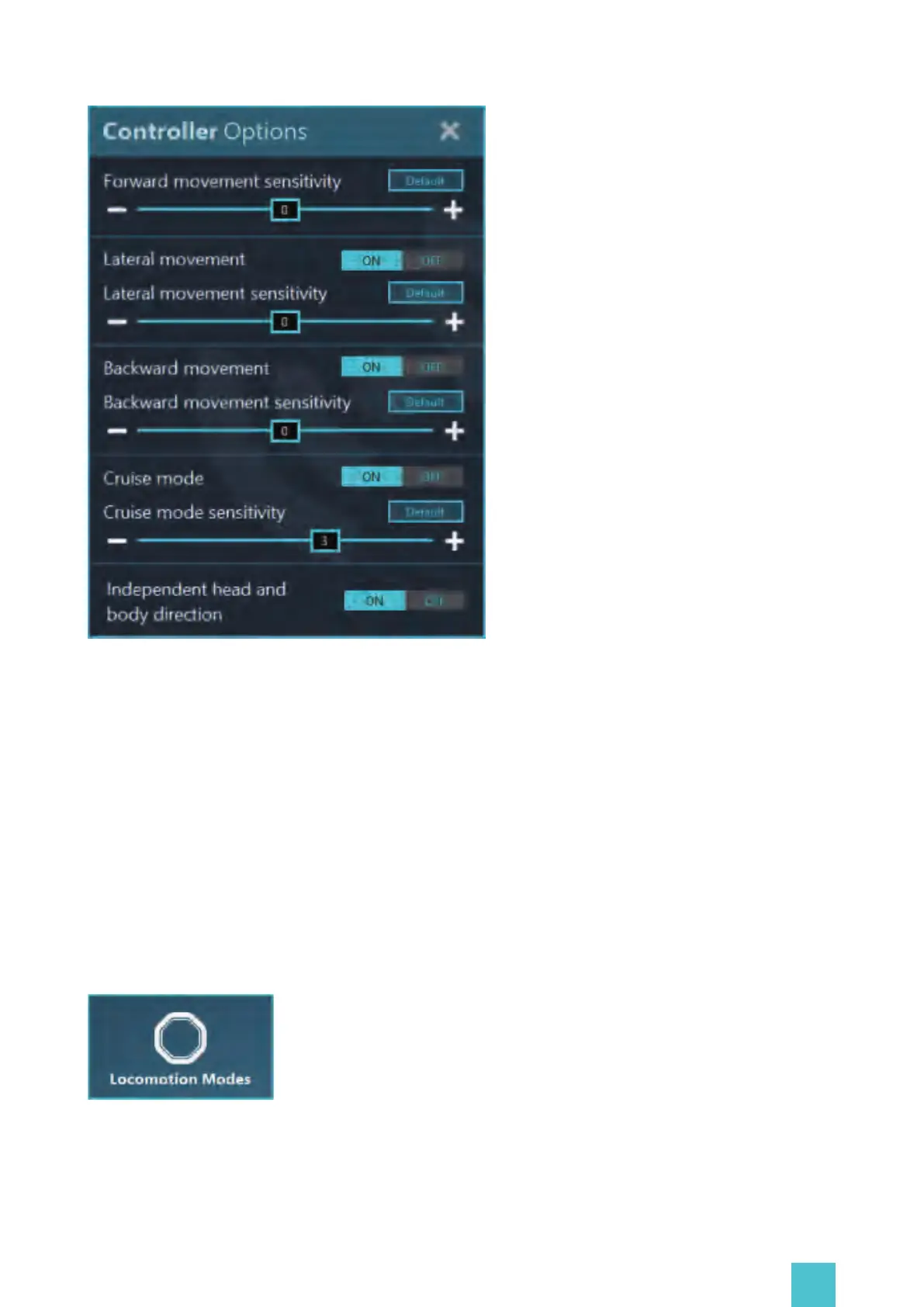
-Adjustment of the forward movement sensitivity;
-Enabling the lateral movement and adjustment of the lateral movement sensitivity;
-Enabling the backward movement and adjustment of the backward movement sensitivity;
-Enabling the cruise mode and adjustment of the cruise mode sensitivity;
-Enabling the independent head and body directions.
2.4 Locomotion Modes
Click the Locomotion Modes button in the Gateway homepage to enter the locomotion settings.
From here you can choose and adjust the available locomotion modes.
The main mode: inSteam
This page allows you to adjust the below settings in real time:


 To Next Page