21
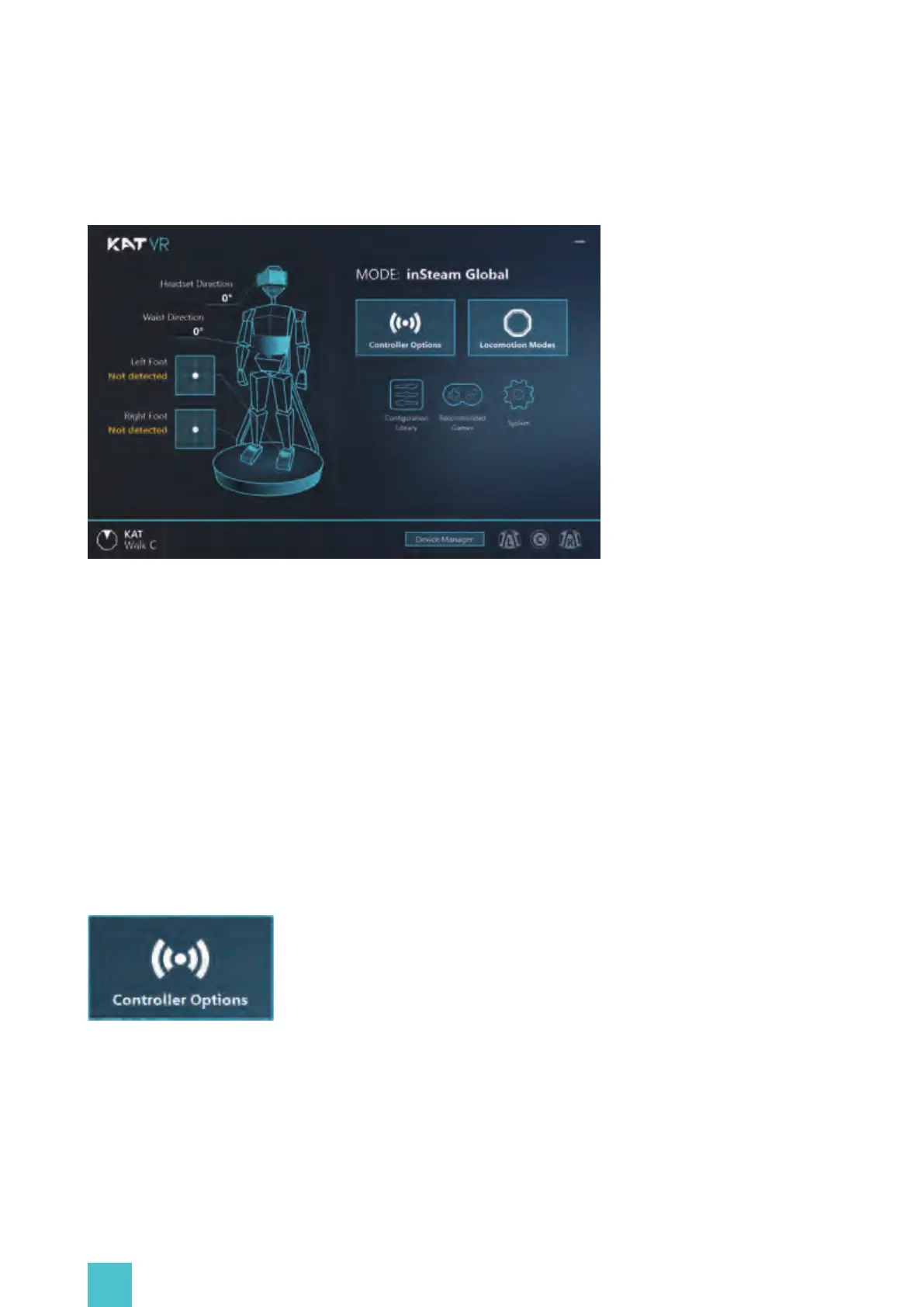
Home page of KAT Gateway displays the current device connection status:
-Headset direction;
-Connection status and direction of the foot sensors;
-Connection status and direction of the left foot sensor;
-Connection status and direction of the right foot sensor;
-Current locomotion mode.
2.3 Controller Options
Click the controller options button in the Gateway homepage to enter the settings:
2.2 Device Status
KAT Gateway dashboard once KAT Walk C is connected:


 To Next Page