21 Starting Installation
Pairing Sensor
The KATVR-Central and the KATVR-Back Sensor can only be used after being paired, and the two KATVR-Foot Sensor can
only be used after being paired with the wireless receiver.
Pairing of KATVR-Central and KATVR-Back Sensor
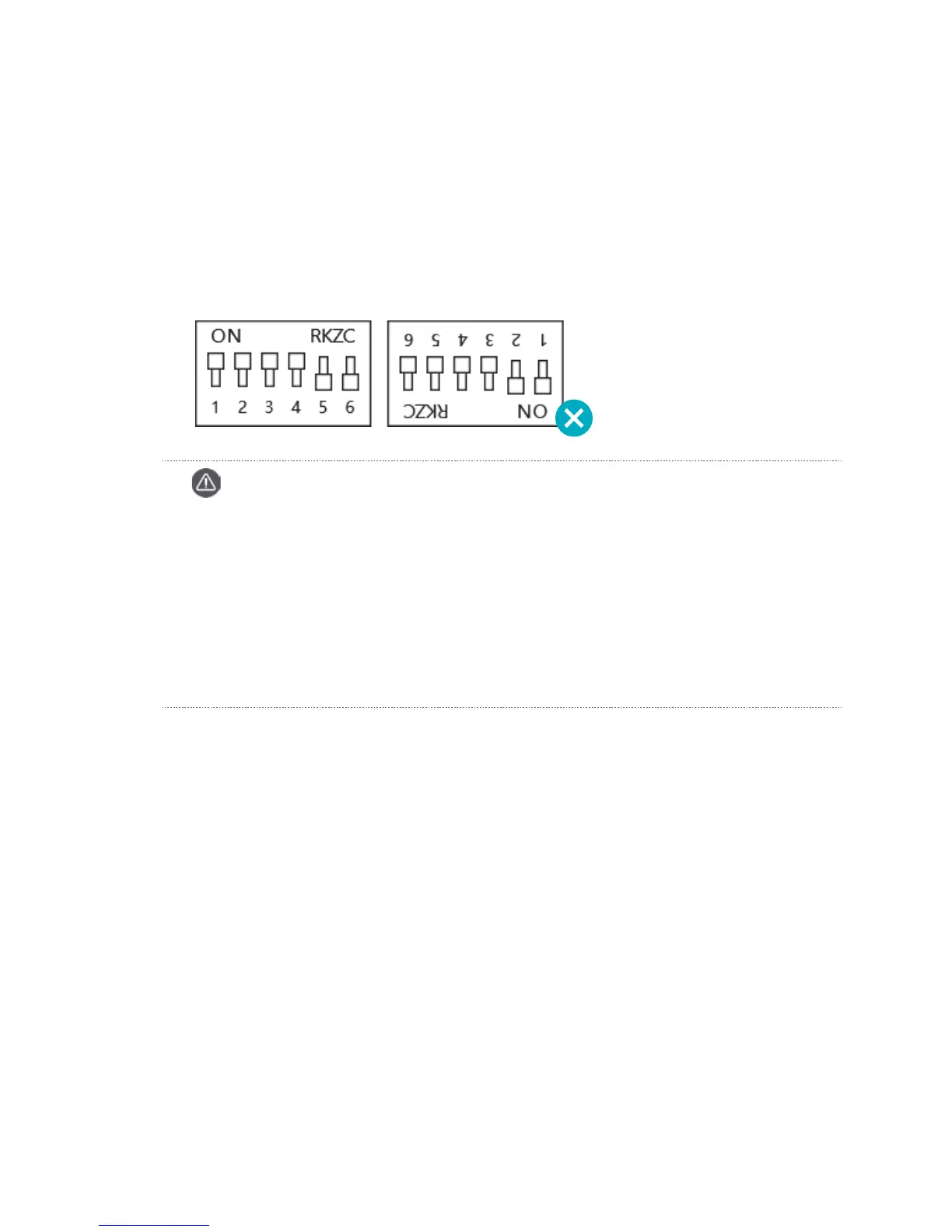
The KATVR-Central and the KATVR-Back Sensor are paired when the six-digit dialers are dialed to the same position.
Similarly, dialing the dialers to different positions can prevent communication interference for the KATVR-Central and
the KATVR-Back Sensor between different equipment. Please note the positions of ON and the digits 1-6 as shown in
the figure, which are wrong:
Pairing of the KATVR-Foot Sensor Modules
The two KATVR-Foot Sensor and the wireless receiver are paired when the six-digit dialers are dialed to the same
position. Dialing the dialers to different positions can prevent communication interference for the KATVR-Foot Sensor
and the wireless receiver between different equipment. Please note the positions of ON and the digits 1-6.
Caution
Within the same place, all the KATVR-Central dialing values should differ from each other, and so it is for
the KATVR-Back Sensor dialing values.
Otherwise, the KATVR-Central of one piece of equipment might connect to the KATVR-Back Sensor of
another.
Within the same place, all the wireless receiver dialing values should differ from each other, and so it is for
the KATVR-Foot Sensor dialing values.
Otherwise, the KATVR-Foot Sensor of one piece of equipment might connect to the wireless receiver of
another.


 To Next Page