25 Starting Installation
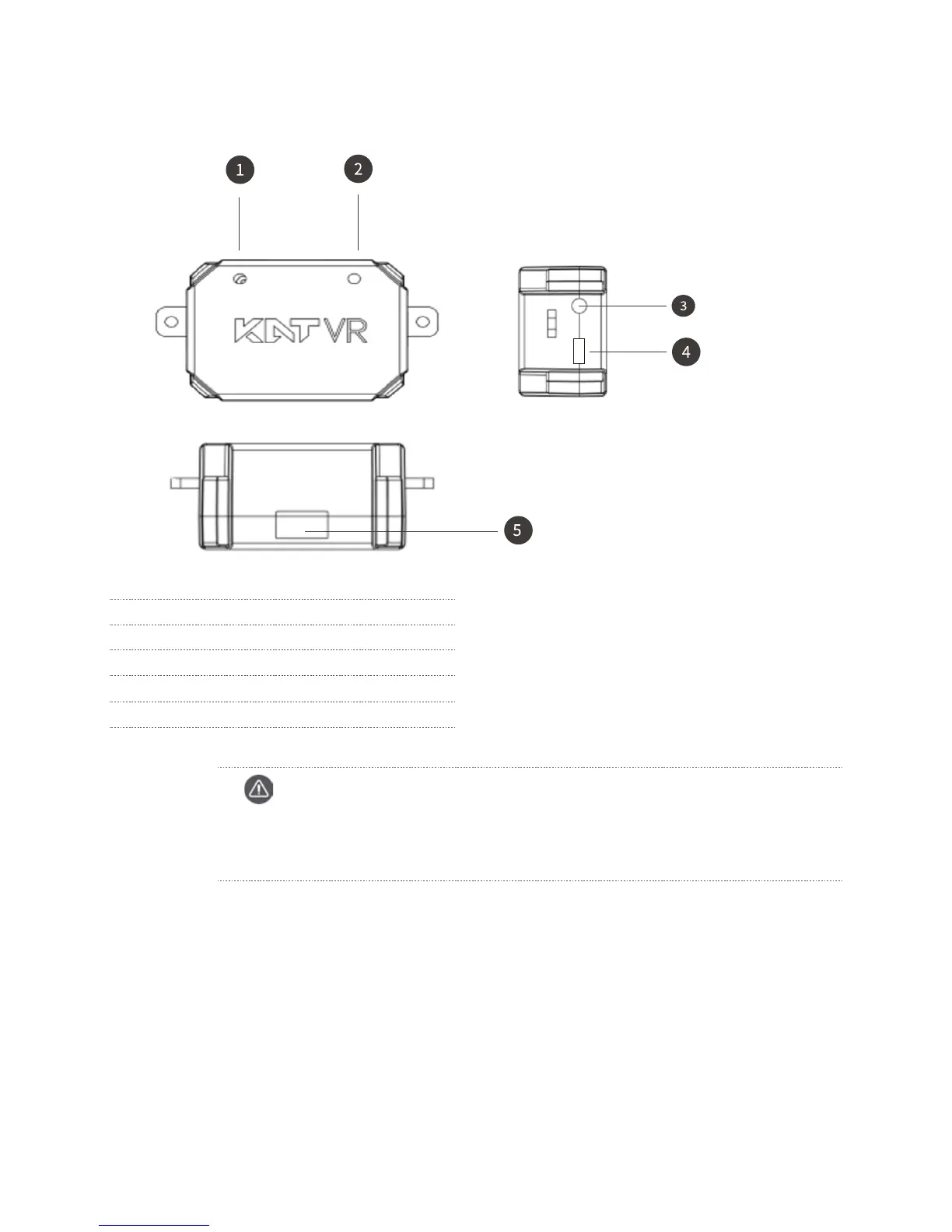
KATVR-Back Sensor
1 Working status indicator
2 Charging status indicator
3 Red button switch
4 Micro USB charging port
5 Six-digit red dialer
Caution
Red indicator: when it is on, it means the power supply to the KATVR-Back Sensor is normal
but it is not connected to the KATVR-Central.
Green indicator: when it is on, it means the KATVR-Back Sensor is connected to the KATVR-Central.



 To Next Page