About Learning Mode
Practicing with Beats
Practicing in Learning Mode
22
The LEARNING mode is a unique set of exercises specifically designed to help build speed, accuracy and stamina,
as well as develop better drum skills.
There are 42 practices in the digital drum:
You can select appropriate patterns to practice depending on your present skills.
If the digital drum is not yet in BEAT menu, press the [BEAT]
button to enter it. You can adjust the parameters (as shown to
the right).
There are 3 states in Learning mode:
20 Beats (Only Snare)
12 Rhythms (Only Drum, from Level1-Level6)
10 Patterns (from Level1-Level5)
Follow me:
Score:
Playback:
Practice with the selected pattern
Record and score your practice
Play back your recorded practice
LEARN
TEMPO
BEAT
LEARN
TEMPO
BEAT
1.
2.
3.
Press the [ - ] or [ + ] button to select the beat.
Press the [PRACTICE] button to listen to the beat and
follow it. Press it again to stop the beat.
Press the [BEAT] or [PAGE] button to select the Beat Drum
volume page. Press the [ - ] or [ + ] button to adjust the
drum volume of the beat.
Beat
1-20
0-32Drum Volume
Number
BEAT
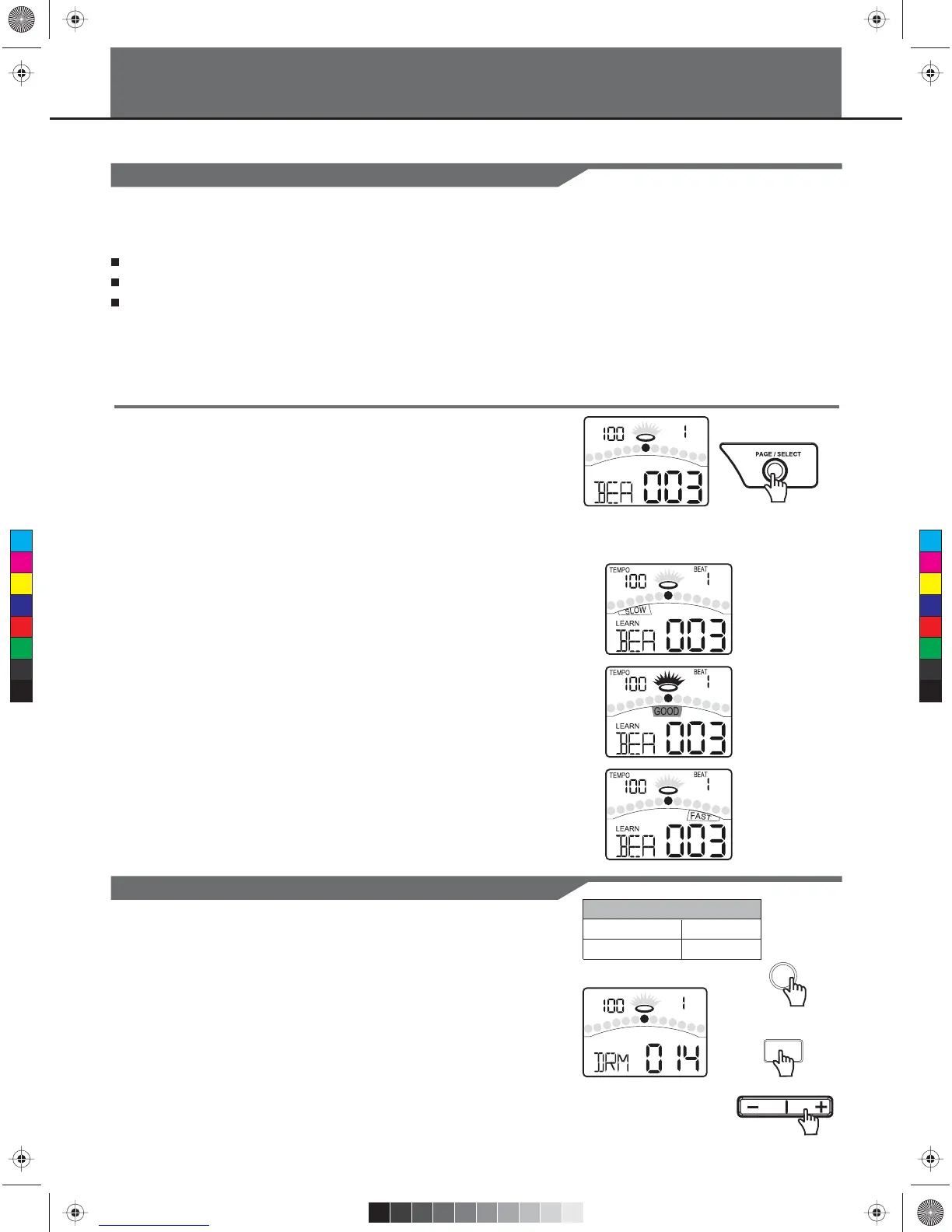
If the digital drum is not yet in LEARNING mode, press and
hold the [PAGE/SELECT] button for 1 second. The LED of
LEARNING mode will turn on. The display will show:
In this Learning Mode, after you press the [PRACTICE] or
[START/STOP] to start practicng, your hitting accuracy will
always be indicated in the middle of the display according to the
current pattern.
DRAGGING:
PERFECT:
RUSHING:
PLAY/PRACTICE
C
M
Y
CM
MY
CY
CMY
K
KMC_KIT_2_Manual_G09_120903.ai 22 2012/9/4 13:32:07KMC_KIT_2_Manual_G09_120903.ai 22 2012/9/4 13:32:07



 To Next Page