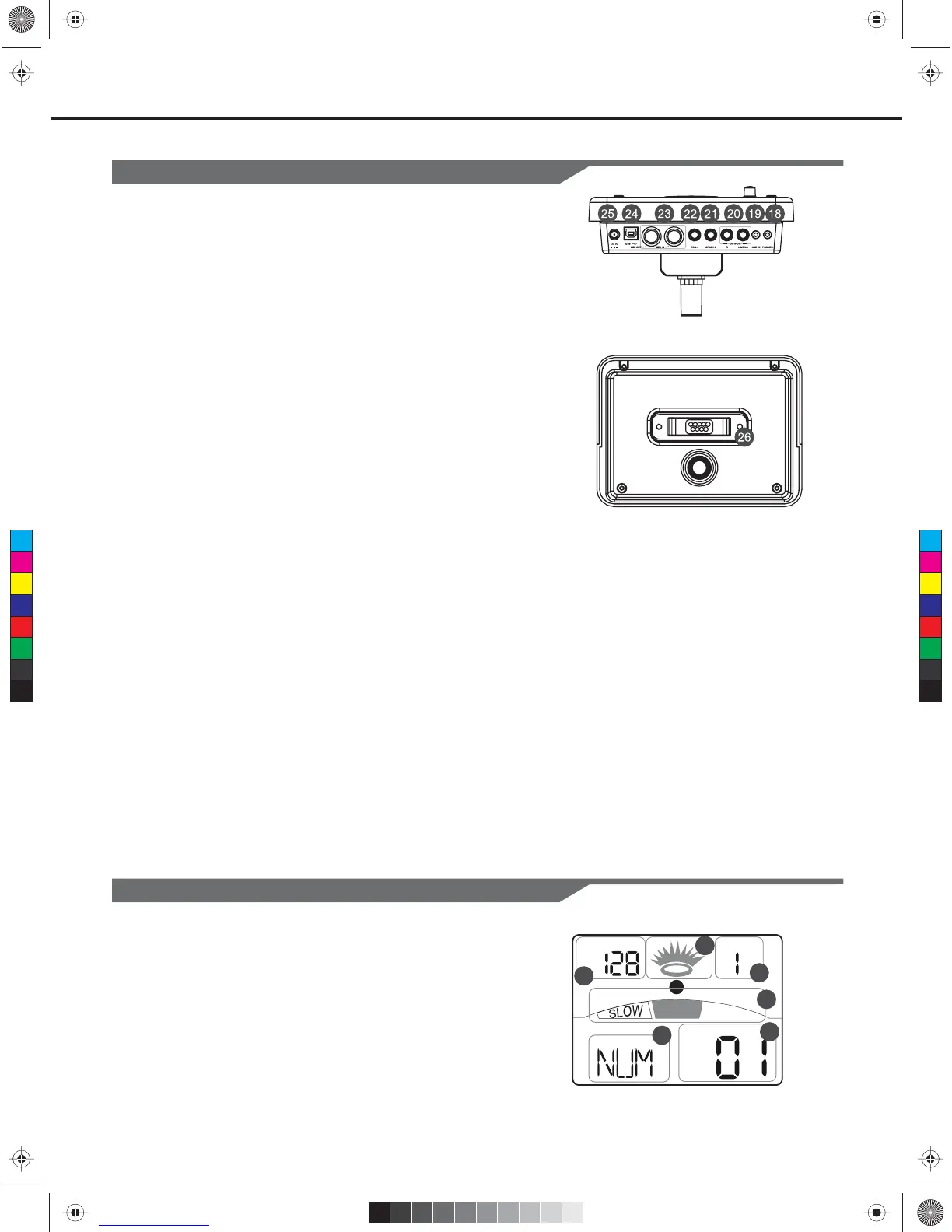
Rear Panel & Side Panel
18. PHONES Jack(1/8”)
This stereo jack is used to connect
headphones to the unit.
19. AUX IN Jack(1/8”)
This stereo input jack is for an external sound
source, such as an MP3 or CD player.
20. LINE OUTPUT Jacks(1/4”)
Stereo output connection to an audio system
or drum amplifier.
21. CRASH 2 Jack(1/4”)
Input connection for Crash 2.
22. TOM 4 Jack(1/4”)
Input connection for Tom 4.
23. MIDI Connectors (IN, OUT)
These ports allow communication with other
products equipped with a MIDI interface.
24. USB Connector
This port is used to connect to a computer
(MIDI In/Out via USB).
25. DC IN Jack
Connect the included DC 9V power adaptor.
26. PAD Connectors
Input connections for Kick, Snare, Tom,
Cymbal pads and Hi-Hat control pedal.
5
Panel Description
Display
GOOD
TEMPO BEAT
4
1
1. Tempo/Measure
2. Hitting Indicator
3. Beat Count
4. Indicators for Learning
5. Indicators for Menus (Such as UTILITY, REC, etc.)
6. Current Mode and Parameter Display
KIT
1
2
3
4
5
6
C
M
Y
CM
MY
CY
CMY
K
KMC_KIT_2_Manual_G09_120903.ai 5 2012/9/4 13:32:03KMC_KIT_2_Manual_G09_120903.ai 5 2012/9/4 13:32:03



 To Next Page