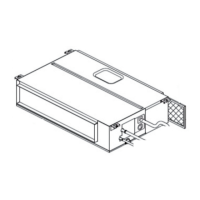
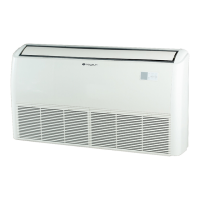
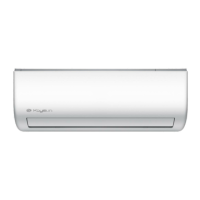
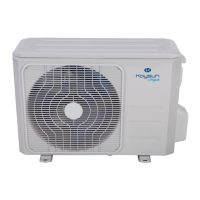
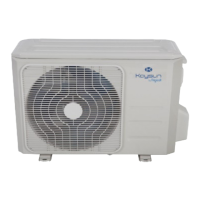
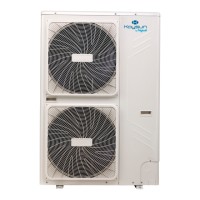
This document is an owner's manual for a Kaysun Middle Static Pressure Duct Type air conditioning unit. It provides comprehensive information on the operation, maintenance, and troubleshooting of the device, ensuring proper function and extended lifespan.
Function Description
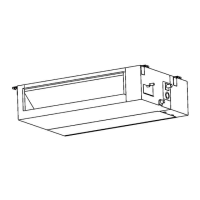
The Kaysun Middle Static Pressure Duct Type air conditioner is designed to provide cooling, heating, and dry modes for indoor environments. It is a concealed unit, typically installed within a ceiling or wall, with air distributed through ducts to various rooms. The system includes an indoor unit, an outdoor unit, and a remote control for user interaction.
The air conditioner operates across a range of temperatures:
- COOL Mode: Indoor temperature range of 17-32°C (62-90°F) and outdoor temperature range of 0-50°C (32-122°F). For low-temperature cooling models, the outdoor range is -15-50°C (5-122°F).
- HEAT Mode: Indoor temperature range of 0-30°C (32-86°F) and outdoor temperature range of -15-24°C (5-76°F).
- DRY Mode: Indoor temperature range of 17-32°C (62-90°F) and outdoor temperature range of 0-50°C (32-122°F).
The unit features an electric control cabinet, an air filter (on some models), a drain hose, and refrigerant connecting pipes. It is equipped with a manual operation panel on the indoor unit, which can be used if the remote control is misplaced or out of batteries. This panel includes a manual button, operation indicator, timer indicator, LED display, infrared receiver, alarm indicator, and a PRE-DEF (pre-heating/defrost) indicator.
Usage Features
The air conditioner offers several features to enhance user experience and efficiency:
- Default Setting: After a power failure, the unit restarts with factory settings (AUTO mode, AUTO fan, 24°C/76°F). Users can then use the remote control to adjust settings.
- Auto-Restart (some models): In case of a power failure, the system stops immediately. When power returns, the operation light on the indoor unit flashes, and the unit restarts with the previous settings if this function is enabled. If not, the ON/OFF button on the remote control must be pressed to restart.
- Louver Angle Memory Function (Optional): Some models remember the horizontal louver angle after a power failure and automatically return to the previous position upon restart. The manual button can be used to reset the louver settings. It is advised not to set the louver angle too small to prevent condensation and dripping.
- Refrigerant Leak Detection System (some models): In the event of a refrigerant leak, the LCD screen will display "EC" and the LED indicator light will flash, alerting the user to a potential issue.
- Manual Operations: The indoor unit's display panel allows for basic operation without the remote control. The manual button cycles through AUTO, FORCED COOL, and OFF modes. In FORCED COOL mode, the operation light flashes, and the system cools with high wind speed for 30 minutes before switching to AUTO mode, during which the remote control is disabled. Turning the panel OFF re-enables the remote control.
Energy Saving Tips:
- Avoid setting the unit to extreme temperatures.
- Close curtains during cooling to block direct sunlight.
- Keep doors and windows closed to maintain desired indoor temperatures.
- Do not obstruct the air inlet and outlet of the unit.
- Utilize the timer and built-in SLEEP/ECONOMY modes.
- Remove batteries from the remote control if the unit will not be used for an extended period.
- Clean the air filter every two weeks.
- Adjust louvers to avoid direct airflow and optimize distribution.
Maintenance Features
Regular maintenance is crucial for the air conditioner's efficiency and longevity.
Safety Precautions for Maintenance:
- Always contact an authorized service technician for repairs or maintenance to avoid electric shock, fire, or voiding the warranty.
- Do not substitute blown fuses with incorrect amperage ratings.
- Ensure the drain hose is properly installed to prevent leakage.
- Verify all wires are correctly connected to prevent electrical hazards.
- WARNING: Do not remove or clean the filter yourself; this should be done by a certified technician.
Unit Maintenance:
- Before cleaning or maintenance, always turn off the system and disconnect the power supply.
- Do not use chemicals, chemically treated cloths, benzene, paint thinner, polishing powder, or other solvents, as these can damage the plastic surfaces.
- Do not wash the unit under running water.
- Do not use water hotter than 40°C (104°F) to clean the front panel, as it can deform or discolor.
- Clean the unit with a damp, lint-free cloth and neutral detergent, then dry with a dry, lint-free cloth.
Air Filter Cleaning:
The air filter prevents dust and particles from entering the indoor unit, maintaining efficiency.
- For rear-ventilated units: Remove the two filter fixed screws and take down the filter.
- For descensional-ventilated units: Push the filter up slightly to release the position retainer, then remove the filter following the arrow direction.
- Clean the air filter by vacuuming its surface or washing it in warm water with mild detergent. If vacuuming, the inlet side should face the vacuum. If washing, the inlet side should face down and away from the water stream.
- Rinse the filter with clean water and allow it to air-dry naturally; do not expose it to direct sunlight.
- Reinstall the filter.
- Clean the air filter every two weeks, or more frequently in dusty areas. Replace heavily clogged filters that cannot be cleaned.
Repairing Refrigerant Leaks:
- If a refrigerant leak is detected (indicated by "EC" on the LCD and flashing LED), immediately turn off the air conditioner and any combustible heating devices. Ventilate the room and call a dealer.
- Do not operate the unit until the leak is repaired, as refrigerant is toxic and flammable, posing health and safety threats, especially in small rooms where concentration can exceed safety limits.
Preparation for Periods of Non-Use:
- Maintenance after Extended Non-Use:
- Remove any obstacles blocking the vents of both indoor and outdoor units.
- Clean the air filter and the front grille of the indoor unit. Reinstall the clean, dry air filter.
- Turn on the main power switch at least 12 hours before operating the unit.
- Storing the Unit While Not in Use:
- Run the appliance on FAN mode for 12 hours in a warm room to dry it and prevent mold.
- Turn off the appliance and unplug it.
- Clean the air filter and reinstall it dry.
- Remove batteries from the remote control.
Troubleshooting:
The manual provides a detailed troubleshooting guide for common problems, distinguishing between normal operating conditions and actual malfunctions. It lists symptoms like the unit not turning on, changing modes, emitting mist, or making noises, along with possible causes and solutions. For serious issues (e.g., rapid flashing operation light, unresponsive remote, tripping fuses, foreign objects, or other abnormal situations), users are advised to switch off the power and contact their dealer immediately. Error codes are also provided to help diagnose specific problems, such as EEPROM errors, communication malfunctions, sensor errors, and protection-related issues.
European Disposal Guidelines:
Users in European countries must dispose of the unit properly due to the presence of refrigerant and other hazardous materials. The product should not be disposed of as household or unsorted municipal waste. Options for disposal include designated municipal electronic waste collection facilities, returning the old appliance to the retailer when buying a new one, or selling it to certified scrap metal dealers. Improper disposal can harm the environment and human health.


 To Next Page
 General