info@kbgoodice.com
DISPENSER USE
Flush the unit with clean potable water once a week to prevent high
water TDS and hardness.
Descale the unit with citric acid once a month to prevent sediment
buildup.
Sanitize the unit with chlorine bleach twice a month to prevent
bacteria growth.
Use potable water only.
Use purified or distilled water to improve ice making performance.
Water TDS level must be 5~100 mg/L (PPM).
Water Hardness must be no greater than 50 mg/L (3 grains/gal).
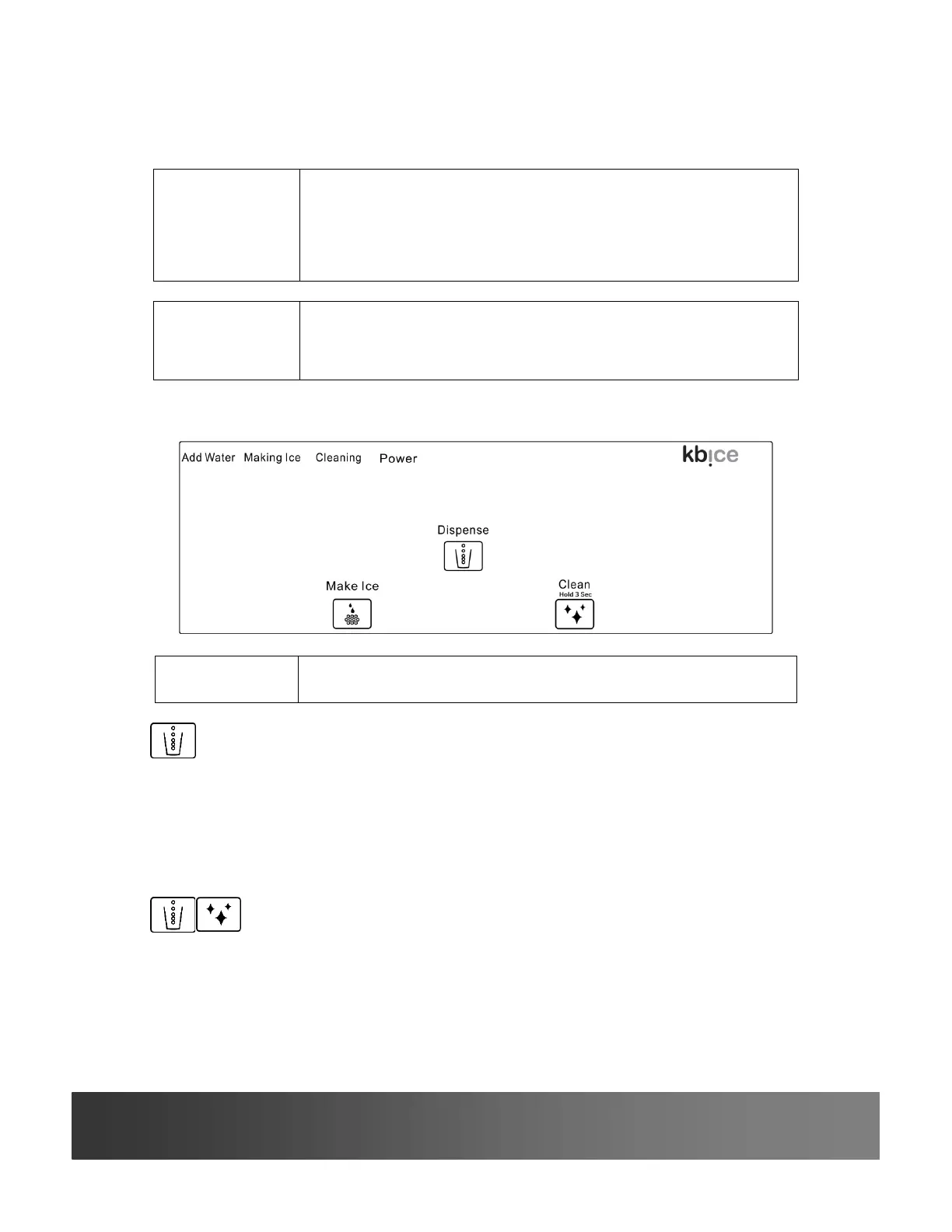
If Add Water, Making Ice, Cleaning and Power LEDs illuminate
simultaneously, follow the dispenser care instructions below.
Dispense button
The unit will stop dispensing ice automatically after 60 seconds elapse.
x Place a cup under the ice dispense point.
x Press and hold to dispense ice, release to stop.
Combination Buttons
I ca be ed he he i cat dispense ice because ice is jammed.
x While you hold the Dispense button, press and hold the Clean button to
reverse the ice auger.



 To Next Page