multisys D2-MSMT
V1.00
20742_EDEBDA0231-2516-1_EN
10
Conguration via Ethernet interface
2.2 Conguration via the
Ethernet interface (Telnet)
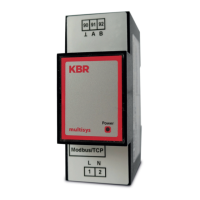
The Ethernet interface of the multisys D2-MSMT-1 can be set up using the
Ethernet interface via Telnet and the Lantronix DeviceInstaller tool.
Note
On delivery, the devices are assigned to the IP address 192.168.0.1.
For this reason, it is recommended to check whether the device can
be reached using this IP address.
2.21 Procedure for IP address 192.168.0.1 or unknown IP
The device can be congured using the Lantronix tool "DeviceInstaller".
For this purpose, download the Lantronix DeviceInstaller software from the
Internet and install it (you need to install Microsoft .NET Framework rst).
After starting DeviceInstaller, the connected network is scanned, and the
Lantronix ports detected are displayed and can then be edited.
Select the IP address of the multisys D2-MSMT-1 and then establish a Telnet
connection. After conrming with “Enter”, the new parameters are displayed.
2.2.2 Conguration via Telnet:
Start the Telnet program:
telnet <IP address> <port number>
with the known device IP address as <IP address>
and the conguration port number of the device (always 9999) as
<port number>.
Example: telnet 192.168.0.1 9999
If device and computer are part of the same network,
the device displays the following text:


 To Next Page