Need help?
Do you have a question about the KEB F5 COMBICOM ModBus and is the answer not in the manual?
Details available part numbers for the ModBus operator and related accessories.
Describes the physical components and connectors of the ModBus interface.
Explains how to configure and adjust the ModBus communication speed.
Information on connecting a PC for diagnosis and parameterization.
Configuration of the ModBus slave address for device communication.
Methods for accessing inverter parameters via ModBus register addresses.
Overview of standard and KEB-defined ModBus function codes.
Details on KEB's custom ModBus functions (e.g., Read/Write Registers32).
Configuration and behavior of the fieldbus supervision watchdog timer.
A consolidated table listing operator parameters, their addresses, and data lengths.
Lists and explains error codes returned by the ModBus interface.
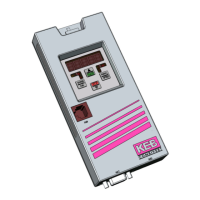
The KEB COMBICOM is a ModBus operator and diagnosis interface, designed to facilitate communication and control of KEB COMBIVERT frequency inverters. This device acts as a slave interface within a ModBus network, allowing for parameter access, monitoring, and configuration of the connected inverter.
The primary function of the KEB COMBICOM is to provide a ModBus interface for KEB frequency inverters. It supports both RS232 and RS485 transmission standards, offering flexibility in network integration. The device allows for reading and writing of inverter parameters, enabling comprehensive control and monitoring from a ModBus master.
Parameter addressing is organized into different groups:
MDB_MapStartAddr_Rd/Wr.FI-Parameter Address = ModBus Register Address – 2000(hex). Access in this area is done with indirect set addressing (using FR.09), requiring the set indicator (FR.09) to be configured prior to access for parameters in different sets.The KEB COMBICOM supports standard ModBus functions such as:
3: Read Holding Registers4: Read Input Registers6: Preset Single Register16: Preset Multiple RegistersThese predefined functions are designed for 16-bit data access and operate with indirect set addressing (FR.09) for inverter parameters. To address parameters with 32-bit data length, KEB has defined two additional user-defined ModBus functions:
These 32-bit functions are particularly useful for accessing specific KEB frequency inverter parameters that require higher data precision. The device also incorporates mapping lists for both reading and writing, allowing access to both 16-bit and 32-bit parameters via functions 3, 4, and 16. The length of these mapping lists is programmable via MDB_MapNr_Rd/Wr, with a maximum of 100 words (16-bit).
MDB_SlaveAddr_OP. If MDB_SlaveAddr_OP is 255 (decimal), the address is taken from the inverter address (SY.06). If SY.06 is 0 (reserved for broadcast), ModBus activities are disabled. Otherwise, MDB_SlaveAddr_OP directly sets the ModBus address (1-247).Watchdog_Inhibit and Watchdog_Activation parameters. This feature enhances system reliability by monitoring communication and triggering predefined actions (via Pn.05 and Pn.06) in case of communication timeouts. Watchdog_Inhibit defines events that reset the watchdog, while Watchdog_Activation defines events that activate it.5F00h to 5FFFh) allows for fine-tuning of the ModBus interface behavior, including protocol configuration (MDB_ProtCfg), slave address source (MDB_SlavAddr_OP), mapping list start addresses (MDB_MapStartAddr_Rd/Wr), and mapping list lengths (MDB_MapNr_Rd/Wr).MDB_Command parameter (5F31h) allows requesting specific commands in the ModBus operator, such as setting operator parameters to default values.Diag Error Counter (0183h), DiagRsp.DelayTime (0184h), and Diag Baudrate (0185h) enable detailed troubleshooting and monitoring of the communication link.The KEB COMBICOM is a robust and versatile interface, crucial for integrating KEB frequency inverters into ModBus-based control systems, offering extensive control, monitoring, and diagnostic capabilities.
 General
| Brand | KEB |
|---|---|
| Model | F5 COMBICOM ModBus |
| Category | Control Unit |
| Language | English |

 To Next Page