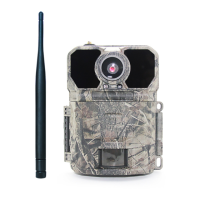
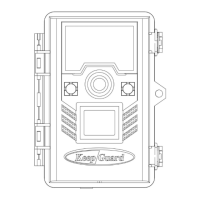
→ Move the latches and open the front cover
→ Load 8 lithium AA or alkaline AA batteries
→ Insert the SD card
→ Switch to the SETUP Mode
→ Press MENU button
→ Press UP or DOWN key to select Camera or Video Mode
→ Put it good position
→ Switch to the ON Mode and it have started working.
● Be sure the camera′s power is switched OFF before inserting or removing SD cards or batteries.
● Check to make sure you have used new alkaline or lithium batteries. We recommends using a full set of 8 Energizer R
Lithium AA batteries to obtain maximum battery life.
● Batteries or DC power supply inserted/connected with correct polarity and the power level is sufficient.
● SD card have sufficient available space and is its write-protection (lock) switch off.
● Always move the power switch from OFF to SETUP mode. It is possible that the camera could lock up if it is switched
from ON to SETUP mode.
If this occurs, please move the switch to OFF and then push it up to SETUP again.
Quick Start
Notes Before Use
2
KEEPTIME



 To Next Page