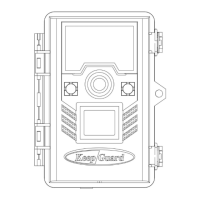
Need help?
Do you have a question about the KeepGuard KG895 and is the answer not in the manual?
Sets the date and time on the camera, allowing for accurate logging.
Selects whether the camera captures photos, videos, or both upon triggering.
Determines the resolution for still photos, affecting quality and file size.
Defines the number of sequential photos taken per trigger event.
Sets the video resolution, impacting quality, file size, and storage usage.
Configures the duration of each captured video clip.
Allows assigning a custom name for identification when using multiple cameras.
Sets the 'ignore triggers' period after an initial detection to prevent redundant captures.
Synchronizes camera GPS information with the connected mobile phone's location.
Defines specific time windows during which the camera will be active and trigger.
Enables time-lapse recording, capturing images at set intervals regardless of triggers.
Adjusts the PIR sensor sensitivity based on ambient temperature and desired performance.
Protects the camera by requiring a four-digit password upon activation.
Enables overwriting older files with new ones when the SD card becomes full.
Imprints the date and time onto captured photos for record-keeping.
Enables or disables audio recording along with video clips.
Controls the wireless function for sending photos to a mobile app or email.
Sets how often images are sent to the user, balancing data usage and battery life.
Selects the user interface language from a list of available options.
Erases all files on the SD card to prepare it for reuse.
Restores all camera settings to their original factory default values.
Displays modem, SIM card, and camera firmware information.
Guides through downloading the app and creating a user account.
Details the process of adding a camera to the mobile application.
Configures various camera parameters like resolution, capture number, and sensor level.
Allows selection of the correct time zone for accurate time synchronization.
Overview of the app's main interface, showing camera status and options.
Manages paired cameras, allowing removal and checking status.
Configures network settings (APN) for camera communication and registration.
Provides instructions on how to physically attach the camera to a mounting surface.
Guides testing the camera's detection range and angle for optimal placement.
 General
| Brand | KeepGuard |
|---|---|
| Model | KG895 |
| Category | Digital Camera |
| Language | English |

 To Next Page