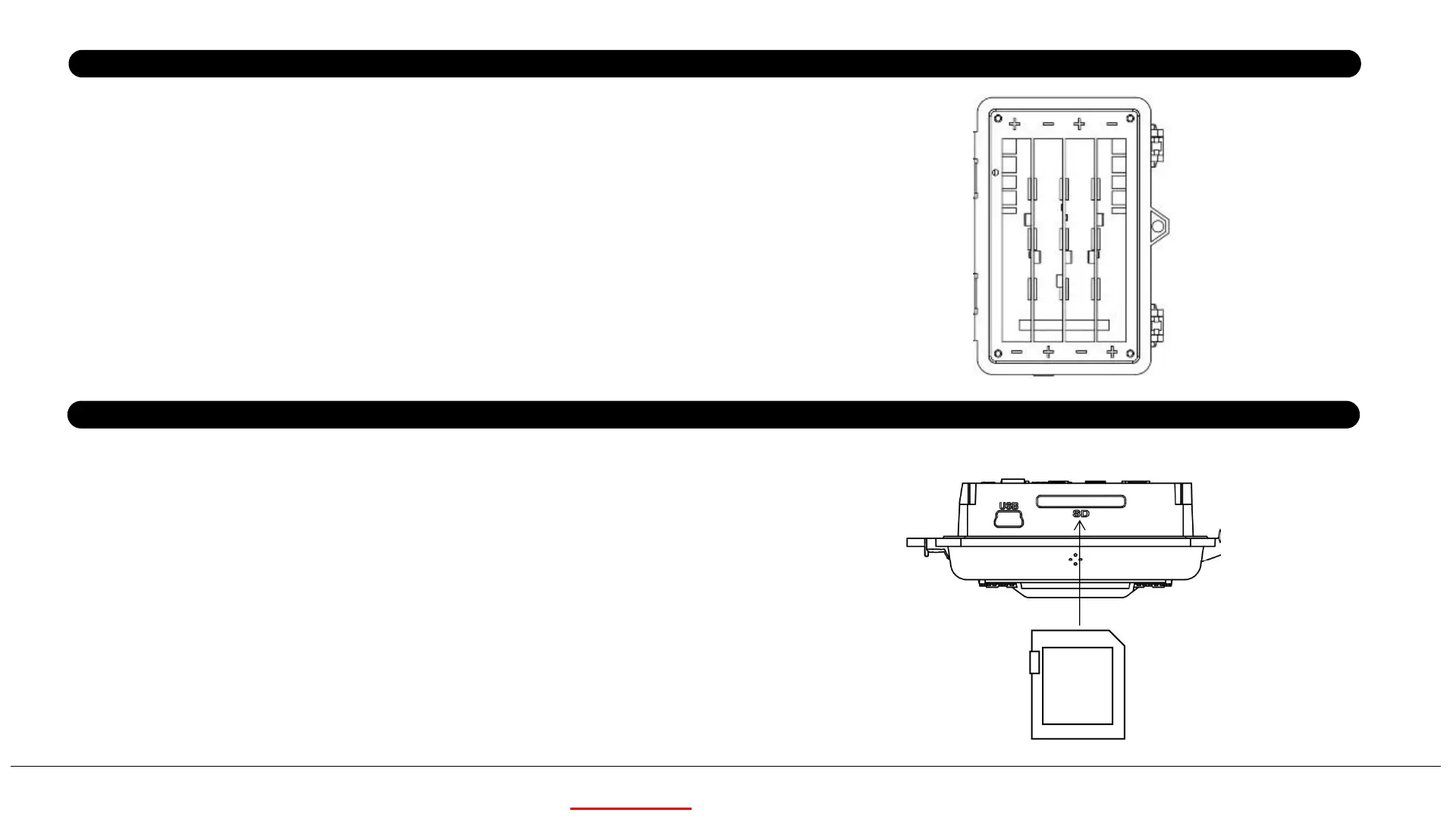
After opening the two latches on the right side of the camera,
you will see that it has 8 battery slots. For maximum battery
life, we recommend using 8 lithium AA or alkaline AA batteries.
The cam may also be operated by just four batteries installed
in the first slots only (starting on the right-see photo). Battery
life will be shorter with 4 batteries, but the camera will operate
normally. Whether you use 4 or a full set, be sure to insert
each battery with correct polarity (negative or “flat” end
against the long spring of each battery slot).
Power Supply
SD Card
Insert the SD card ( OFF mode ) before beginning to operate the
camera. SD card is supported up to maximum 32GB capacity.
32GB
5
KEEPTIME



 To Next Page