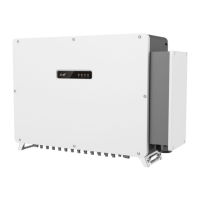
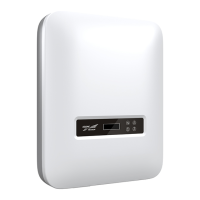
The provided document is a user manual for the Kehua iStoragE1 Series Hybrid Inverter.
Function Description
The Kehua iStoragE1 Series Hybrid Inverter is an energy storage system designed to effectively manage energy in residential settings, both day and night. It offers a complete energy solution with multiple working modes to suit different application scenarios, aiming to provide energy independence and economy for users. The system consists of an inverter and a battery pack.
The iStoragE1 product supports several working modes:
- Backup mode: Provides uninterrupted blackout protection when the grid goes down, acting as an energy backup unit.
- Self-consumption mode: Prioritizes energy supply to loads, then stores excess PV energy in the battery. When PV power is insufficient or unavailable, the battery discharges to power the loads.
- Time of use mode: Optimizes energy utilization and user income based on peak and off-peak electricity prices and user demand.
- Energy scheduling mode: Allows users to set charge and discharge times, enabling pre-charging when power prices are low and saving energy for use during high grid power price periods.
- External control mode: Facilitates remote scheduling of inverter control and energy management optimization strategies through an API interface.
- Peakload shifting mode: Allows customers to set a maximum grid percentage. If the load suddenly increases and the grid port power exceeds this set maximum, the iStoragE1 product enters standby status.
- Off-grid mode: Can operate in a completely off-grid scenario where no grid power is available.
The inverter can be applied in DC-coupled, AC-coupled, and fully off-grid systems.
Important Technical Specifications
The iStoragE1 Series Hybrid Inverter comes in three models: iStoragE1 3600, iStoragE1 5000, and iStoragE1 6000.
PV Input:
- Max. input power: 9000 W (all models)
- Max. input voltage: 580 V d.c. (all models)
- MPPT voltage range: 100~550 V d.c. (all models)
- MPPT voltage range with full-load: 300~450 V d.c. (all models)
- Max. PV input current: 2*15 A d.c. (all models)
- Startup voltage: 100 V d.c. (all models)
- MPPT number: 2 (all models)
- Per MPPT string number: 1/1 (all models)
- Max. PV short-circuit current: 18.75 A d.c. (all models)
- Max. inverter feedback current to array: 0 A a.c. (all models)
Grid Input:
- Rated input power (VA): 7200 (3600), 10000 (5000), 12000 (6000)
- Max. apparent power (VA): 7200 (3600), 10000 (5000), 12000 (6000)
- Rated voltage: 230 V a.c. (all models)
- Rated input current (A a.c.): 31.2 (3600), 43.4 (5000), 52.4 (6000)
- Max. continuous input current (A a.c.): 31.2 (3600), 43.4 (5000), 52.4 (6000)
- Rated grid frequency: 50/60 Hz (all models)
Grid Output:
- Rated output power (VA): 3600 (3600), 5000 (5000), 6000 (6000)
- Max. apparent power (VA): 3600 (3600), 5000 (5000), 6000 (6000)
- Rated grid voltage: 230 V a.c. (all models)
- Grid voltage range: 180~280 V a.c. (all models)
- Grid type: Single-phase (all models)
- Rated output current (A a.c.): 15.6 (3600), 21.7 (5000), 26.2 (6000)
- Max. continuous output current (A a.c.): 15.6 (3600), 21.7 (5000), 26.2 (6000)
- Max. output over current protection (A a.c.): 41 (3600), 32.6 (5000), 39.3 (6000)
- Max. output fault current (A a.c.): 41 (all models)
- Rated grid frequency: 50 Hz (all models)
- Grid frequency range: 45.0~55.0 Hz (all models)
- Power factor (rated power): >0.99 (all models)
- Power factor range: 0.8 ahead~0.8 lag (0.8* rated power) (all models)
- THDi: <3% (rated power), <5% (load is 50%, rated power) (all models)
Backup Output:
- Rated output power (VA): 3600 (3600), 5000 (5000), 6000 (6000)
- Max. apparent power (VA): 3600 (3600), 5000 (5000), 6000 (6000)
- Rated voltage: 230 V a.c. (all models)
Protection & Safety:
- DC reverse connection protection: Yes
- Anti-island: Yes
- Zero-export: Yes
- AC short-circuit protection: Yes
- Leakage current protection (RCD): Type B
- RCD action current: 30mA
- RCD rated continuous current: ≥ 50Aa.c
- RCD response time: < 0.3S
- RCD Rated Voltage: 3W/N/PE ≥400Va.c.
- DRM mode: DRM 0
- DC switch: Optional
- PV fault detect: Yes
- Input DC impedance monitor: Yes
- Surge protection: TYPE II
Basic Parameters:
- Size (W×H×D): 800×280×233 mm (all models)
- Weight: 16.3kg (all models)
- Installation: Wall-mounting
- Insulation: No transformer
- Protection grade: IP65
- Self-consumption at night: <10W
- Operating temperature range: INV: -25℃~60℃. (For 3600/5000 models, if temperature is higher than 45℃ or lower than -25℃, the inverter decreases rated power. For 6000 model, if temperature is higher than 40℃ or lower than -25℃, the inverter decreases rated power.)
- Relative humidity: 0~95%
- Cooling: Natural
- Operating altitude: 3000m (derating above 3000m)
- Noise (typical): <25db (A) @ 1m
- Display: LED
- Communication: RS485 /WIFI/ /DRM (Australia)
- AC terminal: E10-12 Grid (max.10mm²), E06-12 Backup (max.6mm²)
- PV DC terminal: MC4 (max.6 mm²)
- BAT terminal: MC4 (max.10 mm²)
- Overvoltage category: II
- Pollution degree: II
Usage Features
The iStoragE1 series inverter is designed for user-friendly operation, primarily through a dedicated mobile application (APP).
Installation:
- Requires proper tools, including clamp meter, multi-meter, label paper, Phillips screwdriver, COAX crimping tool, diagonal pliers, wire stripper, claw hammer, hammer drill, insulation tape, cotton cloth, brush, heat shrink tubing, heat gun, electrician's knife, protective gloves, ESD gloves, insulated gloves, hydraulic pliers, cable tie, tape, leveling instrument, goggles, and torque wrench.
- Installation environment should avoid direct sunlight, rain, or snow to prolong service life. It should be well-ventilated, free from flammable/explosive materials, dust, corrosive substances, salty or flammable gases, and vibrations.
- Requires specific installation space clearances: at least 500mm from left/right objects, 300mm from top to ceiling, and 300mm from front to other objects for heat dissipation.
- Mechanical installation involves fixing a base module to the floor, leading a cover plate, and then mounting the inverter and battery packs to the wall using expansion bolts and screws.
- Electrical connections include external grounding, DC input (PV) connection, AC output connection (GRID and BACKUP), WIFI connection, and communication port connections (DRM, Meter, BMS).
- Specific instructions are provided for wiring, including stripping lengths, crimping, and tightening nuts to ensure secure and correct connections.
- Smart meter settings are detailed for zero-export function, including address and anti-backflow control power configuration.
APP Operation:
- Users can download the "WiseSolar Plus" APP from App Store or Google Play.
- The APP allows for registration, login, and creation of new power plants by entering relevant information.
- Devices are added by scanning the QR code of the collector or manually entering the SN.
- Wi-Fi configuration is done through the APP, connecting to the inverter's Wi-Fi module using a default password.
- The APP provides comprehensive information query, including PV information (voltage, current, power), inverter information (total grid-tied energy, grid current, load voltage), and grid information (load voltage, current, apparent power).
- Software versions and standard types can be queried and selected.
- The control interface allows for various settings:
- Basic Setting: ON/OFF control, work mode selection (time of use, backup, self-consumption, energy scheduling, external control, peakload shifting), BMS communication settings, grounding detection, and zero-export function.
- System Setting: System time configuration.
- Battery Setting: Battery charge and discharge power settings.
- Grid Setting: Grid mode configurations including P-V mode (Volt-watt response), Q-V mode (Volt-var response), and schedule mode.
- Password authentication is required for modifying parameters.
Startup and Shutdown:
- Startup: Involves checking PV, battery, backup, and grid wiring, turning on external load and grid switches, then turning on the DC switch on the inverter and external PV switch. Inverter functions are set via the APP before startup. The system starts automatically after grid switch is on, or manually by pressing the POWER button on the battery pack if PV voltage is low.
- Shutdown: Performed by powering off the inverter on the APP, switching off PV and grid breakers, and then pressing the POWER button on all battery packs twice until their indicators turn off for long-term power outage.
Maintenance Features
The iStoragE1 series inverter generally requires minimal maintenance, but certain checks and procedures are recommended to ensure optimal performance and longevity.
Routine Maintenance:
- The energy storage system iStoragE1 series does not require regular maintenance, but dust or debris can affect heat dissipation. Use a soft brush to clean the inverter. If the LED indicator is dirty, clean it with a wet cloth.
- Avoid touching the inverter during operation as some parts can reach high temperatures (up to 60℃). Allow it to cool down before performing any maintenance or cleaning.
- Do not use solvents, abrasive materials, or corrosive materials for cleaning.
- While the inverter and battery pack typically do not need calibration, a full charge calibration for SOC (charging the battery until charging power is 0) is recommended at regular intervals (e.g., every two weeks) to maintain SOC accuracy.
- Always disconnect the inverter and battery pack from all power sources before cleaning.
- Routine maintenance is advised to ensure long-term proper operation.
Maintenance Checklist (Semiannually or Annually):
- Product cleanliness: Ensure the heat sink is free from obstacles or dust (Semiannually or once per year).
- Product visible damage: Check if the inverter and battery pack are damaged or deformed (Semiannually).
- Product running status:
- Verify the inverter and battery pack operate without abnormal sound.
- Confirm all parameters are correctly set. Perform this check when the inverter and battery pack are running (Semiannually).
- Electrical connections:
- Ensure cables are securely connected.
- Check that cables are intact, especially where jackets touch metallic surfaces, to prevent scratches.
- Confirm unused PV input terminals, communication ports, and battery pack power/COM terminals are locked with watertight caps if installed outdoors.
- The first maintenance is needed 6 months after initial commissioning, then semiannually or once per year.
Troubleshooting:
The manual provides a detailed troubleshooting guide for various fault descriptions, including:
- DC bus over-voltage
- Auxiliary power supply abnormal
- Insulation resistance abnormal
- Residual current protection
- Residual current hall abnormal
- Relay abnormal
- Neutral-to-ground abnormal
- Inner over-temperature
- Inner communication abnormal
- RTC abnormal
- Store abnormal
- PV1/PV2 polarity reverse connected
- PV1/PV2 over-voltage
- PV1/PV2 over-current
- PV over-temperature
- BMS communication fault
- Battery inner fault
- Inverter side over-temperature
- Inverter voltage abnormal
- Short-circuit protection
- Inverter voltage DC component abnormal
- Inverter current over-current
- Inverter current DC component abnormal
- Overload
- Grid over-voltage
- Grid under-voltage
- Grid over-frequency
- Grid under-frequency
- Grid-tied phase lock abnormal
- Overload alarm
- Inner sensor abnormal
- DRM alarm
- DC power alarm
- Fan fault alarm
- Battery inner alarm
- Heat sink over-temperature alarm
- Battery capacity low
- Smart meter abnormal
- App communication abnormal
- Communication with upper computer abnormal
For any persistent alarm status, users are instructed to shut down the inverter, wait 5 minutes, restart, and if the issue remains, contact their local dealer or service center with specific information (inverter S/N, distributor/dealer, grid-tied power generation date, problem description, and contact information).

 Need help?
 General

 To Next Page