– 28 – – 29 –
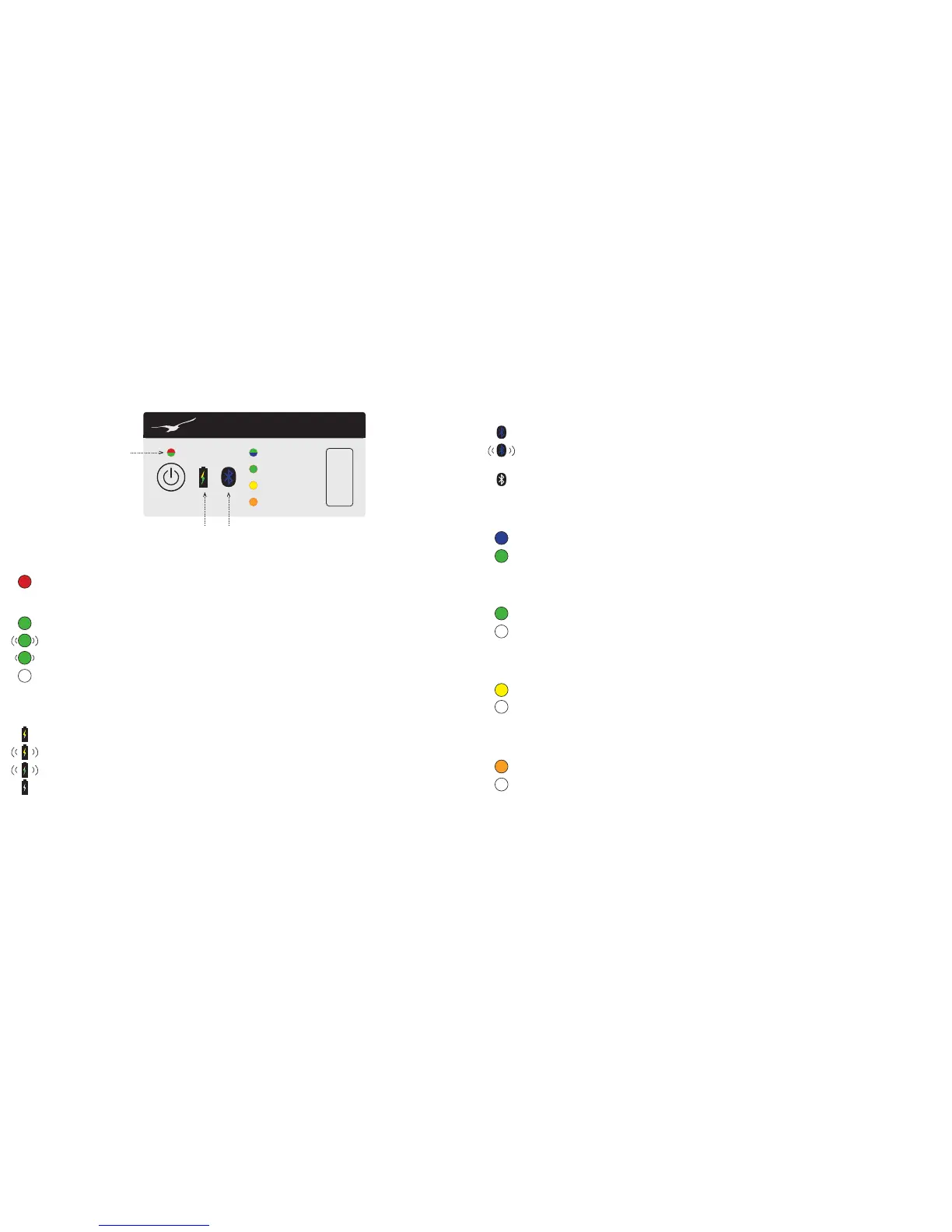
Bluetooth
Indicates which communication mode the device is in
Bluetooth ready (communication via Bluetooth possible)
Bluetooth connected (communication via USB is not currently possible)
Bluetooth off/error
RxTx/baud
Displays the status of the reception and transmission line (RxTx) with the set baud rate
Is transmitting and/or receiving data via RS485 bus at 9600 baud
Is transmitting and/or receiving data via RS485 bus at 115200 baud
Echo off
Displays the status of the function „Echo OFF“
Echo activated
Echo deactivated
Bias ON
Displays the status of the function „Bias ON“
Bias resistors (560 Ω) activated for RS485A and RS485B
No bias resistors activated
Termination ON
Displays the status of the function „Termination ON“
Termination resistor 120 Ω activated
Termination resistor not activated
Caution:In battery-operated end devices, this function can lead to errors due to the increased power load.
➞ Recommendation: do not activate this function
300 ms
LED display
keller-druck.com
RxTx /Baud
Echo OFF
Bias ON
Termination ON
EARTH
+V IN
RS485B
GND
RS485A
+VCC
K-114 BT Bluetooth to RS485 Converter
Power
Power
Displays the power status of the K-114 BT
Device not recognised by PC (K-114 BT interface driver not installed), error
Note: Upon initial installation, the LED glows red for a few seconds until the converter has been registered on
the PC.
K-114 BT is connected via USB and is being powered/charged
K-114 BT is being powered by the internal battery
K-114 BT is in standby mode (only possible in USB operation)
K-114 BT is switched off
Battery
Indicates the battery status
Battery capacity below 20%
Battery capacity below 10% or charging error
Battery charging
Battery not charging (full)
1 sec
2 sec


 To Next Page