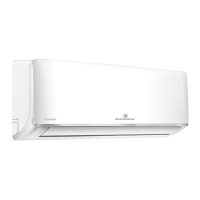
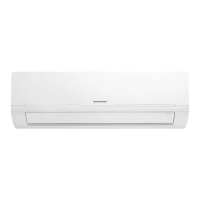
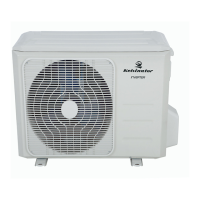
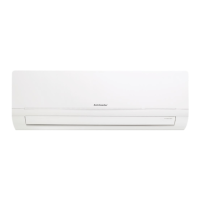
This document is a user manual for Kelvinator Inverter Air Conditioners, covering models KSV25HWJ, KSV35HWJ, KSV50HWJ, KSV71HWJ, KSV90HWJ, KSD25HWJ, KSD35HWJ, KSD50HWJ, KSD71HWJ, and KSD90HWJ. It provides comprehensive information on the appliance's operation, maintenance, and safety.
Function Description:
The Kelvinator Inverter Air Conditioner is designed for household and similar applications, including staff kitchen areas, farmhouses, hotels, motels, and bed and breakfast environments. It offers various operating modes such as AUTO, COOL, DRY (dehumidifying), HEAT (for heat pump models), and FAN. The unit utilizes R32 difluoromethane refrigerant, which is a mildly flammable gas.
Important Technical Specifications:
- Remote Controller Model: RG10B(E)/BGEF
- Remote Controller Rated Voltage: AAA 3.0V (Dry batteries R03/LR03×2)
- Remote Controller Signal Receiving Range: 8m
- Remote Controller Environment Temperature: -5°C to 60°C (23°F to 140°F)
- Operating Temperature Range (Cooling): Room temperature 17°C-32°C, Outdoor temperature 0°C-50°C
- Operating Temperature Range (Heating): Room temperature 0°C-30°C, Outdoor temperature -15°C-30°C
- Temperature Setting Range: 17-30°C (62-86°F) or 20-28°C (model dependent)
- Timer Setting Range: 0-24 hours
- Refrigerant Type: R32 difluoromethane (Class 2.2 mildly flammable gas)
Usage Features:
Remote Controller:
- ON/OFF: Turns the unit on or off.
- MODE: Scrolls through operation modes: AUTO → COOL → DRY → HEAT → FAN. HEAT mode is not supported by cooling-only appliances.
- TEMP ▲/▼: Increases or decreases the set temperature in 1°C (1°F) increments. Max temperature is 30°C (86°F), Min temperature is 17°C (62°F).
- FAN SPEED: Selects fan speeds: AUTO, LOW, MED, HIGH. Holding this button for 2 seconds activates the Silence feature.
- SWING: Starts and stops horizontal louver movement. Holding for 2 seconds initiates vertical louver auto swing (on some models).
- SLEEP: Saves energy during sleeping hours.
- OK: Confirms selected functions.
- TIMER: Sets a timer to turn the unit on or off. The timer can be set in 30-minute increments up to 10 hours, then in 1-hour increments up to 24 hours.
- SHORTCUT (some models): Restores current or previous settings (operating mode, temperature, fan speed, sleep feature).
- CLEAN: Starts/stops the Self Clean function.
- LED: Turns the indoor unit's LED display and buzzer on/off.
- TURBO: Enables the unit to reach the preset temperature in the shortest possible time, blowing cool air with the strongest wind setting in COOL mode.
- SET: Enters function setting. Scrolls through Sleep → Follow Me → AP Mode. (If the remote has a dedicated Sleep button, this feature is not available via SET).
- ECO (some models): Enters energy-efficient mode in COOL mode, automatically adjusting temperature to 24°C/75°F and fan speed to Auto (if set temperature is below 24°C/75°F).
- FP (some models): Activates "Freeze Protection" function (heat pump models only) by pressing twice in HEAT mode with a setting temperature of 17°C/62°F or 20°C/68°F. The unit operates at high fan speed with temperature set to 8°C/46°F.
- LOCK: Activates/disables by pressing CLEAN and TURBO buttons together for more than 5 seconds. Locks all buttons except for disabling the lock.
Airflow Directional Control:
- Vertical Airflow: Controlled by the remote control, can be fixed or auto-swing.
- Horizontal Airflow: Manually adjusted using the deflector rod.
- Caution: Avoid setting airflow downward for long periods in cooling/dehumidifying mode to prevent condensation. Do not manually move vertical louvers.
Manual Operation:
- A manual switch is available on the indoor unit (behind the front panel) for operation if the remote control fails.
- One press initiates forced AUTO operation. Two presses within 5 seconds initiate forced COOL mode ("FC" displayed), which switches to AUTO mode after 30 minutes.
- The unit must be off before using the manual control button.
Maintenance Features:
Before Maintenance:
- Turn off the system and disconnect power before cleaning or servicing.
- Wipe with a soft, dry cloth. Do not use bleach, abrasives, chemically treated cloths, benzine, thinner, polishing powder, or solvents.
- Do not use water hotter than 40°C to clean the front panel.
Cleaning the Unit:
- Wipe the unit with a soft dry cloth. For heavy dirt, use a cloth soaked in warm water.
Cleaning the Air Filter and Air Freshening Filter:
- Clean every 3 months or as required.
- Steps:
- Open the front panel by lifting both ends.
- Move the large air filter up, then slightly towards you, and draw downwards to extract.
- Unclip the small air freshening filter from the large air filter. Clean with a vacuum and replace occasionally.
- Clean the large air filter with soapy water, rinse with fresh water, shake off excess water, and dry in a cool place.
- Refit the small filters onto the large air filter once dry.
- Re-insert the filters into the unit.
- Close the front panel, ensuring buckles are correctly located.
Preparation for Extended Non-operation:
- Clean the indoor unit and filters.
- Operate the fan for about half a day to dry the inside of the unit.
- Stop the air conditioner and disconnect power.
- Remove batteries from the remote controller.
- Outdoor unit requires periodic maintenance by an authorized service provider.
Pre-season Inspection:
- Check for damaged/disconnected wires, water/oil leaks.
- Clean indoor unit and filters.
- Ensure the outdoor unit is clear of obstructions.
- Check remote control batteries and replace if flat.
Safety Instructions:
- Installation must be performed by authorized personnel according to national wiring standards (AS/NZS3000).
- The unit may require its own separate circuit.
- Servicing and maintenance by authorized service technicians only.
- Not intended for use by persons with reduced physical, sensory, or mental capabilities, or lack of experience, unless supervised.
- Children should be supervised.
- Do not use means to accelerate defrosting or clean other than recommended.
- Do not store in a room with continuously operating ignition sources.
- Do not pierce or burn any part of the air conditioner. R32 refrigerant is odorless.
- Ensure proper power connection and earthing to prevent electric shock or fire.
- Do not operate with wet hands or in damp environments.
- Use a correctly rated circuit breaker or fuse.
- Disconnect power if strange sounds, smells, or smoke occur.
- Do not drink drained water.
- Do not open the unit during operation.
- Ventilate the room if there's a flammable gas leak.
- Do not disassemble or modify the unit.
- Avoid touching metal parts when removing the air filter.
- Do not clean with water inside the unit.
- Ventilate the room when used with other combustion heating devices.
- Avoid prolonged direct airflow exposure to occupants, pets, or plants.
- Do not place obstacles around air inlets or outlets.
- Turn off the main power switch if not used for a long time.
- Use caution when unpacking and installing due to sharp edges.
- If water enters the unit, turn it off, disconnect power, and contact a technician.
- Do not put fingers into the blower panel or suction side.
Troubleshooting Tips:
The manual includes a comprehensive troubleshooting chart for common issues like delayed operation after restart, fan speed changes, heating operation stops, mist from indoor unit, low volume sounds, dust discharge, peculiar odors, and error codes. It advises contacting a local dealer or service center if problems persist after performing basic checks.

 Need help?
 General



 To Next Page