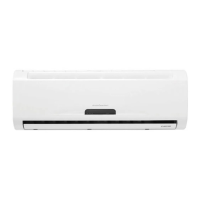
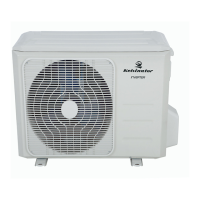
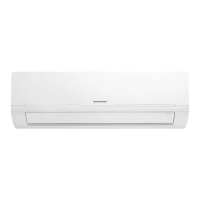
Inverter Split
Room Air Conditioner
User Manual
KSV26CRC, KSV26HRC, KSV35CRC,
KSV35HRC, KSV53HRC, KSV62HRC,
KSV70CRC, KSV70HRC, KSV80HRC
Refrigerant R410A
i Contents Kelvinator Air Conditioning
Congratulations and thank you for choosing our Inverter
split-type room air conditioner. We are sure you will find
your new air conditioner a pleasure to use. Before you use
the air conditioner, we recommend that you read through
the entire user manual, which provides the description of
the air conditioner and its functions.
To avoid the risks that are always present when you use an
electrical appliance, it is important that the air conditioner
is installed correctly and that you read the safety instructions
carefully to avoid misuse and hazards.
We recommend that you keep this instruction booklet
for future reference and pass it on to any future owners.
After unpacking the air conditioner please check it is not
damaged. If in doubt, do not use the air conditioner but
contact your local Electrolux Customer Care Centre.
environmental tip
Information on disposal for users
• Most of the packing materials are recyclable.
Please dispose of those materials through your local
recycling depot or by placing them in appropriate
collection containers.
• If you wish to discard this air conditioner, please contact
your local authorities and ask for the correct method
of disposal.
caution
• The air conditioner is not intended for use by young
children or inrmed persons without supervision.
• Young children should be supervised to ensure that
they do not play with the air conditioner.
• Contact an authorised installer for installation of this unit.
• Contact an authorised service technician for repair or
maintenance of this unit.
• If the power cord is to be replaced, replacement work
shall be performed by authorised personnel only.
• Installation work must be performed in accordance
with the national wiring Standards by authorised
personnel only.
Conditions of use
This appliance is intended to be useed in household and
similar applications such as:
• Staff kitchen areas in shops, offices and other working
environments
• Farm houses
• By clients in hotels, motels, and other residential
type environments
• Bed and breakfast type environments
Contents ............................................................................. i
Quickstart guide ............................................................... ii
Parts identification ........................................................... iii
Safety precautions ............................................................ 1
Warning ......................................................................................... 1
Caution .......................................................................................... 1
Using the remote control ............................................................ 2
Features of the remote control ......................................... 3
Clock button ................................................................................. 4
Light button .................................................................................. 4
Turbo but ton................................................................................. 4
X-Fan button ................................................................................. 4
Time On/Off buttons ................................................................... 4
Swing buttons ............................................................................... 4
I Feel button ................................................................................. 5
Quiet button ................................................................................. 5
Sleep button ................................................................................. 5
Changing batteries ........................................................... 6
Emergency operation........................................................ 6
Care and cleaning ............................................................. 7
Operation tips ................................................................... 8
Troubleshooting ................................................................ 9
Installation checklist ........................................................ 12
Important notes
• Contact an authorised installer for installation of this unit.
• Contact an authorised service technician for repair or
maintenance of this unit.
• The socket oulet required to supply power must be
connected and commissioned by a licenced contractor.
• This appliance is not intended for use by persons
(including children) with reduced physical, sensory
or mental capabilities, or lack of experience and
knowledge, unless they have been given supervision or
instruction concerning use of the appliance by a person
responsible for their safety.
• Young children should be supervised to ensure that they
do not play with the air conditioner.
• If the power cord is to be replaced, replacement work
shall be performed by authorised personnel only.
• Installation work must be performed in accordance with
the national wiring standards and the electricity suppliers
service rules by authorised personnel only.
• If the system is to be moved to another location or
disposed of, only a suitably qualied person is permitted
to undertake such work.
• Take care not to catch ngers on the fan blade when
adjusting vertical louvres.
• This air conditioner uses R410A refrigerant (Conrm
before installation).
Congratulations Contents
© 2011 Electrolux Home Products Pty Ltd ABN 51 004 762 341
Print code: AIRWave_UM_Jul11
If you’d like further information about Kelvinator
appliances, please visit your retailer, phone or email
our Customer Care team or visit our website.
telephone: 1300 363 640
fax: 1800 350 067
email: customercare@electrolux.com.au
web: www.kelvinator.com.au
Kelvinator. We are part of the Electrolux family.
Share more of our thinking at www.electrolux.com.au


 To Next Page

 General