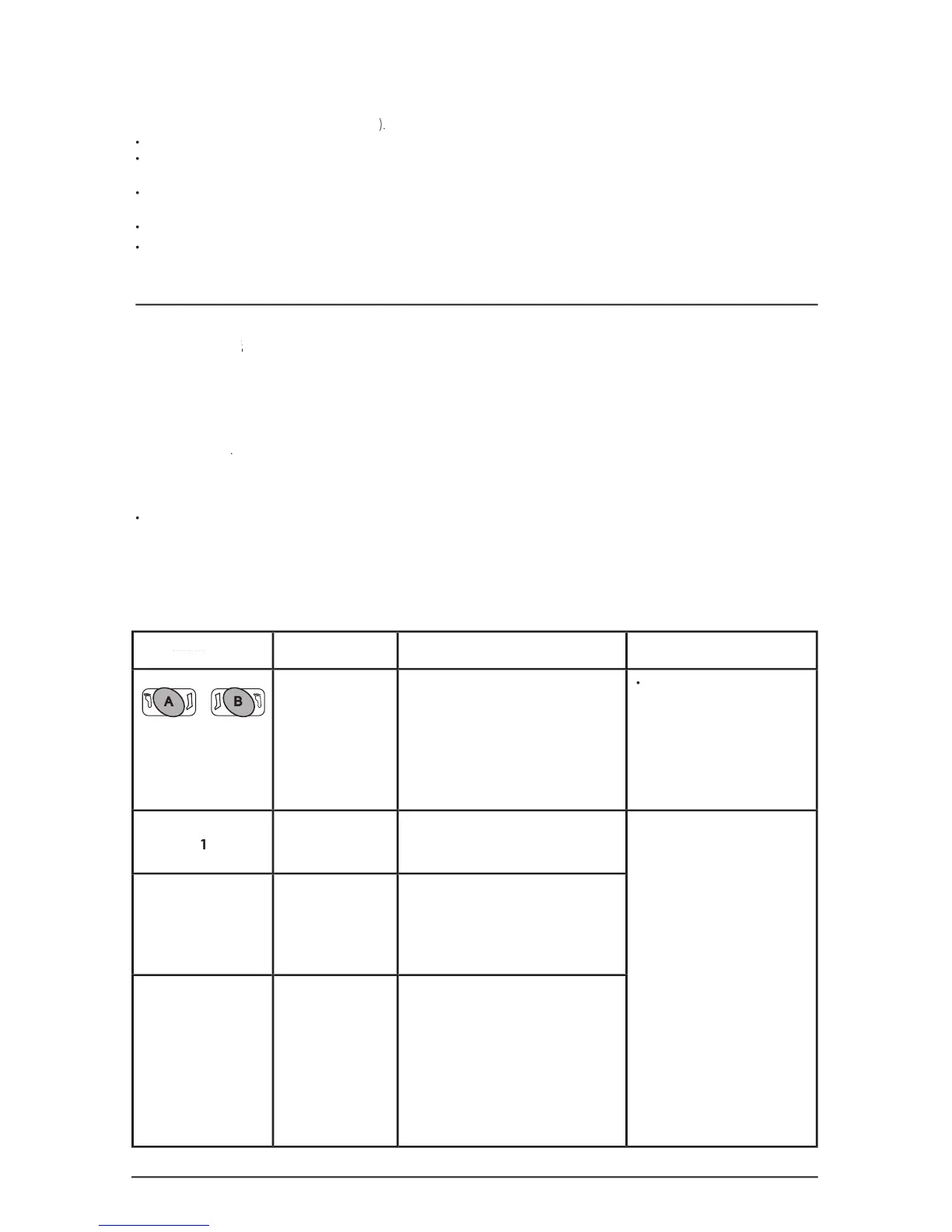
Press the port configuration
button(s) to turn the foot selection
on/off depending on what type
of garment(s) is connected to the
• If the proper garment is selected
and the problem persists have the
Controller serviced by a professional.
- Check tubing set for any
- Check tubing connections.
new tubing set or garment(s).
Turn the Controller off an
- If the problem persists have the
• The Garment Detection procedure has
detected a garment confi guration (Leg or
Foot fl ashing green) that does not match
the User-selected confi guration (Leg or
System pressure has exceeded
• Leg Sleeve pressure is greater
• Leg Sleeve pressure is less than
his alarm will also be triggered
The SCD EXPRESS Compression System battery pack contains Lithium Ion (Li-Ion) battery cells and must be used properly for safety and to maintain
Do not drop, impact, or immerse in water.
Do not touch or ingest any leaking electrolyte. If contact occurs, rinse skin and/or eyes immediately and seek medical attention if irritation develops.
If ingested, contact local poison control center.
Do not open battery, dispose of in fire, or short circuit. Doing so may cause the battery to ignite, explode, leak, or become hot and cause personal
Dispose of improperly working or damaged battery packs according to local regulations.
Charge only with specified chargers according to Kendall’s instructions.
Section III - Fault Conditions and Troubleshooting
When the microprocessor detects a fault condition, it interrupts the normal operation of the Controller, deactivates all valves to vent the air from the
garment(s), displays a fault code,garment(s), displays a f
and sounds an audible alarm. If a Garment Mismatch alarm is triggered the user may remedy the problem by
pressing the corresponding port configuration button(s). All other alarms will remain active until the Controller is turned off, or the battery runs out of
charge (if operating on battery power).
• The most common Controller alarm is the Garment Pressure alarm, indicated by flashing red Port Status Indicator(s). Garment Pressure alarms
can usually be remedied by checking the disposable garment(s) for proper application and tubing set connection(s) for any leaks or kinks, and then
restarting the System. However, if the alarm condition persists or if the Servi
ce Required Error indicator is illuminated then the Controller should be
If the microprocessor cannot continue normal function, the watchdog circuit will trip. This causes the Controller to go into reset and restart normal
• If the cause of the disruption is still present, the unit will continue to attempt to reset, which will cause the alarm to sound once every second.
• If the cause of the disruption was transient, such as a high energy RF pulse, the Controller will restart and continue normal operation.


 To Next Page