26
USING YOUR REFRIGERATOR
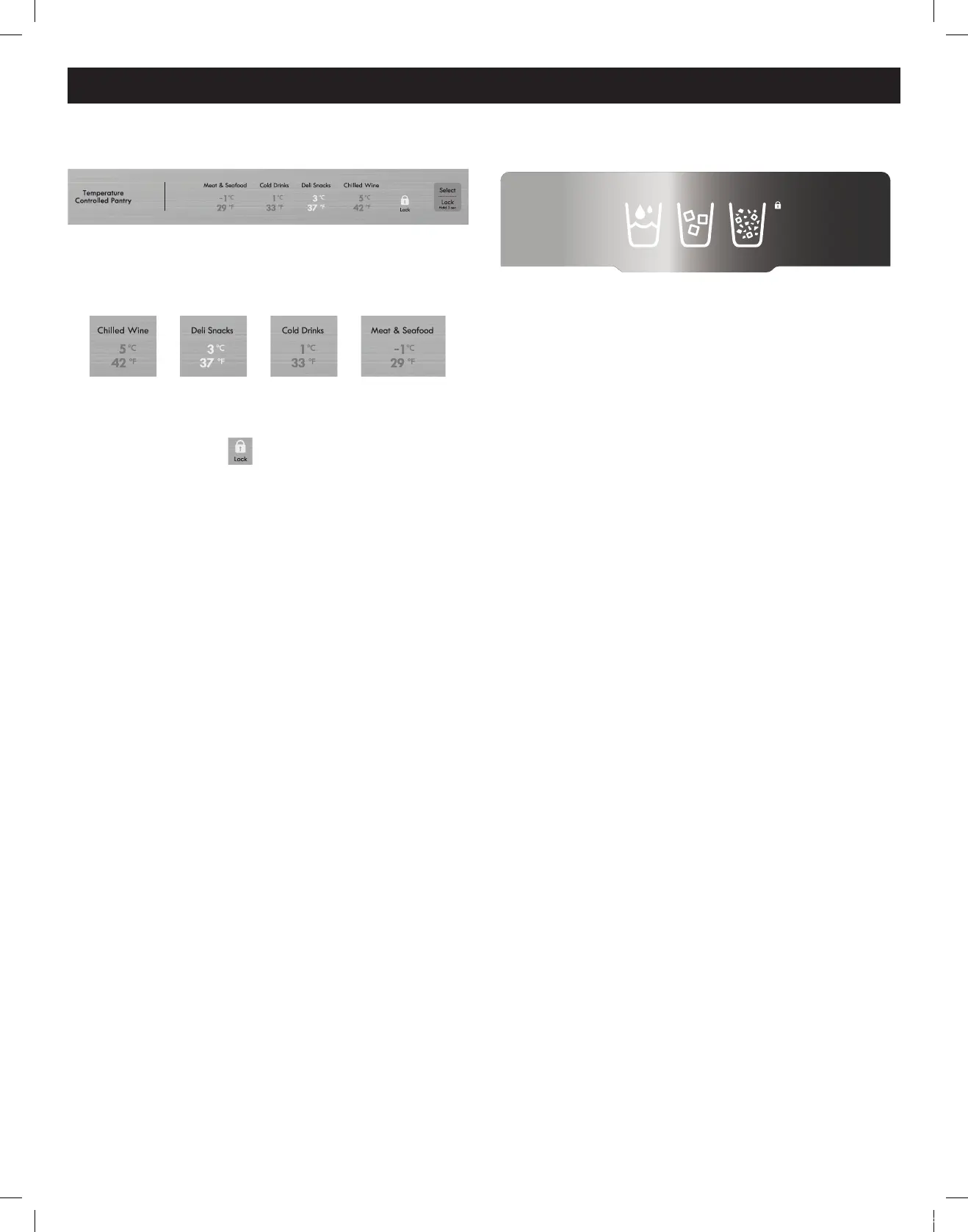
Pantry Control Panel
Press the Select button and the Temperature setting
changes in the sequence as shown below :
>>> Sequential Temperature Change <<<
Press and hold the Lock button for 3 seconds to turn the
Control Lock on.
The Lock Icon turns on.
Press and hold the Lock button for 3 seconds to turn the
Control Lock off.
Dispenser Control Panel
Touch the Water, Cube Ice or Crushed Ice Icon according
to your needs.
FDR 30Cuft_UCG(영+스)(Kenmore)_F840-1.indd 26 2020-02-26 오전 11:53:52



 To Next Page