EasyManua.ls Logo

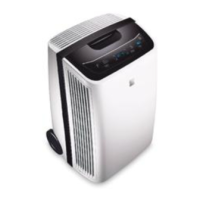
Kenmore 253.25032 - User Manual

Kenmore 253.25032
10 pages
Print Icon
To Next Page IconTo Next Page
Loading...
P/N 2020266A0280
Kenmore®
Sears Brands Management Corporation
Hoçman Estates, IL 60179 U.S.A.
www.kenmore.com
www.sears.com
English / Français
Use&CareGuide
Manuel d’utilisation et d’entretien
Models/Modèles: 253.25031, 253.25032, 253.25033
'HKXPLGLoHU
'ÑVKXPLGLoFDWHXU

Questions and Answers

Summary

Kenmore Dehumidifier Limited Warranty

Warranty Exclusions

Summarizes exclusions like wear items, misuse, neglect, and improper maintenance, as well as unauthorized alterations.

Warranty Disclaimers

States warranty is exclusive and in lieu of others, and this warranty grants specific legal rights varying by jurisdiction.

Customer Responsibilities

Warranty Service and Periods

Applicable Warranty Periods

Details coverage terms: 1 year for parts/labor, 5 years for sealed system components, and 30 days for non-residential use.

Service Type and Proof of Purchase

Explains service is 'carry-in' to Sears Retail/Repair Centre and requires original sales receipt for warranty coverage.

Important Safety Instructions

General Safety Precautions

Covers fire hazard, electric shock avoidance (no extension cords), and warnings about water potability.

Child Safety Precautions

Details precautions for children, including destroying packing materials and not leaving them unattended with the appliance.

Electrical Safety Information

Explains grounding, proper outlet use, and warnings against cutting or removing the ground prong or using extension cords.

Selecting a Location

Location Requirements

Details enclosure, airflow, and clearance needs for optimal dehumidifier performance and installation, including basement use considerations.

How It Works

Dehumidification Process

Describes how air moisture is condensed on coils, collected in a bucket, and expelled as dry, warm air.

Operating Temperature and Delay Start

Notes operating range (5-35°C) and compressor's automatic 3-minute time delay start to prevent overheating.

Dehumidifier Feature Operation

Initial Setup and Power On

Covers plugging in, allowing unit to reach room temperature, and turning the unit on to continuous mode.

Setting Desired Humidity

Explains how to adjust humidity levels from 35% to 85% in 5% increments for comfortable concentration.

Fan Speed Adjustment

Describes how to select HIGH or LOW fan speed for moisture removal rate and provides indicator light information.

Filter Reset Indicator

Explains the filter indicator lighting up after 250 hours and how to reset it after cleaning the filter.

Timer Functionality

Details how to set delay start or delay stop for the unit, with increments from 0.5 to 24 hours.

Unit Shutdown Procedure

How to turn the unit off by pressing the ON/OFF button.

Fault Codes

Sensor Failure Codes

Details specific error codes like 'AS' or 'ES' indicating sensor failure and advises contacting service.

Removing Collected Water

Emptying the Water Bucket

Instructions for when the bucket is full, including how to remove, empty, and replace it correctly.

Bucket Replacement and Float Check

How to replace the empty bucket and check the float's correct seating if the 'bucket full' light remains illuminated.

Continuous Drainage

Hose Connection and Setup

Instructions for attaching a garden hose to the drain connector for continuous water removal.

Drainage Hose Recommendations

Tips on hose size, avoiding kinks, and securing the drain cap when continuous drainage is not used.

Care and Cleaning

Filter Maintenance

Instructions for removing, washing, and reinstalling the filter every two weeks for optimal performance.

Cabinet and Grill Cleaning

How to clean the exterior cabinet with a damp cloth and vacuum the intake grill with a brush attachment.

Water Bucket Cleaning

Procedure for cleaning the water collection bucket using warm water and detergent.

Power Cord Storage

Dehumidifier Troubleshooting Guide

Dehumidifier Not Operating

Troubleshooting steps for when the unit fails to turn on, checking plug, fuse, and bucket installation.

Dehumidifier Runs Excessively

Causes and solutions for the unit running too much, including open windows and blocked airflow.

Room Not Dry Enough

Troubleshooting when the unit is running but not effectively drying, checking humidity settings and airflow.

Frost on Coils

Explains frost appearance on coils is normal due to refrigerant and usually disappears within 60 minutes.

Fan Noise Issues

Addresses fan noise, stating that air moving through the dehumidifier is a normal sound.

Summary

Kenmore Dehumidifier Limited Warranty

Warranty Exclusions

Summarizes exclusions like wear items, misuse, neglect, and improper maintenance, as well as unauthorized alterations.

Warranty Disclaimers

States warranty is exclusive and in lieu of others, and this warranty grants specific legal rights varying by jurisdiction.

Customer Responsibilities

Warranty Service and Periods

Applicable Warranty Periods

Details coverage terms: 1 year for parts/labor, 5 years for sealed system components, and 30 days for non-residential use.

Service Type and Proof of Purchase

Explains service is 'carry-in' to Sears Retail/Repair Centre and requires original sales receipt for warranty coverage.

Important Safety Instructions

General Safety Precautions

Covers fire hazard, electric shock avoidance (no extension cords), and warnings about water potability.

Child Safety Precautions

Details precautions for children, including destroying packing materials and not leaving them unattended with the appliance.

Electrical Safety Information

Explains grounding, proper outlet use, and warnings against cutting or removing the ground prong or using extension cords.

Selecting a Location

Location Requirements

Details enclosure, airflow, and clearance needs for optimal dehumidifier performance and installation, including basement use considerations.

How It Works

Dehumidification Process

Describes how air moisture is condensed on coils, collected in a bucket, and expelled as dry, warm air.

Operating Temperature and Delay Start

Notes operating range (5-35°C) and compressor's automatic 3-minute time delay start to prevent overheating.

Dehumidifier Feature Operation

Initial Setup and Power On

Covers plugging in, allowing unit to reach room temperature, and turning the unit on to continuous mode.

Setting Desired Humidity

Explains how to adjust humidity levels from 35% to 85% in 5% increments for comfortable concentration.

Fan Speed Adjustment

Describes how to select HIGH or LOW fan speed for moisture removal rate and provides indicator light information.

Filter Reset Indicator

Explains the filter indicator lighting up after 250 hours and how to reset it after cleaning the filter.

Timer Functionality

Details how to set delay start or delay stop for the unit, with increments from 0.5 to 24 hours.

Unit Shutdown Procedure

How to turn the unit off by pressing the ON/OFF button.

Fault Codes

Sensor Failure Codes

Details specific error codes like 'AS' or 'ES' indicating sensor failure and advises contacting service.

Removing Collected Water

Emptying the Water Bucket

Instructions for when the bucket is full, including how to remove, empty, and replace it correctly.

Bucket Replacement and Float Check

How to replace the empty bucket and check the float's correct seating if the 'bucket full' light remains illuminated.

Continuous Drainage

Hose Connection and Setup

Instructions for attaching a garden hose to the drain connector for continuous water removal.

Drainage Hose Recommendations

Tips on hose size, avoiding kinks, and securing the drain cap when continuous drainage is not used.

Care and Cleaning

Filter Maintenance

Instructions for removing, washing, and reinstalling the filter every two weeks for optimal performance.

Cabinet and Grill Cleaning

How to clean the exterior cabinet with a damp cloth and vacuum the intake grill with a brush attachment.

Water Bucket Cleaning

Procedure for cleaning the water collection bucket using warm water and detergent.

Power Cord Storage

Dehumidifier Troubleshooting Guide

Dehumidifier Not Operating

Troubleshooting steps for when the unit fails to turn on, checking plug, fuse, and bucket installation.

Dehumidifier Runs Excessively

Causes and solutions for the unit running too much, including open windows and blocked airflow.

Room Not Dry Enough

Troubleshooting when the unit is running but not effectively drying, checking humidity settings and airflow.

Frost on Coils

Explains frost appearance on coils is normal due to refrigerant and usually disappears within 60 minutes.

Fan Noise Issues

Addresses fan noise, stating that air moving through the dehumidifier is a normal sound.

Kenmore 253.25032 Specifications

General IconGeneral
BrandKenmore
Model253.25032
CategoryDehumidifier
LanguageEnglish

Related product manuals