EasyManua.ls Logo

Kenmore 25850 - User Manual

Kenmore 25850
24 pages
Print Icon
To Next Page IconTo Next Page
Loading...
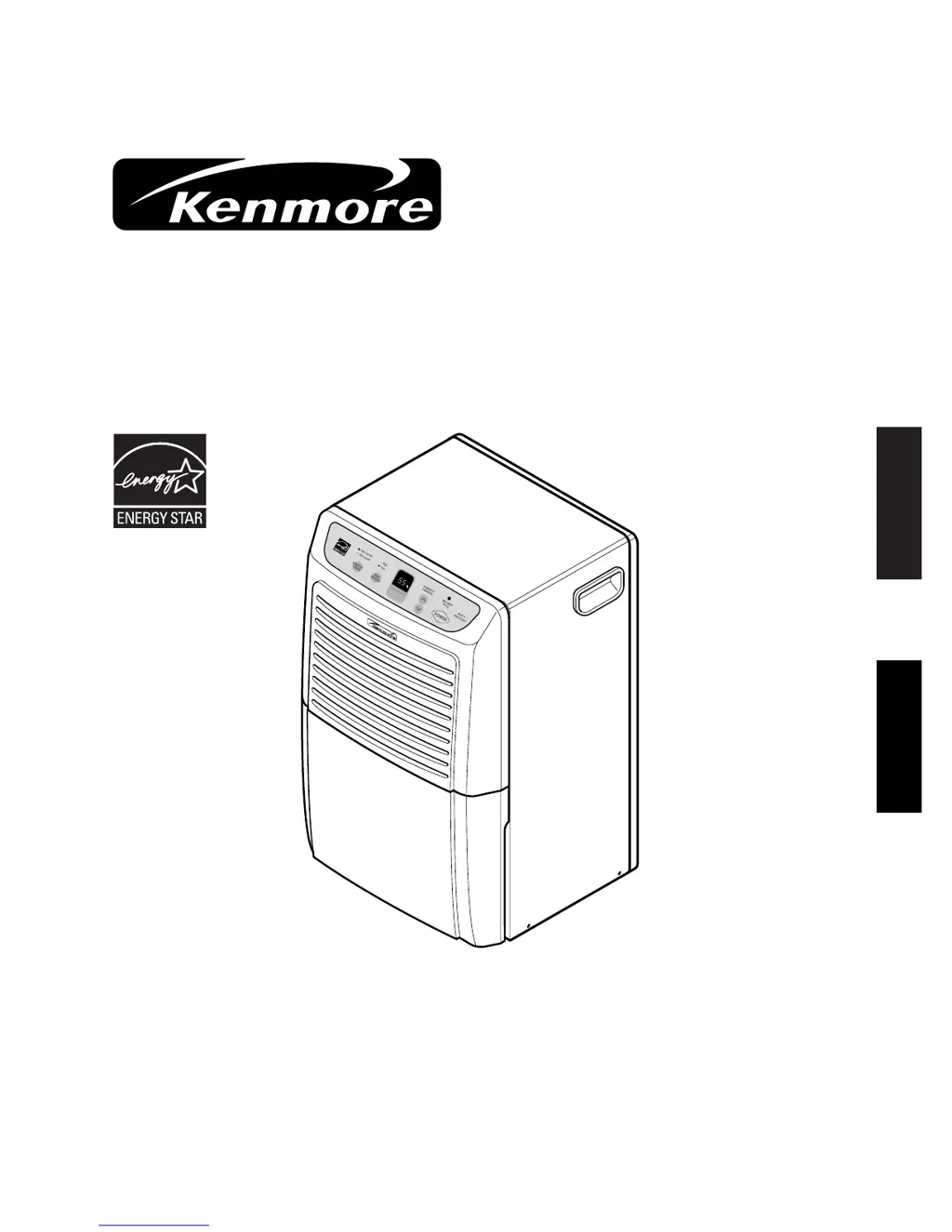
Owner's Manual
Manuel de l’usager
DEHUMIDIFIER
DESHUMIDIFICATEUR
Sears Canada Inc. Toronto,M5B 2B8
www.sears.ca
ENGLISH FRANÇAIS
®
Model, Modèle 25850 50 Pint Low Temp
25870 70 Pint Low Temp

Questions and Answers

  • M
    morganbobAug 15, 2025
    What to do if my Kenmore 25850 Dehumidifier does not start?
    • J
      Joan FischerAug 15, 2025
      If your Kenmore Dehumidifier isn't starting, several factors could be at play. First, ensure the power cord is fully plugged into the outlet. Check your house's fuse or circuit breaker box, replacing the fuse or resetting the breaker if necessary. Also, make sure the water bucket isn't full, and that it's correctly installed. If the room's humidity is lower than your selected humidity setting, adjust the humidity control button to lower the setting. Finally, note that the unit has a 3-minute delay upon restarting.
  • X
    xmullenAug 18, 2025
    Why is there frost appearing on the coils of my Kenmore 25850 Dehumidifier?
    • B
      Bonnie ChavezAug 18, 2025
      Frost may appear on the coils of your Kenmore Dehumidifier if it has been recently turned on; this is normal and should disappear within 60 minutes. If the room temperature is below 42 °F (6 °C), ensure the room temperature is at the minimum of 42 °F (6 °C).
  • V
    vwilsonAug 22, 2025
    Why is my Kenmore Dehumidifier not drying the air properly?
    • J
      jameshughesAug 22, 2025
      If your Kenmore Dehumidifier isn't effectively drying the air, several factors could be responsible. To begin with, it can take 3 to 4 days to achieve the desired dryness when you first install the unit. Check for obstructions like curtains or furniture blocking airflow to the front or back of the dehumidifier. Ensure the humidity control is set low enough. Verify that all doors and windows are tightly closed. If a clothes dryer is blowing moisture into the room, relocate the dehumidifier or vent the dryer outside. Finally, confirm the room temperature is at least 42°F (6°C).
  • G
    gregperezAug 25, 2025
    How to remove frost from the coils of my Kenmore 25850 Dehumidifier?
    • D
      Deborah Robinson MDAug 26, 2025
      If you notice frost on the coils of your Kenmore Dehumidifier, this is normal if the unit has been recently turned on; the frost should disappear within 60 minutes. If the room temperature is below 42 °F (6°C), ensure the room temperature is at the minimum of 42 °F(6°C).
  • E
    Elizabeth RussellAug 28, 2025
    Why is my Kenmore 25850 Dehumidifier operating continuously?
    • M
      Melissa LeeAug 28, 2025
      Your Kenmore Dehumidifier may be running continuously because the room humidity is higher than the humidity level set on the unit. To resolve this, adjust the humidity control button to set a humidity level higher than the current room humidity, up to a maximum of 70%.
  • K
    kwallaceAug 31, 2025
    What to do if there is water on the floor near my Kenmore Dehumidifier?
    • C
      Cody RiceSep 1, 2025
      If you find water on the floor near your Kenmore Dehumidifier, check the drain hose connection to ensure it is secure, if one is attached. Also, make sure the water bucket is correctly positioned.
  • K
    Kaitlyn SanchezSep 3, 2025
    Why does my Kenmore 25850 Dehumidifier seem to run too much?
    • S
      Sheryl DaySep 3, 2025
      Your Kenmore Dehumidifier might be running too much because the area you're trying to dehumidify is too large. Also, check that all doors and windows to the outside are closed, as open doors and windows can cause the dehumidifier to work harder and run longer.
  • S
    Sarah LopezSep 7, 2025
    What to do if my Kenmore 25850 does not dry the air as it should?
    • S
      Scott RamosSep 7, 2025
      If your Kenmore Dehumidifier isn't drying the air effectively, consider these points: 1. Allow sufficient time, especially when first installed; it can take 3-4 days to achieve the desired dryness. 2. Ensure that the front and back of the dehumidifier are not blocked by curtains, blinds, or furniture. 3. Lower the humidity control setting. 4. Verify that all doors, windows, and openings are tightly closed. 5. Position the dehumidifier away from the clothes dryer, and ensure the dryer is vented to the outside. 6. Make sure the room temperature is at least 42 °F (6 °C).
  • T
    Tracy WashingtonSep 12, 2025
    What to do if there's water on the floor near my Kenmore 25850?
    • J
      John YorkSep 12, 2025
      If you find water on the floor near your Kenmore Dehumidifier, check the following: * If you're using a drain hose, make sure the connection is secure. * Ensure the water bucket is correctly positioned. * Check the humidity setting on the control and raise it to 35% or above if it's set too low.

Summary

WARRANTY INFORMATION

Limited Warranty Coverage

Details the 1-year and 5-year limited warranties, including exclusions.

SAFETY INSTRUCTIONS

Essential Safety Precautions

Crucial safety measures to prevent hazards like fire, electric shock, and injury.

ELECTRICAL REQUIREMENTS

Grounding and Power Safety

Instructions for safe electrical connection, grounding, and proper outlet usage.

INSTALLATION AND OPERATION BASICS

Installation and Location

Guidelines for installing the dehumidifier and choosing the optimal location for performance.

Automatic Shut Off Features

How the unit automatically stops when the bucket is full or humidity is met.

DEHUMIDIFIER FEATURES AND SELECTION

Product Components Overview

Identifies the main parts and features of the dehumidifier.

Model Selection Guide

Helps choose the correct model based on room size and moisture conditions.

OPERATING THE DEHUMIDIFIER

Control Panel Functions

Explains the purpose and operation of each button and display on the control panel.

Step-by-Step Operation

A guide to turn on, set humidity, and operate the dehumidifier.

WATER DISPOSAL METHODS

Manual Bucket Emptying

Instructions for safely removing and emptying the water collection bucket.

Continuous Drainage via Hose

How to attach and use a garden hose for automatic water drainage.

MAINTENANCE PROCEDURES

Exterior and Filter Cleaning

Steps for cleaning the unit's exterior, grilles, and air filter.

Water Bucket Cleaning

How often and how to clean the water bucket to prevent odors and buildup.

INTERNAL COMPONENT CLEANING

Cleaning Coils and Inside Unit

Detailed instructions for accessing and cleaning the internal components like evaporator coils.

TROUBLESHOOTING COMMON ISSUES

Problem Diagnosis and Solutions

A guide to identify and resolve common operating problems with the dehumidifier.

EXTENDED PROTECTION PLANS

Master Protection Agreement Benefits

Outlines the advantages and coverage provided by the Master Protection Agreement.

SERVICE AND SUPPORT INFORMATION

Home and Carry-In Repair Services

Information on where to get appliances serviced at home or at a repair center.

Kenmore 25850 Specifications

General IconGeneral
Model25850
Energy Star CertifiedYes
Continuous Drain OptionYes
Coverage Area3000 sq ft
Auto ShutoffYes
Built-in PumpNo
Washable FilterYes
Capacity50 pints per day
Humidity ControlAdjustable

Related product manuals