INSTALLATION
Pick a location which will allow you to blow the cold
air into the area you want. Windows used for
installation must be strong enough to support the
weight of the air conditioner. Good installation with
special attention to the proper position of the unit will
lessen the chance that service will be needed.
If air conditioner is blocked by a storm window frame,
see step 9 on page 7 before beginning to install.
HOW TO INSTALL
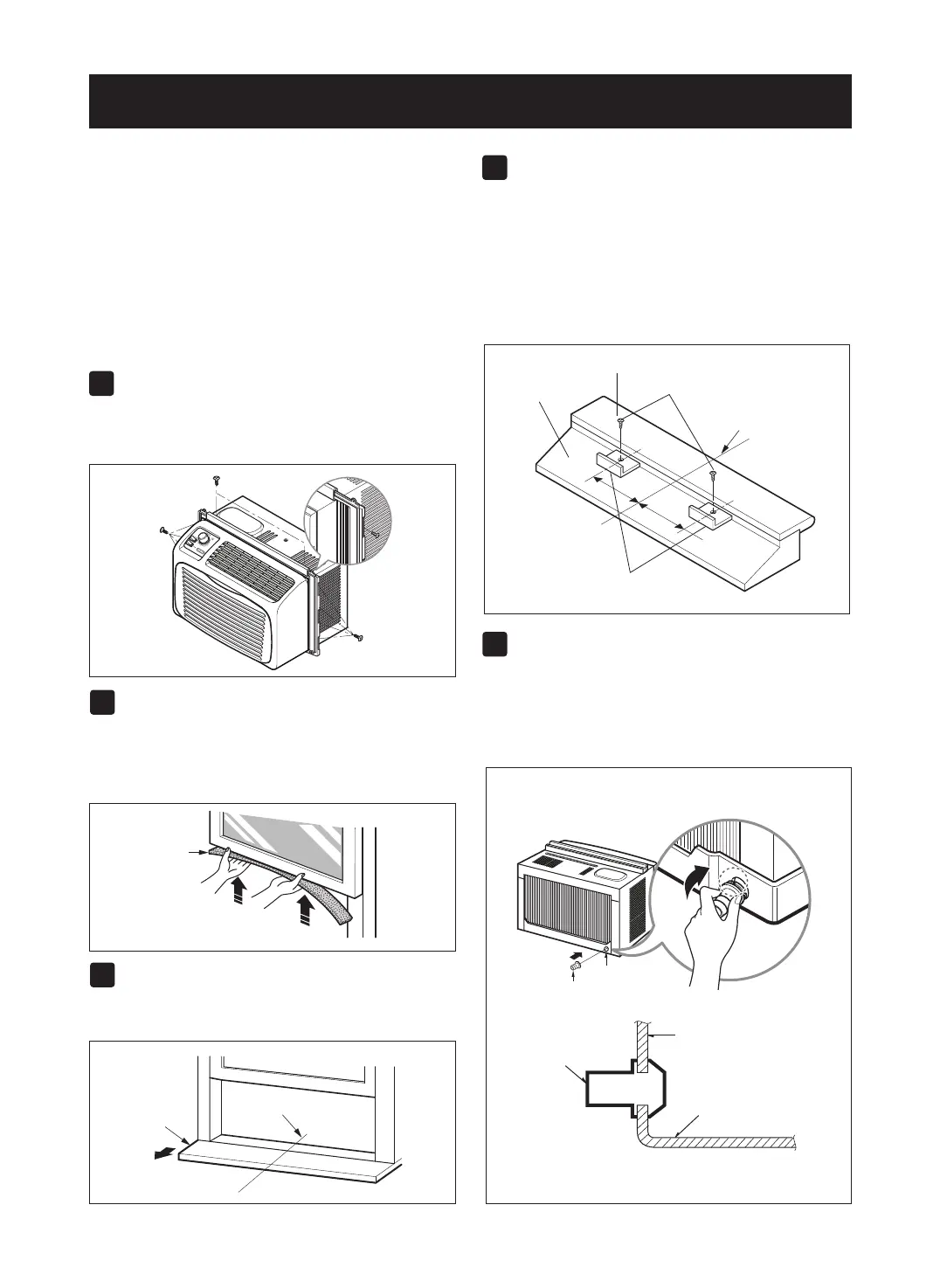
SIDE CURTAINS
Insert the side curtains into the guides of the air
conditioner. Fasten the curtains to the unit with
screws (ITEM A), as shown in FIG. 2.
FOAM STRIP
Cut the adhesive-backed foam strip (ITEM E) to the
window width.
Remove the backing from the foam strip and attach the
foam strip to the underside of the bottom window. (FIG. 3)
LOCATING UNIT IN WINDOW
Open the window and mark center line with pencil
on the center of the inner sill, as shown in FIG. 4.
ATTACH L BRACKET
• Use screws (ITEM A) to install the L brackets on
the outer sill as shown. See FIG. 5.
• The bracket helps to hold unit securely in place.
Be sure to place bracket edge flush against back
of inner sill. See FIG. 5.
• lf air conditioner is blocked by storm window
frame, see step 9.
DRAINAGE
First, be sure to insert the drain pipe into base pan
before installation. The air conditioner must be
installed with a slight tilt (
1
/4”)downward for proper
drainage of excess condensed water through the
drain pipe.
-6-



 To Next Page