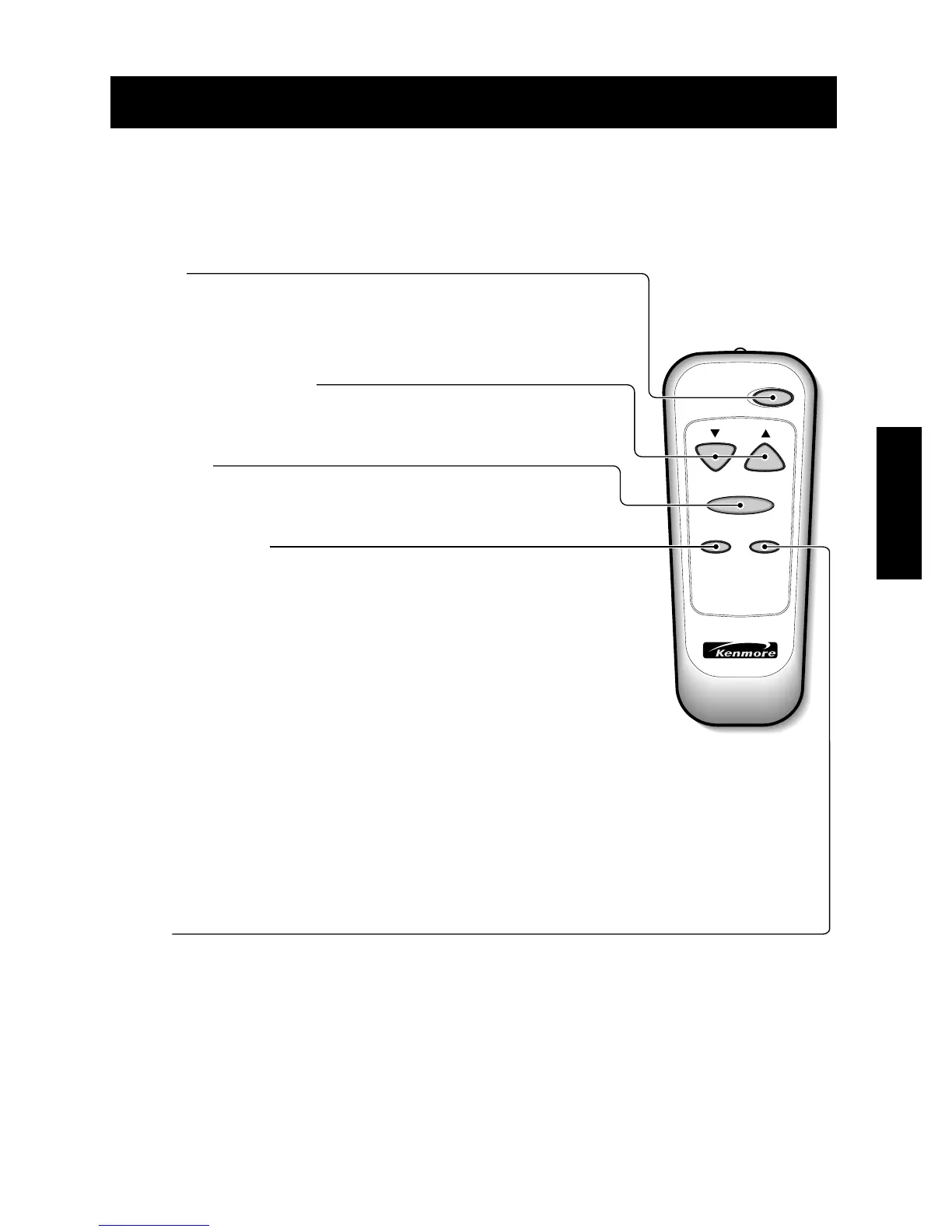
TEMPERATURE SETTING
• This button can automatically control the temperature of the room.
The temperature can be set within a range of 16°C to 30°C by increments of 1°C.
POWER
MODE
- Every time you push this button, it will shift among COOL, ENERGY SAVER and FAN.
-
ENERGY SAVER
• The fan stops when the compressor stops cooling.
Approximately every 3 minutes the fan will turn on and check the room air to determine if cooling is needed.
FAN SPEED
• Every time you push this button it advances the setting as follows:
(High → Low → Med → High)
Auto
Swing
POWER
TEMP
FAN SPEED
TIMER MODE
TIMER OPERATION
The timer can be used to either turn on or turn off the air conditioner:
- Timer function for turning ON the air conditioner:
• With the POWER off, press the timer button to the number of hours when you want
• The air conditioner to come on. If it is 7 am and you want the unit to come on at 9 am.
• Press the timer button twice so that a '2' shows up in the control panel window.
The unit will come on in 2 hours. You do not need to press the POWER button to turn
on the unit. The timer function will turn it on automatically in 2 hours.
- Timer function for turning OFF the air conditioner:
• This function will work only when the unit is already running and powered on.
Select the number of hours you want to shut off time. If it is 10 pm at night and you
want the unit to shut off at 12 am (midnight), press the timer button twice so that a '2'
shows up in the control panel window. The unit will shut off in 2 hours.
• The timer function can be set in 1 hour increments up to 12 hours. That means you
can set the unit to come on in 12 hours which is the maximum delay time, or you can
enter the number of hours (maximum 12 hours) until the unit will shut off.
• The delay timer functions to either turn on in a certain number of hours or turn off in a
certain number of hours by manually inputting the number of hours.
•
To turn the air conditioner ON, push the button. To turn the air conditioner OFF, push the
button again. This button takes priority over any other button.
When you first turn it on, the
air conditioner is on the High cool mode and the Temp. at
22°C.



 To Next Page