SECTION3, LEARNTOUSETHECONTROLS
e Stitch Length Button
This butto_ sets the stitch length tot both strmght and z=gzag stitches.
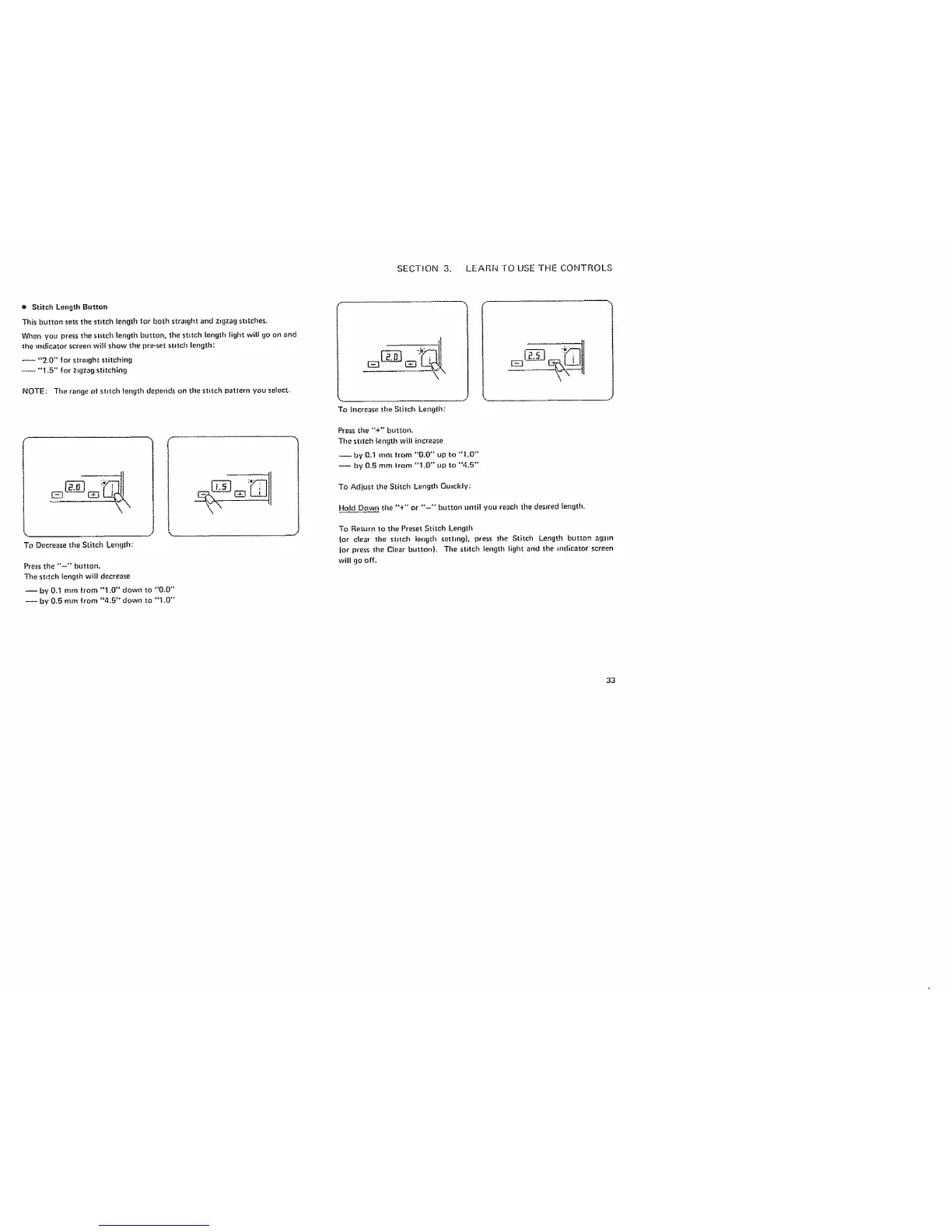
When you press the stitch length button, the stitch length light wit! go on and
the indicator screen will show the pro-set stitch length:
"2.0" for straight stitching
-- "1-5" for zigzag stitching
NOTE: The r_nge o| stitch length depends on the stitch pattern you so|oct.
To Decrease the Stitch Length:
Press the "-" button.
The stitch length will decrease
-- by 0.1 mm trom "I .0" down to "0.0"
-- by 0.5 mm from "4.5" down to "1.0'"
To Increase the Stitch Lenglh:
Press the "+" button.
The stitch length will increase
-- by 0,t mm trom *'0.0 °' up to "L0"
-- by 0.5 rnm _rorn "1.0"" up to "'4.5"
To Adjust the Stitch Length Quickly;
Hold Down the "+'" or "'--'" button until you reach the desired length.
To Return to the Preset Stheh Length
lot clear the st_.ch leng_.l_setting}, press the Stitch Length butlnn again
lot press the Clear button}. The stitch length light and the mdlcator screen
will go off.
33



 To Next Page