EasyManua.ls Logo

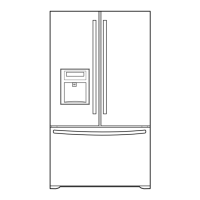
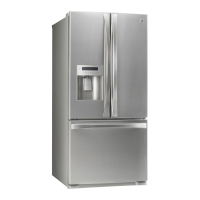
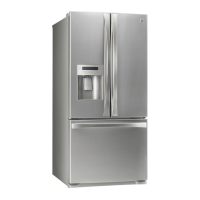
Kenmore 795.7105 - User Manual

Kenmore 795.7105
46 pages
Print Icon
To Next Page IconTo Next Page
Loading...
Use & Care Guide
Manual de Uso y Cuidado
Guide d’Utilisation et d’Entretien
English / Español / Français
Bottom Freezer Refrigerator
Congelador Inferior Refrigerador
Congélateur Inférieur Réfrigérateur
Models/Modelos/Modèles: 795.7105*
* = color number, número de color, le numéro de la couleur
P/N MFL62184409
Sears Brands Management Corporation
Hoffman Estates, IL 60179 U.S.A.
www.kenmore.com
www.sears.com
Sears Canada Inc.
Toronto, Ontario, Canada M5B 2B8
www.sears.ca

Questions and Answers

  • O
    oortegaAug 19, 2025
    Why is my Kenmore 795.7105 Refrigerator not dispensing water?
    • A
      Alexis DurhamAug 19, 2025
      If your Kenmore Refrigerator is not dispensing water, there are several potential reasons. First, ensure that the control panel and dispenser are unlocked by pressing and holding the Lock button for 3 seconds. Also, confirm that none of the refrigerator doors are left open. Check that the refrigerator is connected to the water supply and the water shutoff valve is fully open. Make sure the control panel is set for water dispensing, not ice. The water pressure to your home could be affecting the dispenser's flow, and reverse osmosis systems can decrease water pressure, so avoid connecting the supply line to such a system. The water filter should be changed every 6 months, or more often if needed. Try flushing and filling the water system.
  • S
    Susan SimmonsAug 21, 2025
    How to fix Kenmore 795.7105 when it does not operate?
    • A
      Alexis RobertsAug 21, 2025
      If your Kenmore refrigerator isn't operating, first ensure it's firmly plugged into a live outlet with the correct voltage. Check the fuse or circuit breaker and reset if necessary, making sure the house circuit isn't overloaded. Allow about 30 minutes for the defrost cycle to complete. Also, verify that the refrigerator isn't in store Demo Mode. To disable Demo Mode, open one door and press the Ultra Ice and Refrigerator Temp buttons simultaneously for 5 seconds. The previous value setting should then appear on the display.
  • K
    Kimberly Williams DDSAug 26, 2025
    Why does my Kenmore 795.7105 Refrigerator make vibration or rattling noise?
    • J
      Jason GonzalezAug 26, 2025
      If your Kenmore refrigerator is making vibration or rattling noises, it could be due to a weak or uneven floor, or the leveling legs may need adjustment.
  • J
    Jacqueline WalkerAug 28, 2025
    Why is my Kenmore 795.7105 Refrigerator compressor motor running too much?
    • J
      Jay WangAug 28, 2025
      Several factors can cause your Kenmore refrigerator's compressor motor to run excessively. Modern refrigerators with more storage space naturally require more operating time, although they use less energy than older models. The motor will run longer in warm conditions; expect it to run about 40% to 80% of the time at normal room temperatures, and even more often in warmer conditions. Adding food and opening the door warms the refrigerator, so it will run longer to cool it down. It can take up to 24 hours for the refrigerator to cool completely. Ensure the doors are firmly shut; if they won't shut completely, address that issue. A dirty back cover can prevent air transfer, making the motor work harder, so clean the back cover.
  • E
    elizabethrodriguezAug 30, 2025
    How to fix Kenmore Refrigerator doors that will not close completely?
    • C
      charles84Aug 30, 2025
      If the doors of your Kenmore refrigerator won't close completely, start by rearranging food containers to ensure they aren't blocking the door or door shelves. Make sure bins are pushed all the way in, and that the crisper cover, pans, shelves, and baskets are correctly positioned. Clean the gaskets and the surfaces they touch, and apply a thin coat of appliance polish or kitchen wax to the gaskets after cleaning. Level the refrigerator.
  • D
    Dr. Jeffrey MendozaSep 1, 2025
    Why is my Kenmore Refrigerator dispensing warm water?
    • A
      atravisSep 1, 2025
      If your Kenmore refrigerator is dispensing warm water, allow 24 hours after installation for the water supply to cool completely. The unit has its own water tank inside with a storage capacity of 12 oz (345 ml) of cold water. Also, ensure that the refrigerator is connected to a cold water pipe.
  • T
    Thomas SantosSep 3, 2025
    How to fix Kenmore Refrigerator when it is not dispensing ice?
    • W
      Wendy RodgersSep 3, 2025
      If your Kenmore refrigerator is not dispensing ice, first check that none of the refrigerator doors are open. Press and hold the Lock button for 3 seconds to unlock the control panel and dispenser. Make sure the control panel is set for ice dispensing. Ensure the ice bin is firmly installed. If the ice cubes are stuck together due to infrequent use, this can prevent proper dispensing. Use a plastic utensil to clear the delivery chute. Try changing the ice button from “crushed” to “cubed”. If cubed ice dispenses correctly, depress the button for “crushed” ice and begin dispensing again. Allow 24 hours after ice maker installation for ice production to begin and 72 hours for full ice production.
  • J
    jalvarezSep 5, 2025
    Why is my Kenmore 795.7105 Refrigerator light not working?
    • E
      Emily VelazquezSep 6, 2025
      If the lights in your Kenmore refrigerator aren't working, first make sure the refrigerator is firmly plugged into a live outlet with proper voltage. Unplug the refrigerator, gently remove the bulb, and reinsert it. Then, plug the refrigerator back in and reset the refrigerator control. If the bulb is still not working, replace it with an appliance bulb of the same wattage, size, and shape.
  • B
    Benjamin DavidSep 7, 2025
    Why is there interior moisture buildup in my Kenmore Refrigerator?
    • C
      Charles WatsonSep 7, 2025
      Interior moisture buildup in your Kenmore refrigerator can occur for several reasons. Make sure that air vents are not blocked by food packages. When the door is opened, warm humid air enters the refrigerator. Wrap food tightly and wipe off damp containers before storing them. In humid weather, air carries moisture into the refrigerator when the doors are opened. It is normal for droplets to form on the back wall after the refrigerator self-defrosts.
  • J
    Jacob BarreraSep 10, 2025
    Why are the doors on my Kenmore Refrigerator difficult to open?
    • A
      Angela ObrienSep 10, 2025
      If the doors on your Kenmore refrigerator are difficult to open, clean the gaskets and the surfaces that they touch. Rub a thin coat of appliance polish or kitchen wax on the gaskets after cleaning. When you open the door, warmer air enters the refrigerator and as it cools, it can create a vacuum. Wait 5 minutes to allow the air pressure to equalize, then see if it opens more easily.

Summary

Warranty Information

Kenmore Elite Limited Warranty

Details the limited warranty terms for parts and workmanship.

Disclaimer of Implied Warranties

Limits implied warranties and remedies, excluding incidental damages.

Protection Agreements and Services

Master Protection Agreements

Explains benefits and coverage of the extended protection plan.

Sears Installation Service

Information on scheduling professional installation services for home appliances.

Product Record

Section for logging purchase details, model, and serial numbers.

Important Safety Instructions

Basic Safety Precautions

General safety guidelines for using the appliance to prevent injury or damage.

Child Entrapment Risk

Warnings and instructions to prevent child entrapment and suffocation hazards.

Grounding Requirements

Connecting to Electricity

Proper grounding procedures for electrical safety.

Use of Extension Cords

Recommendations and warnings regarding the use of extension cords.

Parts and Features Overview

Refrigerator Installation Guide

Unpacking Your Refrigerator

Instructions for removing packaging, labels, and preparing for installation.

Installation and Prior to Use

Steps for leveling, placement, cleaning, and initial operation before loading food.

Door Handle Installation

Step-by-step guide for detaching and reattaching refrigerator and freezer door handles.

Refrigerator Door Removal;Reinstallation

Detailed instructions for safely removing and reinstalling the refrigerator doors.

Reinstalling the Refrigerator Door

Steps for correctly reattaching the refrigerator doors after removal.

Freezer Drawer Removal;Installation

Procedures for safely detaching and reattaching the freezer drawer and its components.

Leveling and Door Alignment

Leveling the Refrigerator

Instructions for adjusting leveling legs to ensure stability and proper door closure.

Door Alignment Procedures

Steps to adjust door height for proper alignment and closure.

Using Your Refrigerator: Controls

Setting the Controls

Overview of the control panel, temperature settings, and dispenser functions.

Door Alarm and Lock Functions

How to use and disable the door alarm and control lock features.

Temperature Mode and Power Saving

Instructions for converting temperature units and activating power saving mode.

Demo Mode (Retail Stores)

How to activate and deactivate the demo mode for retail display.

Using Your Refrigerator: Ice Bin

In-Door Ice Bin Operations

Instructions for removing, reinstalling, and maintaining the in-door ice bin.

Using Your Refrigerator: Adjustments

Adjusting Control Settings

Guidance on adjusting refrigerator and freezer temperatures for optimal cooling.

Using Your Refrigerator: Storage

Food Storage Guide

Recommendations for storing various food items to maintain freshness.

Storing Frozen Food

Guidelines for proper packaging and storage of frozen foods.

Using Your Refrigerator: Freezing

Freezing Food

Tips for efficient freezing of food items in the freezer compartment.

Refrigerator Section: Water Dispenser

Water Dispenser Operation

How to use the water dispenser, including safety precautions.

Using Your Refrigerator: Shelves

Refrigerator Shelves

Instructions for adjusting, removing, and installing refrigerator shelves.

Using Your Refrigerator: Crispers

Humidity Controlled Crisper

How to adjust humidity settings and remove crisper drawers.

Temperature Controlled Pantry Drawer

Information on using the variable temperature pantry drawer.

Using Your Refrigerator: Bins

Modular Door Bin and Dairy Bin

Instructions for removing and replacing door bins and the dairy bin.

Freezer Section: Ice Bin

Extra Ice Bin

Procedures for removing and installing the extra ice bin.

Using Your Refrigerator: Drawers

Durabase and Pullout Drawer

Instructions for removing and installing the Durabase and pullout drawer.

Durabase Divider

How to organize the Durabase area with the divider.

Water Filter Information

Filter Maintenance and Replacement

Steps for changing the water filter, reset, and bypass plug usage.

Filter Technical Specifications

Data on filter performance, application guidelines, and certification.

Care and Cleaning Guide

General Cleaning Procedures

Basic instructions for cleaning interior walls, parts, and general maintenance.

Exterior Care and Light Bulbs

Guidance on exterior cleaning, waxing, and replacing light bulbs.

Operational Precautions

Actions for power interruptions, vacation prep, and moving the appliance.

Automatic Icemaker Guide

Automatic Icemaker Operation

How the icemaker works, its production rate, and switch operation.

Icemaker Cautions and Sounds

Important cautions, normal sounds, and preparation for vacation.

Connecting the Water Line

Before You Begin and Requirements

Essential steps, warnings, and tools needed for water line installation.

Installation Steps

Detailed instructions for shutting off water, drilling, fastening, and routing the tubing.

Final Connections and Startup

Steps for flushing the line, connecting to the refrigerator, and starting the icemaker.

Troubleshooting Guide

Understanding Normal Sounds

Explains common sounds the refrigerator may make.

Core Operation Problems

Troubleshooting for non-operation, lights, motor, and noise issues.

Door, Ice, and Dispenser Issues

Solutions for door closing, frost, ice maker, and dispenser problems.

Temperature and Moisture Control

Resolving temperature issues and interior moisture buildup.

Kenmore 795.7105 Specifications

General IconGeneral
BrandKenmore
Model795.7105
CategoryRefrigerator
LanguageEnglish

Related product manuals