19
HOW TO USE
TIME AND STATUS DISPLAY
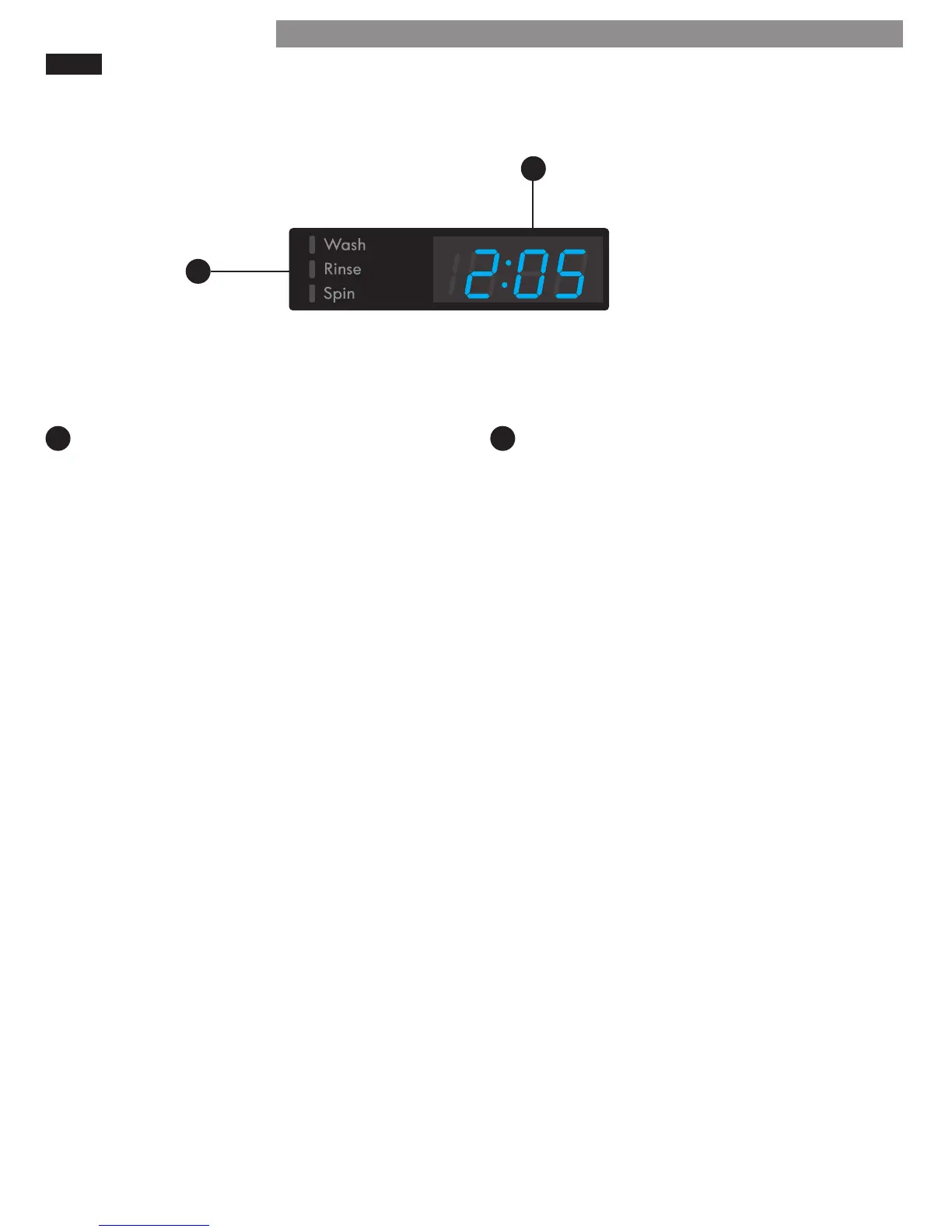
The time and status display shows the estimated time remaining and cycle progress.
ESTIMATED TIME REMAINING
When a cycle is selected, the default time for that
cycle is displayed. This time will change as modiers
or options are selected. Once the START/PAUSE
button is pressed, the washer will measure the size
of the load. The estimated time may change once
the load size has been measured.
NOTE: The time shown is only an estimate. This time
is based on normal operating conditions. Several ex-
ternal factors (load size, room temperature, incoming
water temperature, etc.) can aect the actual time.
CYCLE STATUS INDICATOR
These LEDs will illuminate when a cycle is selected
to indicate which stages will run. When a cycle is
running, the LED will blink for the active stage. Once
a stage is complete, the LED will turn o. If a cycle is
paused, the active LED will stop blinking.
A B
A
B




 To Next Page