USING YOUR MICROWAVE OVEN
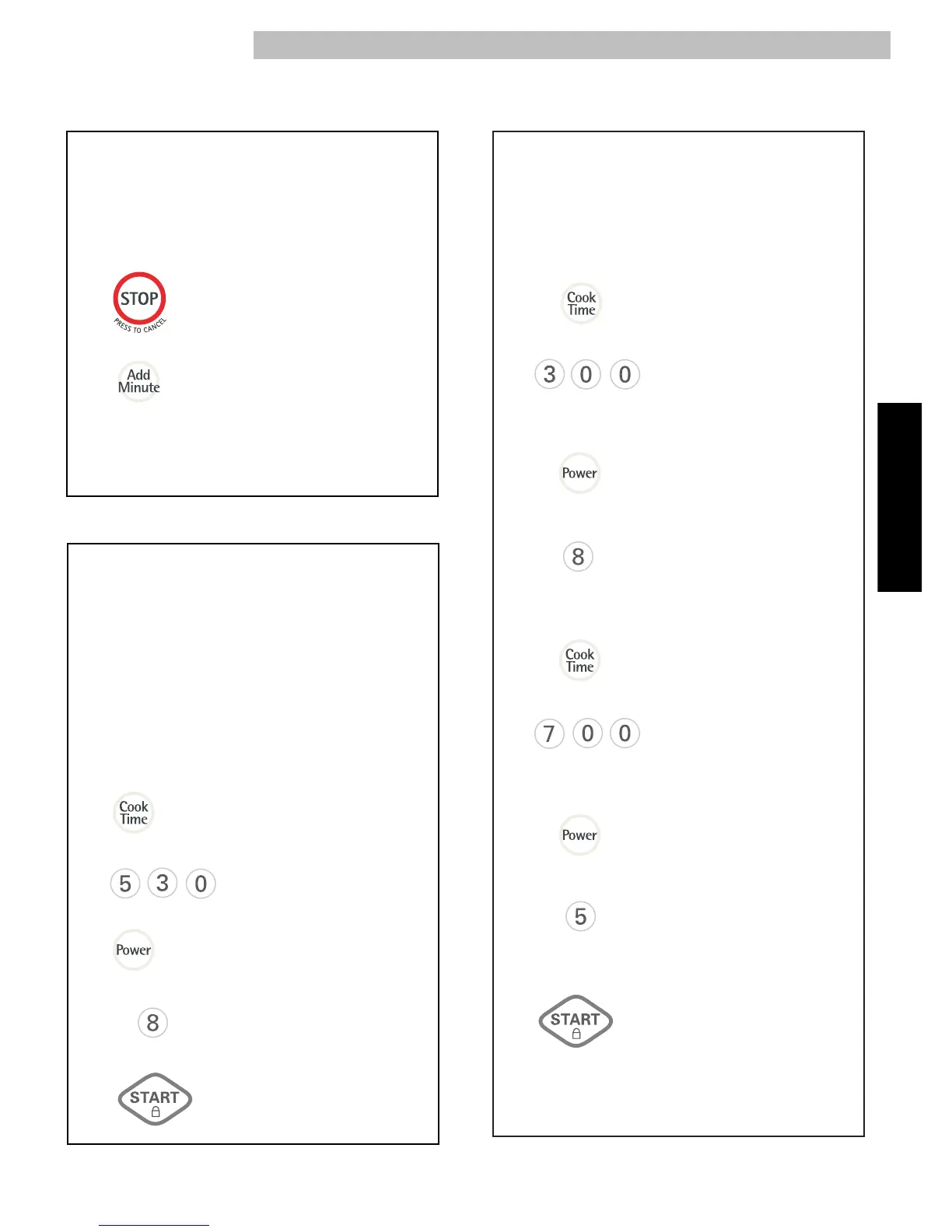
ADD MINUTE
1.
2.
A time-saving pad, this simplified control lets
you quickly set and start microwave cooking at
100% power without the need to touch START.
Example: To cook for 2 minutes.
Touch: Display Shows:
NOTE: Each time you touch ADD MINUTE, it will
add 1
minute up to 99 min 59 seconds.
Time counting
down and COOK.
For best results, some recipes call for different
power levels during a cook cycle. You
can program
your oven for 2 power level stages during the
cooking cycle.
Example: To set a 2-stage cook cycle.
Touch: Display Shows:
TWO-STAGE COOKING
1.
2.
5.
3.
4.
6.
To set a 7 minute cook
time for second stage.
To set a 3 minute cook
time for first stage.
7.
9.
: 0
: 0
3
::
00
7
::
00
P-
hi
P-
hi
P-
80
8.
To set a 50% cook power
for the second stage.
To set an 80% cook
power for the first stage.
P-
50
When the first stage is over, you will hear two
short tones as the oven begins the second
cook stage.
10.
Time counting down
and COOK.
TIMED COOKING
1.
2.
5.
3.
4.
This feature lets you program a specific cook time
and power. For best results, there are 10 power
level settings in addition to HIGH (100%) power .
Refer to the “Microwave Power Levels Table” on
page 15 for more information.
NOTE: If you do not select a power level, the oven
will automatically cook at HIGH (100%) power.
Example: To cook for 5 minutes, 30 seconds
at 80% power.
Touch: Display Shows:
: 0
5
::
30
P-
hi
P-
80
Time counting down
and COOK.



 To Next Page