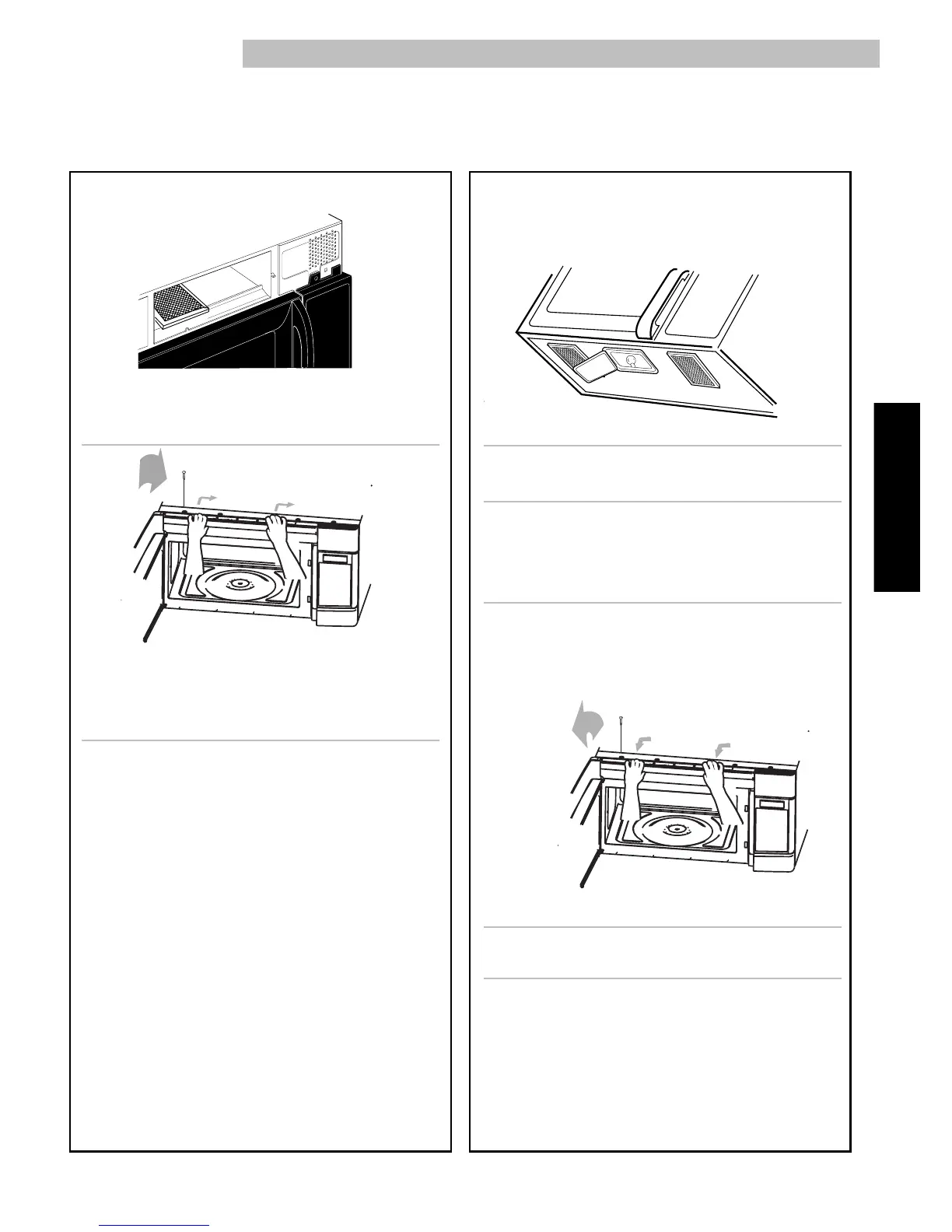
5. Slide a new charcoal filter into place. The filter
should rest at the angle shown.
6. Slide the bottom of the vent grille into place. Push
the top until it snaps into place. Replace the
mounting screws.
7. Plug in microwave oven or reconnect power.
NOTE: Do not operate the hood without the grease
filters in place.
The cooktop light
1. Unplug microwave oven or disconnect power.
2. Remove the bulb cover mounting screws.
3. Replace bulb with candelabra-base 30-watt bulb
(Part No. 6912W3Q001A) available from Sears by
calling 1-800-4-MY-HOME.
4. Plug in microwave oven or reconnect power.
The oven light
1. Unplug microwave oven or disconnect power.
2. Remove the vent grille mounting screw.
3. Tip the grille forward, then lift out to remove.



 To Next Page