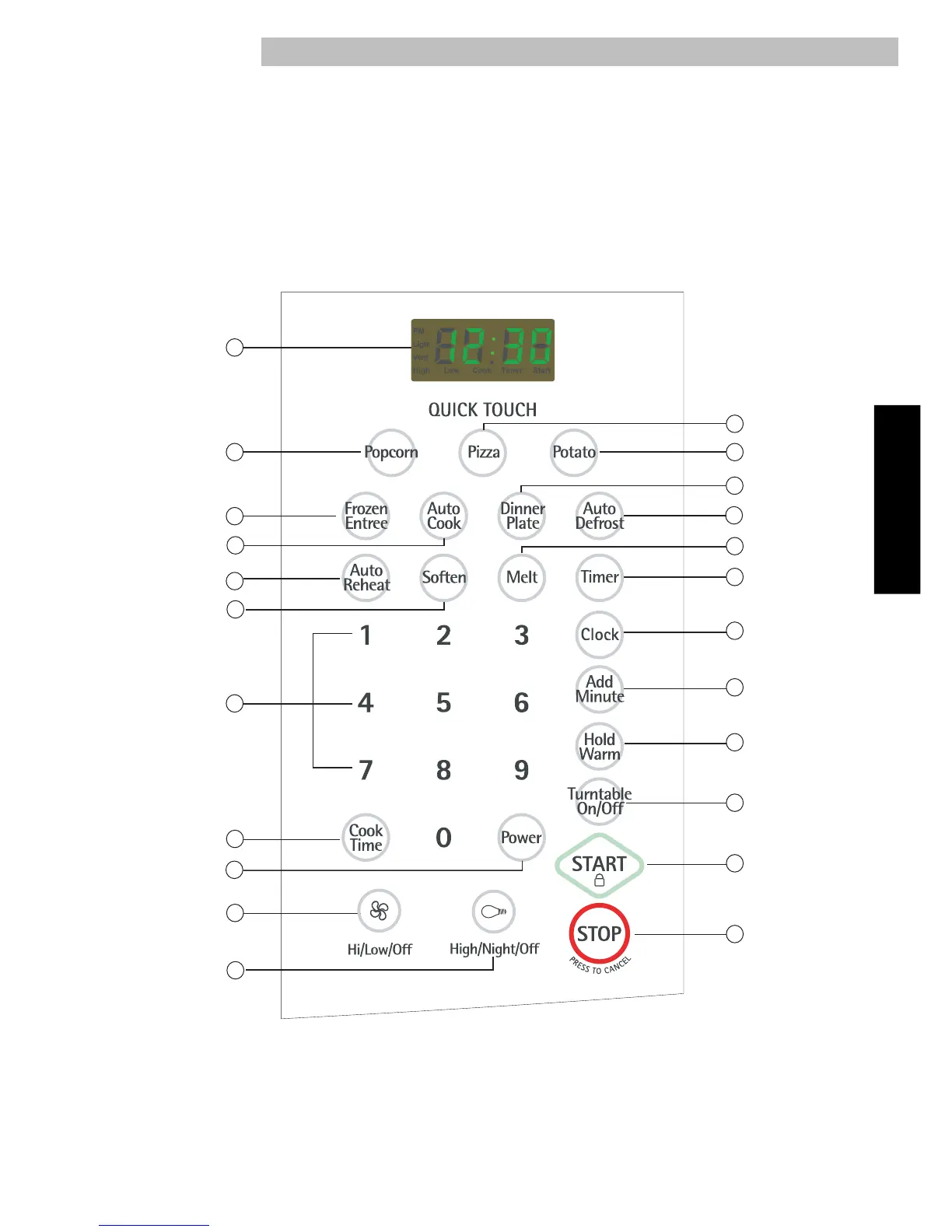
Your microwave oven control panel lets you select the desired cooking function quickly and easily.
All you have to do is touch the necessary Command Pad. The following is a list of all the Command
and Number Pads located on the control panel. For more information on these features, see
“Using your microwave oven” section.
1. Display. The display includes a clock and
indicators to tell you time of day, cooking time
settings, cook powers, quantities, weights and
cooking functions selected.
2. Popcorn. Touch this pad to pop one of 2 bag
sizes of popcorn without entering a cook time or
power.Remove metal rack before cooking
popcorn.
7
13
1
3
4
6
11
10
12
14
15
16
19
23
20
22
17
18
5
9
8
2
21



 To Next Page