6 7
TIPS FOR BEST USE
- Do not store more than 100 lbs (45 kg) of product on each shelf.
- To ensure there is enough for cold air to circulate to maintain the correct operat-
ing temperature, do not exceed 70% of the load limit of the unit.
- Always allow hot food to cool before placing it in the unit.
- Store food products in airtight packaging.
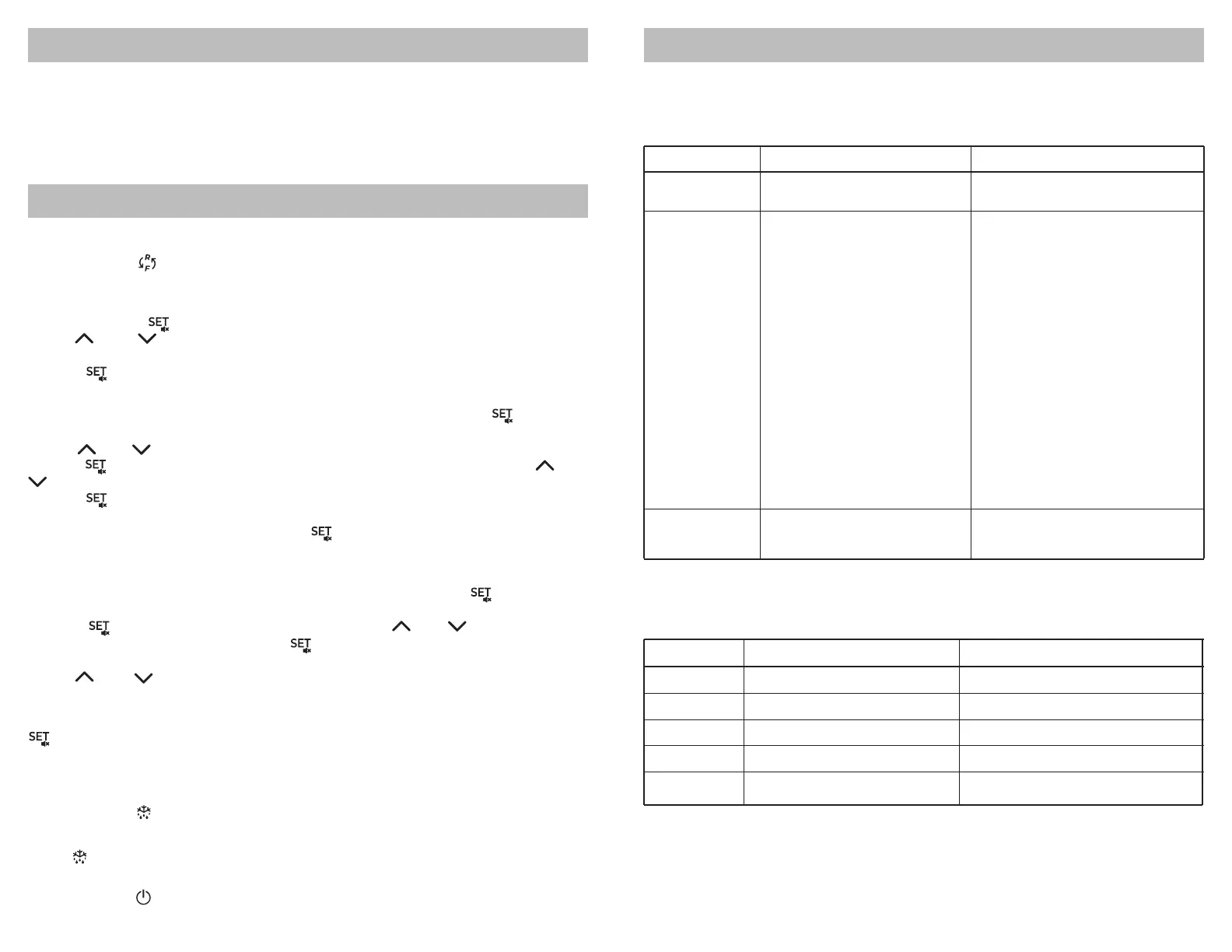
OPERATING THE CONTROL PANEL
SWITCH PARAMETER GROUPS
Press and hold for 3 s to switch parameter groups from freezer to chiller and
vice versa.
SET DESIRED TEMPERATURE
1. Press and hold for 1 s until the temperature value starts to flash.
2. Use and to increase or decrease the value until you reach your desired
temperature.
3. Press again to confirm the new temperature.
VIEW/MODIFY TYPE F PARAMETERS
1. To access the Type F (frequently used) parameters, press and hold for at least
3 s until the display shows PS (password).
2. Use and to scroll through the list of Type F parameters.
3. Press to display the value associated with each parameter and use and
to increase or decrease the value as desired.
4. Press again to enter the new value and return to the parameter list.
5. Repeat the steps 3-4 for any other parameters that need to be modified.
6. When you are finished, press and hold for more than 3 s to save all changes
and exit the parameter menu and return to the main display.
VIEW/MODIFY TYPE C PARAMETERS
1. To access the Type C (configurable) parameters, press and hold for at least 3 s
until the display shows PS (password).
2. Press to access the numerical menu and use and to scroll until you
reach 22 (the preset password). Press again to confirm and access the Type C
parameters.
3. Use and to scroll through the list of Type C parameters and follow steps
3-6 in the previous section to modify any parameters as needed.
IMPORTANT – Your changes are not permanently saved until you press and hold
for 3s to confirm and return to the main display. If 60 s elapses without a button
being pressed while you are in the parameter menu, all changes will be canceled
and all previous settings restored.
MANUAL DEFROST
Press and hold for at least 3s to start the manual defrost cycle.
DISPLAY EVAPORATOR SENSOR TEMPERATURE
Press to display the current evaporator sensor temperature.
POWER ON/OFF
Press and hold for at least 3 s to power the control panel on or off.
TROUBLESHOOTING
NOTE – If the problem cannot be solved using the troubleshooting guide below,
contact your seller. All service or repairs must be performed by qualified and
authorized service technicians. Failure to comply will void the warranty.
PROBLEM
No refrigeration
Slow cooling
Noisy operation
POSSIBLE REASONS
- Power plug is loose
- Non-dedicated outlet used
- Power switch is turned off
- Unit is defrosting
- Unit is overfilled
- Air circulation blocked
by stored products
- Unis is in direct sunlight
or near a heat source
- Condenser is dirty
- Doors being opened frequently
- Temperature is not set correctly
- Hot food in the unit
- Unit is not level
- Surface is uneven or unstable
POSSIBLE SOLUTIONS
- Ensure power plug is securely
connected to outlet
- Use a dedicated power outlet
- Turn power switch to on position
- Wait for defrost cycle to finish
- Remove some contents
- Reposition contents to allow
cold air to circulate
- Relocate to a more suitable area
- Power the unit off and clean
the condenser (see pg. 5)
- Open the doors less frequently
- Check the set temperature and
adjust if needed (see pg. 6?)
- Remove the hot food and
allow it to cool
- Adjust casters/legs to level the unit
- Relocate to more suitable surface
Error Codes
Error code
E0
E1(*)
dr(*)
Lo
HI
(*)only valid for series C/Y
Description
1 error=control
probe 2 error=defrost
door open alarm
low temperature alarm
high temperature alarm
Related parameters
-
[d0=0/1]
[AL][Ad][A0]
[AH][Ad][A0]



 To Next Page