can be programmed. The entered data are stored in the memory area of
each type of device. If you use functions ‘Code setup from code table’ or
‘Automatic code search’, the data copied for this device will be deleted.
2. If you want to reset the device code that was before learning, enter code
9994.
3. If a code corresponding to the existing code is entered for a key, the new
code will be recorded.
CODE INDICATION
When the necessary code has been found using the ‘Automatic code
search’ method, you can get to know the numbers of this code by
performing the following actions:
1. Press and hold the key of accordant device (e.g. [TV]). Simultaneously
press key [4] and count how many times will the indicator ash. Number of
ashes corresponds to the last digit of the 4-digit code. Release both keys.
2. Press and hold the key of accordant device (e.g. [TV]). Simultaneously
press key [3] and count how many times will the indicator ash. Number
of ashes corresponds to the last but one digit of the 4-digit code. Release
both keys.
3. Press and hold the key of accordant device (e.g. [TV]). Simultaneously
press key [2] and count how many times will the indicator ash. Number of
ashes corresponds to the second digit of the 4-digit code. Release both
keys.
4. Press and hold the key of accordant device (e.g. [TV]). Simultaneously
press key [1] and count how many times will the indicator ash. Number of
ashes corresponds to the rst digit of the 4-digit code. Release both keys.
Note:
If the indicator ashes zero times, the digit is ‘0‘.
COMPOSING OF MACRO COMMANDS
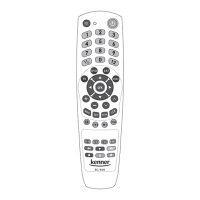
The remote control has one multifunction (macro command) key [M1].
Macro command key can store functions of 20 keys. You can use this
function to unite several other keys of various commands or frequently
used keys to perform a sequence of operations by pressing once key [M1].
When setting the macro command, the remote must be pointed away
from the controllable devices (TV, DVB-T, DVD etc.), preferably do it in
another room.
After setting the macro command, the remote will start to transmit control
codes in the sequence they were set during programming by pressing the
multifunction key. It will facilitate control of a complex of appliances.
Example: Switch the TV on Change the TV to audio/video mode
Switch the decoder (DVB-T) on Go to channel 2 of the decoder.
In order to create such multilevel command, the necessary signals must be
programmed in the remote.
Adding of macro command
Entering of TV control data
1. Press key [TV] of the RC-949 remote control once.
2. Simultaneously press and hold keys [VOL+] and [PROG ] until the
indicator switches on. Release both keys.
3. Enter access code 9991 for memory M1. An indicator will switch on
showing that the multifunction setup mode is now switched on.
4. By pressing key [ ] enter command ’Switch on the TV’ in the memory.
By pressing key [TV/AV], enter command ’Change the TV to audio/video
mode’ in the memory. After pressing each key the light indicator will ash
once. By pressing key [TV] exit the TV setup mode – the indicator will go
out.
The next part of the macro command M1: entering of DVB-T control data
5. Press key [DVB-T] of the RC-949 remote control once.
6. Simultaneously press and hold keys [VOL+] and [PROG ], until the
indicator switches on. Release both keys.
7. Enter access code 9991. An indicator will switch on showing that the
multifunction setup mode is now switched on.
- 9 -
3301053


 To Next Page
 Loading...