12 / 15
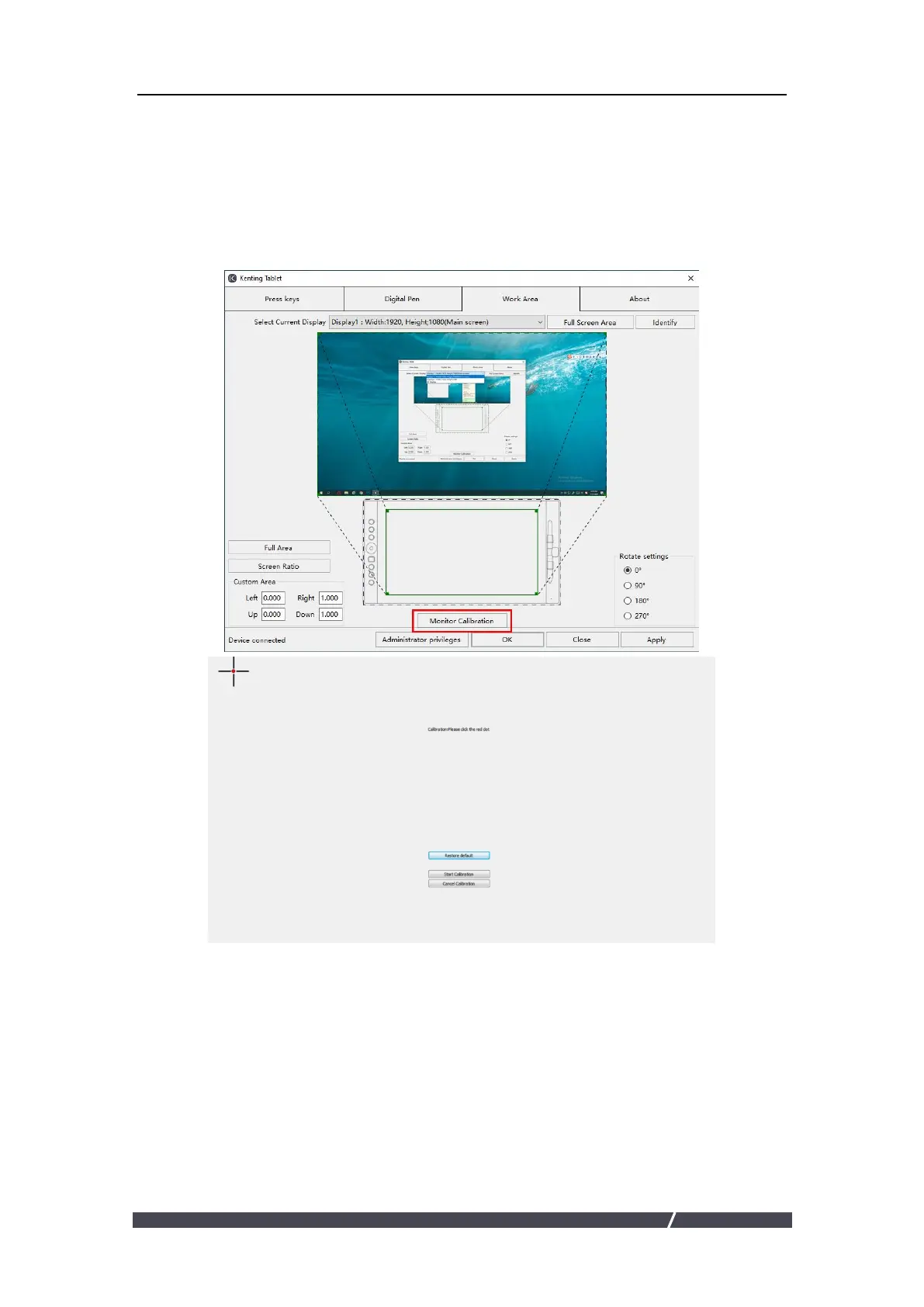
3.8 Calibration
Screen Calibration: Click the red point of the cross center appearing on the screen
to complete the calibration.
Restore Factory Settings: Click "Restore Default" to restore to the factory settings.
Cancel Calibration: Click"Cancel calibration”or press ESC on the keyboard to cancel
the calibration.
3.9 Data Export and Import
The driver supports exporting and importing your customized configuration data
of the product, which is convenient for you to use different software and avoid the
trouble of repeated settings.


 To Next Page