6 / 15
2. Product Basic Operation
2.1 OSD Setting
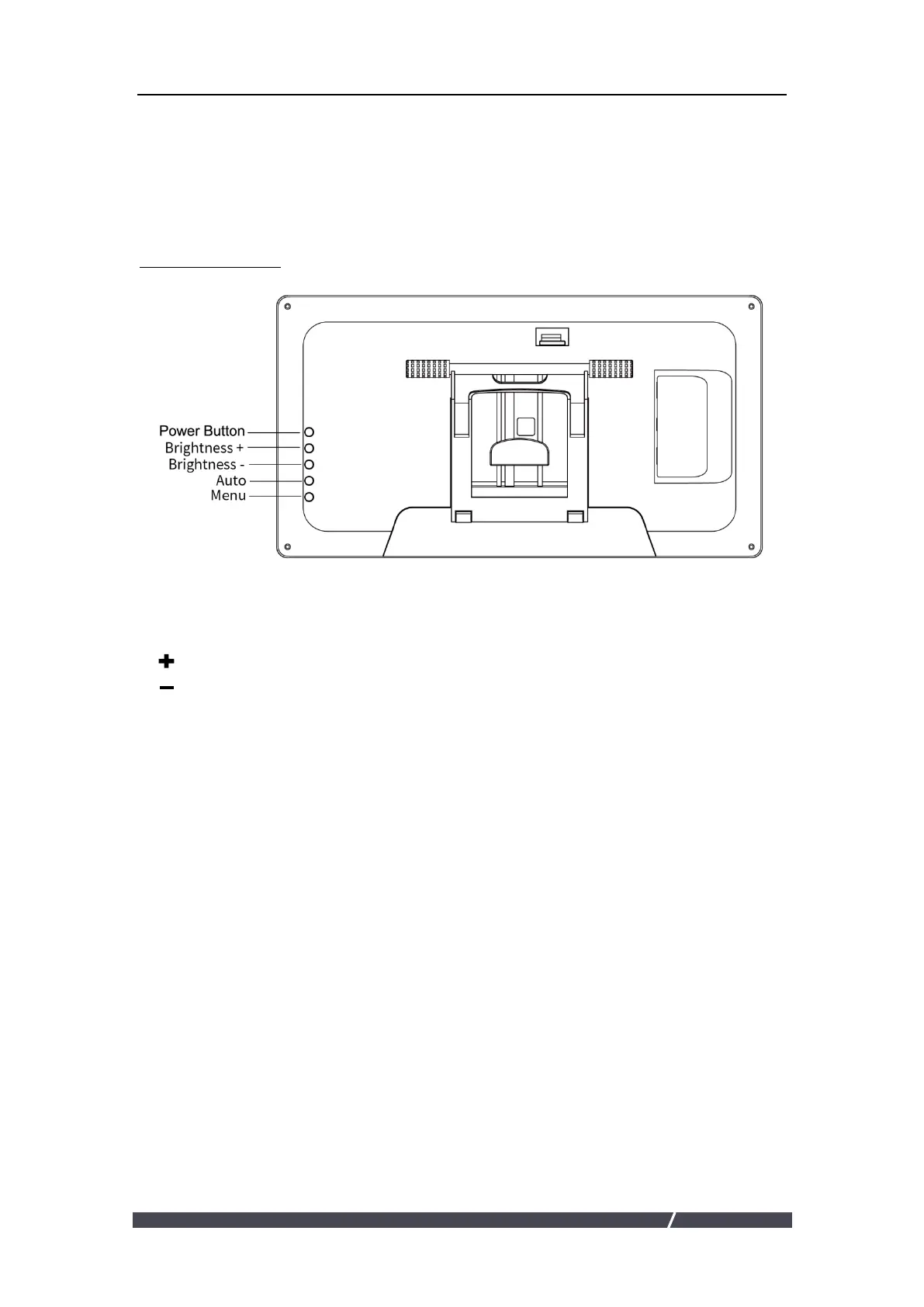
2.2.1 OSD Buttons
POWER : Power on/off the display.
MENU : Press to call up the menu, after entering menu, it’s function is confirm.
: After entering menu, it’s function is to up/right/increase.
: After entering menu, it’s function is to down/left/decrease.
AUTO : Before entering menu, it’s function is auto adjustment. After entering
menu, it’s function is back to previous menu.



 To Next Page