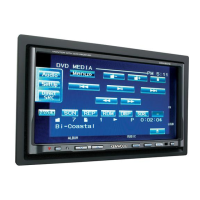
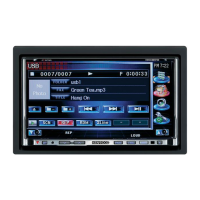
Need help?
Do you have a question about the Kenwood DDX4015BT and is the answer not in the manual?
Crucial information for safe and proper use of the unit, including warnings.
Explains manual symbols, layout, and available resources for understanding operations.
Guidelines for proper disposal of electronic waste and batteries to protect the environment.
Important notes regarding monitor operation, sunlight exposure, and touch panel usage.
Advice on safe driving practices and handling temperature extremes for optimal unit performance.
Instructions on resetting the unit to its default settings if it fails to operate correctly.
Guide for first-time setup or after resetting, covering basic configurations like demonstration and language.
Steps to register a security code to protect the receiver system against theft.
Instructions on how to enable the security feature to protect the receiver against theft.
Procedures for synchronizing or manually setting the unit's clock time.
Identifies and explains the function of each button and part on the unit's panel.
Covers fundamental operations like turning the unit on/off and adjusting volume.
Details on how to adjust the volume level and attenuate the sound output.
Instructions for adjusting the panel angle, putting the unit in standby, and turning off the screen.
Explains common screen operations, menu navigation, and touch screen controls.
Guide on how to switch between different audio/video sources like iPod, USB, Tuner, etc.
Explains how to use shortcut buttons to quickly access menu items from various screens.
Instructions on inserting, playing, and ejecting discs, including basic playback operations.
Details on screen indications, buttons, and playback information displayed during disc playback.
Explains the various buttons used for controlling disc playback, such as MODE, Q, etc.
Guide on how to navigate and select folders or tracks from a list for playback.
Details on adjusting video playback settings like zoom, aspect ratio, and picture adjustments.
Explains different playback modes like Random, Repeat, and how to select them.
Configuration options for disc playback, including language, audio, screen ratio, and file type.
Steps for safely connecting and disconnecting USB storage devices.
Details on controlling playback, including buttons, modes, and information displayed.
Options to configure USB playback, including file type, screen ratio, and drive selection.
Guide on navigating and selecting files from a USB device.
Information on connecting iPod/iPhone devices and required cables.
How to set preferred playback options and AV input for iPod/iPhone.
Details on controlling iPod/iPhone playback, screen indicators, and information displayed.
Explains the buttons used for controlling iPod/iPhone playback and file selection.
Guide on how to select audio or video files from the iPod/iPhone menu.
Steps to connect and use applications from an iPod touch/iPhone on the unit.
How to control app playback and switch to the app screen from other sources.
Overview of radio listening, source control screen indications, operation buttons, and display information.
Instructions for tuning into FM stations with strong signals using the Local Seek feature.
How to store and select favorite radio stations using manual or automatic presetting.
Explains PTY Search and activating/deactivating TI/News Standby Reception.
Details on Network-Tracking Reception for consistent program signals and Auto TP Seek for traffic info stations.
Explains what DAB is, its benefits, and how programs are broadcast.
Guides on listening to digital radio, source control screen, operation buttons, and reception information.
How to change the information displayed on the DAB screen.
Instructions for selecting services from preset or service lists for DAB reception.
Steps to store and select favorite DAB services using preset numbers.
Details on PTY Search and TI Standby Reception for DAB.
Configuration options for DAB radio, including priority switching, PTY watch, announcements, and related services.
Instructions for connecting and playing audio/video from external devices via AV-IN.
Details on starting playback, controls, and screen information for AV-IN sources.
Guide on connecting, activating, and displaying images from a rear view camera.
How to manually display the rear view camera feed using specific button presses.
Instructions for connecting and viewing the navigation screen from an external unit.
Details on configuring guidance and volume settings for the external navigation unit.
Overview of Bluetooth technology and notes on its usage with the unit.
Steps for pairing new Bluetooth devices, including auto pairing and SSP methods.
Detailed steps for pairing Bluetooth devices that require a PIN code.
How to view and manage paired Bluetooth devices.
How to connect registered devices, use the mobile phone, and delete registered devices.
Instructions for receiving, rejecting, and ending calls using the Bluetooth connection.
How to adjust call volume, microphone levels, and reduce noise/echo.
Steps for making calls, switching modes, and receiving SMS notifications.
How to access and search the phone book, call lists, and enter numbers directly.
Instructions for using voice dialing and presetting phone numbers for quick access.
Steps to copy the phone book from a mobile phone to the unit.
Information on mobile phones supporting PBAP for phone book access.
Details on deleting entries and configuring settings for Bluetooth mobile phones.
Configuration options for auto-response, SMS notifications, ring modes, and device names.
How to use the unit as a Bluetooth audio player, including playback controls and information.
How to adjust sound settings, select preset modes, and customize equalization.
Steps to adjust the crossover settings for speakers and subwoofers.
How to adjust brightness, contrast, blackness, color, tint, and sharpness for video playback.
How to adjust the aspect ratio (e.g., Full, Just, Normal, Auto) for video playback.
Instructions on how to zoom the video picture using different magnification levels.
How to change background, panel color, and dimmer settings.
Steps to capture and use images as custom backgrounds for the unit.
How to arrange items displayed on the <TOP MENU> screen.
Procedures for saving, loading, and clearing unit settings.
How to lock settings to prevent changes and update the unit's system software.
Guide to calibrate the touch panel if touch inputs are inaccurate.
Explains various settings within the <Setup> menu, including Audio and Display options.
Configuration for user customization, OSD clock, screen adjustments, and input sources.
Options for system information, language selection for on-screen text, and GUI language.
Configuration for clock, beep tones, remote sensor, Bluetooth setup, and DAB settings.
Options for security code, AV key assignment, DivX VOD, touch panel, remote control, and system information.
Introduction to the remote controller and instructions for installing batteries.
Details common operations using the remote controller in AUD mode, including source selection and volume control.
Explains remote control functions for DVD, Music, Radio, DAB, iPod, and USB modes.
How to perform direct searches for items or tuner frequencies using the remote controller.
Safety warnings and precautions for installing the unit, including handling wires and avoiding hazards.
Lists the components included in the installation kit for the unit.
Step-by-step guide for installing the unit and trim plate in the vehicle.
Detailed diagram and explanation of connecting wires to the unit's terminals.
Information on wiring ISO connectors for specific vehicle models like VW/Audi.
How to connect USB devices, iPods, and iPhones using specific cables.
Details on connecting other external components like amplifiers, cameras, and navigation units.
Instructions for connecting and installing the microphone for Bluetooth hands-free calls.
Steps to safely remove the unit and its trim plate from the vehicle.
Guidelines for cleaning the unit, handling moisture condensation, and managing discs.
Details on playing DivX, MPEG, and JPEG files, including supported formats and limitations.
Lists supported audio (MP3, WMA, WAV, AAC) and video file formats and their conditions.
Information on playable and unplayable disc types, formats, and DualDisc compatibility.
Information on data storage, playable files on USB, and notes for USB device usage.
Important notes regarding iPod/iPhone connectivity, playback, and potential operational issues.
A list of language codes used for DVD language selection on the unit.
Explains common error messages and how to resolve them.
Provides solutions for common issues like no sound, no picture, or unit malfunction.
Solutions for playback issues with discs, DivX/MPEG/MP3, USB, and iPod/iPhone.
Addresses common issues related to Tuner, DAB, AV-IN, and Bluetooth connectivity and performance.
Detailed technical specifications for the monitor, DVD player, USB, and Bluetooth sections of the unit.
Provides specific technical details for DAB tuner, MW tuner, video, FM/LW tuner, and audio sections.
Lists trademarks, licenses, and copyright information related to the product and its technologies.
 General
| Resolution | 800 x 480 pixels |
|---|---|
| Touchscreen | Yes |
| Bluetooth | Yes |
| USB Port(s) | 1 |
| DVD Player | Yes |
| CD Player | Yes |
| Rear View Camera Input | Yes |
| Power Output | 50W x 4 |
| Audio Formats Supported | MP3, WMA, AAC, WAV |
| Preamp Outputs | 3 (Front, Rear, Subwoofer) |
| AUX Input | Yes |
| AM/FM Tuner | Yes |
| iPhone Compatibility | Yes |
| Android Compatibility | Yes |
| Steering Wheel Control Compatibility | Yes |
| Video Formats Supported | MPEG-1, MPEG-2, WMV |


 To Next Page