Need help?
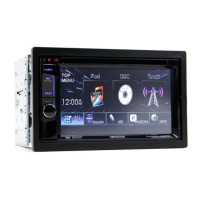
Do you have a question about the Kenwood DDX416BT and is the answer not in the manual?
Essential safety warnings, FCC/IC compliance, and operational cautions for safe use.
Registering a security code to protect the receiver system against theft.
How to choose and switch between different audio/video sources.
General disc playback, insertion, controls, and screen indicators.
Customizing settings for disc playback, such as language and screen ratio.
Connecting a USB device, playing files, and understanding playback controls.
Configuring USB playback settings and selecting files from USB storage.
Preparing an Android device and starting audio/video playback.
Selecting Android files and configuring playback modes.
Preparing and connecting an iPod/iPhone, selecting connection methods.
Controlling iPod/iPhone playback and selecting audio/video files.
Preparing devices and using applications from iPod/iPhone/Android/BlackBerry.
Activating SiriusXM subscription and tuning into satellite radio channels.
Setting up parental controls and managing the parental code for channel access.
Connecting and configuring rear and front view cameras for the unit.
Connecting and configuring a navigation unit for on-screen guidance.
General Bluetooth info, compatibility, and pairing procedures for connecting devices.
Detailed steps for pairing Bluetooth devices using PIN codes or SSP.
Adjusting sound settings using equalization and preset sound modes.
Accessing menu items and detailed audio adjustments like equalizer and sound effects.
Critical warnings and precautions for safe and correct installation, including tools and environment.
Detailed diagram and explanation of all wiring connections to the unit's terminals.
Connecting USB, Android, and iPod/iPhone devices using various cables and accessories.
Troubleshooting guide for various error messages and their remedies.
 General
| Brand | Kenwood |
|---|---|
| Model | DDX416BT |
| Category | Car Receiver |
| Language | English |


 To Next Page