Need help?
Do you have a question about the Kenwood DDX415BT and is the answer not in the manual?
Crucial safety advice and warnings to prevent accidents and damage during unit operation and installation.
Details FCC compliance, user modifications, interference, and general cautions for safe operation.
Guides through the first-time setup process, including demonstration, language, and panel color settings.
Instructions for setting and activating a security code to protect the receiver system against theft.
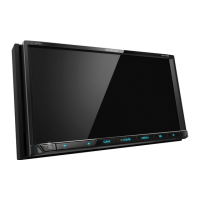
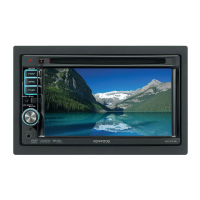
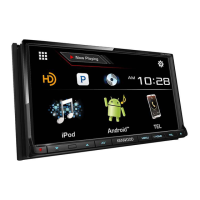
Identifies and describes the main components and buttons of different models.
Explains basic operations like turning the unit on/off, and how to adjust volume and attenuate sound.
Instructions on how to insert, play, and eject discs, including notes on playable disc types.
Describes how to access and use the video menu for adjusting picture settings like zoom, aspect, and audio.
Steps for connecting and safely disconnecting USB mass storage devices for playback.
Explains how to operate playback for files stored on USB, including mode selection and settings.
Guidance on connecting iPod/iPhone devices and setting playback preferences.
Details operation buttons and how to select audio/video files from the iPod/iPhone library.
How to use applications from a connected iPod touch/iPhone, including starting and operating them.
Explains the operation buttons for controlling applications via the touch panel.
Instructions on connecting devices and starting the Pandora application for streaming.
Guides on selecting Pandora stations from lists, including genre and station lists, and sorting options.
How to listen to the radio, including tuning, station presets, and display information.
Detailed steps for manually tuning and selecting preset numbers, and using automatic presetting (AME).
Explains the technology behind HD Radio, including PSD, HD2/HD3 channels, and Digital Sound.
How to tune into and listen to HD Radio broadcasts, including reception information and indicators.
Steps to activate a SiriusXM subscription and check the Radio ID for vehicle tuner activation.
Explains how to replay content, use SmartFavorites, and activate TuneStart for SiriusXM channels.
Guide on connecting external AV components and selecting the AV-IN source for playback.
Instructions on connecting and activating a rear view camera for display when shifting to reverse.
Steps for pairing and registering new Bluetooth devices, including methods for different Bluetooth versions.
Details on making/receiving calls, adjusting volume, switching modes, and SMS notifications.
How to adjust sound equalization, select preset sound modes, and customize sound settings.
How to change display design, store custom backgrounds, and adjust screen brightness/blackness.
Introduction to the remote controller, its battery, and common operations in AUD mode.
Details on operating disc, music, USB, iPod, and tuner functions using the remote controller.
Critical warnings and precautions regarding safe installation, wiring, and handling of the unit.
A comprehensive diagram and explanation of all terminal connections for power, speakers, and accessories.
Guidelines for maintaining the unit, including cleaning methods and handling moisture condensation.
A guide to common error messages, their causes, and recommended remedies for various issues.
Technical details about the monitor size, display system, resolution, and pixel arrangement.
Technical specifications for the FM/AM tuner sections and audio output capabilities.
 General
| Brand | Kenwood |
|---|---|
| Model | DDX415BT |
| Category | Car Receiver |
| Language | English |


 To Next Page