EasyManua.ls Logo

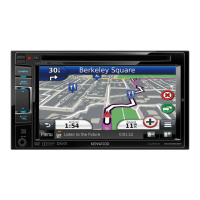
Kenwood DNX7280BT - User Manual

Kenwood DNX7280BT
106 pages
Print Icon
To Next Page IconTo Next Page
Loading...
11DNXMid_IM324_Ref_E_En_00 (E)© 2010 Kenwood Corporation All Rights Reserved.
DNX7280BT
DNX5280BT
DNX4280BT
DNX5580BT
GPS NAVIGATION SYSTEM
INSTRUCTION MANUAL
Before reading this manual, click the button below to check the latest edition and the
modified pages.
Check the latest edition

Table of Contents

Other manuals for Kenwood DNX7280BT

Questions and Answers

  • J
    Jack NashAug 10, 2025
    Why is the Kenwood DNX7280BT radio reception so poor?
    • G
      grobinsonAug 10, 2025
      Poor radio reception on your Kenwood GPS can occur if the car antenna is not fully extended. Ensure the antenna is pulled out completely. Also, check that the antenna control wire is correctly connected.
  • M
    miacampbellAug 15, 2025
    What to do if I cannot set up the equalizer on my Kenwood DNX7280BT?
    • A
      Adam BrewerAug 16, 2025
      If you cannot set up the equalizer on your Kenwood GPS, it might be because the dual zone function is enabled. Turn the dual zone function off.
  • J
    Jennifer BrewerAug 22, 2025
    What to do if I cannot select the output destination of the subsource in the dual zone on my Kenwood DNX7280BT?
    • S
      Sydney UnderwoodAug 22, 2025
      If you cannot select the output destination of the subsource in the dual zone on your Kenwood GPS, it is probably because the dual zone function is disabled. Set the dual zone function to on.
  • T
    Todd FoxAug 27, 2025
    Why I cannot adjust the volume of the rear speakers on my Kenwood GPS?
    • J
      Justin LaneAug 28, 2025
      If you are unable to adjust the volume of the rear speakers on your Kenwood GPS, the dual zone function might be disabled. Enable the dual zone function.
  • J
    James FrankSep 3, 2025
    What to do if there is no output from the subwoofer of my Kenwood DNX7280BT?
    • T
      Thomas MillerSep 3, 2025
      If there's no output from the subwoofer on your Kenwood GPS, the subwoofer might not be enabled. Ensure the subwoofer is set to 'on'.

Summary

Before Use

Basic Operations

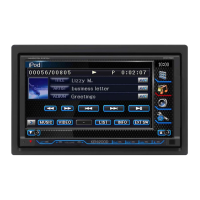
DNX7280 BT Front Panel Button Functions

Details operations and functions of front panel buttons for the DNX7280BT model.

DNX5 xxBT Front Panel Button Functions

Details operations and functions of front panel buttons for DNX5280BT/DNX4280BT/DNX5580BT models.

Unit Power and Initial Setup

Guides on turning the unit on/off and performing the initial setup procedure.

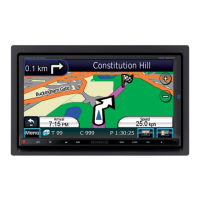
Navigation System Operation

How to display and control the navigation system, including audio integration.

DVD and VCD Operation

Basic DVD and VCD Playback Controls

Covers fundamental operations for DVD and VCD playback and control screens.

Bluetooth Connectivity

Bluetooth Functionality Overview

Introduces Bluetooth features like audio streaming and hands-free calling, with specifications.

Pairing and Connecting Bluetooth Devices

Step-by-step process for registering and connecting Bluetooth audio players and cell phones.

Hands-Free Calling and SMS Management

Guides on using the hands-free unit, making calls, downloading phonebooks, and SMS features.

System Settings and Customization

Audio System Configuration

Audio Control and Speaker Setup

Adjusts audio balance, subwoofer levels, and speaker settings for optimal sound.

Remote Controller Operations

Switching Operation Modes and Direct Search

Explains switching operation modes and using direct search for content playback.

Troubleshooting and Maintenance

Common Problems and Solutions

Addresses issues related to settings, audio operations, and disc playback problems.

Kenwood DNX7280BT Specifications

General IconGeneral
BrandKenwood
ModelDNX7280BT
CategoryGPS
LanguageEnglish

Related product manuals