EasyManua.ls Logo

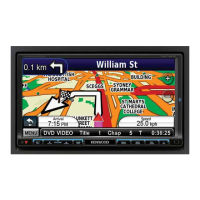
Kenwood DNX7330BT - User Manual

Kenwood DNX7330BT
66 pages
Print Icon
To Next Page IconTo Next Page
Loading...
What Do You Want To Do?
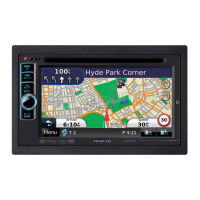
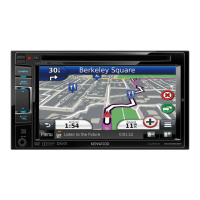
Thank you for purchasing the KENWOOD GPS NAVIGATION SYSTEM.
In this manual, you will learn various convenient functions of the system.
Click the icon of the media you want to play.
With one-click, you can jump to the section of each media!
iPod USB
VCD
DVD VIDEO
Music CD
Disc Media
BT Audio
ahaPandora
Tuner
Digital Radio
TV
13DNX_IM366_Ref_M_En_02 (M)© 2012 JVC KENWOOD Corporation
DNX7330BT
DNX7330BTM
DNX5330BT
DNX5330BTM
DNX4330DAB
DNX4330
GPS NAVIGATION SYSTEM
INSTRUCTION MANUAL
Before reading this manual, click the button below to check the latest edition and the
modified pages.

Check the latest edition

Table of Contents

Questions and Answers

  • B
    Benjamin RaySep 23, 2025
    Why the Touch Sensor Tone doesn’t sound on Kenwood DNX7330BT?
    • R
      rtorresSep 23, 2025
      If the Touch Sensor Tone doesn’t sound on your Kenwood GPS, it is because it cannot be output from the preout jack, which is currently in use.
  • V
    Valerie EstradaAug 25, 2025
    Why Kenwood DNX7330BT GPS cannot play audio files stored in a disc?
    • B
      Bradley MillerAug 25, 2025
      If your Kenwood GPS cannot play audio files stored on a disc, it might be because “CD Read” is set to “2”. Set “CD Read” to “1”.
  • T
    Tina PhillipsAug 26, 2025
    How to fix Kenwood DNX7330BT Navigation Error?
    • J
      Jeremy DeleonAug 26, 2025
      A 'Navigation Error' on your Kenwood GPS, with the message 'Please turn on power again later,' indicates a communication error due to severely cold temperature. Turn on the power again after warming your car's interior.
  • B
    berrymichaelAug 27, 2025
    What to do if Kenwood DNX7330BT says Protect Error Message?
    • M
      Monica ReidAug 27, 2025
      If you see a 'Protect Error Message' on your Kenwood GPS, it means the protective circuit has been activated because a speaker cord has shorted or come into contact with the car chassis. You should wire or insulate the speaker cord as needed and then push the Reset button.
  • J
    Jenna JohnsonSep 23, 2025
    What does Disc Error mean on Kenwood GPS?
    • J
      John SpenceSep 23, 2025
      A 'Disc Error' on your Kenwood GPS means that an unplayable disc is inserted. Change the disc.
  • D
    Danny Goodman MDSep 13, 2025
    What to do if there is no output from the Kenwood GPS subwoofer?
    • L
      Luis SantiagoSep 13, 2025
      To get output from the subwoofer on your Kenwood GPS, set the subwoofer to on.
  • O
    oroachSep 12, 2025
    What to do if Kenwood GPS cannot set up the subwoofer?
    • D
      Daniel HesterSep 12, 2025
      If you cannot set up the subwoofer on your Kenwood GPS, the subwoofer may not be set to on. Set the subwoofer to on.
  • E
    Evan HamptonSep 12, 2025
    What to do if Kenwood DNX7330BT cannot set up subwoofer phase?
    • S
      Sarah LeeSep 12, 2025
      To set up the subwoofer phase on your Kenwood GPS, set the dual zone function to off.
  • K
    Krista RichardsonSep 4, 2025
    What does USB Device Error mean on Kenwood DNX7330BT?
    • L
      Leslie TaylorSep 4, 2025
      A 'USB Device Error' on your Kenwood GPS means that the connected USB device requires more current than the allowable limit. Check the USB device; there may be an issue with it.
  • J
    Jeremy GarciaSep 2, 2025
    What to do if Kenwood GPS says No Device Error?
    • M
      Melissa GonzalezSep 2, 2025
      If your Kenwood GPS shows a 'No Device Error', it means the USB device is selected as a source, but no USB device is connected. Change the source to something other than USB/iPod. Then, connect a USB device and switch the source back to USB.

Kenwood DNX7330BT Specifications

General IconGeneral
BrandKenwood
ModelDNX7330BT
CategoryGPS
LanguageEnglish

Related product manuals