EasyManua.ls Logo

Kenwood KMM-BT250U - User Manual

Kenwood KMM-BT250U
140 pages
Print Icon
To Next Page IconTo Next Page
Loading...
Data Size: B6L (182 mm x 128 mm)
Book Size: B6L (182 mm x 128 mm)
For your records
Record the serial number, found on the back of the unit, in the spaces designated on the warranty card, and in the space provided below. Refer to the model and serial
numbers whenever you call upon your Kenwood dealer for information or service on the product.
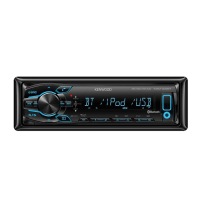
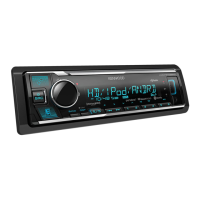
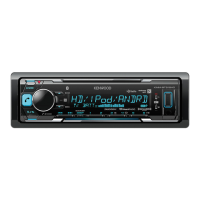
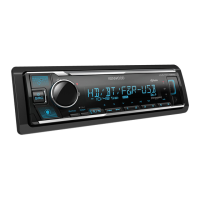
Model KMM-BT525HD/KMM-X503/KMM-BT325U/KMM-BT325/KMM-BT250U/KMM-BT225U/KMR-M325BT
Serial number
US Residents Only
Register Online
Register your Kenwood product at http://www.kenwood.com/usa/
B5A-2605-00 (KN)© 2018 JVC KENWOOD Corporation
KMM-BT525HD
KMM-X503
KMM-BT325U
DIGITAL MEDIA RECEIVER
INSTRUCTION MANUAL
RÉCEPTEUR MULTIMÉDIA NUMÉRIQUE
MODE D’EMPLOI
RECEPTOR DE MEDIOS DIGITALES
MANUAL DE INSTRUCCIONES
KMM-BT325
KMM-BT250U
KMM-BT225U
KMR-M325BT
JS_KWD_KMM_BT525HD_KN_C.indd 1JS_KWD_KMM_BT525HD_KN_C.indd 1 7/11/2018 10:44:51 AM7/11/2018 10:44:51 AM


Questions and Answers

  • A
    Angela WardAug 14, 2025
    What to do if the Kenwood KMM-BT250U Car Receiver source does not change to USB?
    • M
      Morgan GrantAug 15, 2025
      If the Kenwood Car Receiver source doesn't switch to USB when you connect a USB device, turn off the power, unplug the USB device, then turn the power back on and reattach the USB device.
  • H
    Heather SanchezAug 18, 2025
    Why is my iPod/iPhone not working with my Kenwood Car Receiver?
    • L
      Lance Barnes MDAug 18, 2025
      If your iPod/iPhone isn't turning on or working with the Kenwood Car Receiver, check the connection between the unit and your device. If that doesn't work, disconnect and reset your iPod/iPhone using a hard reset.
  • D
    Diana MedinaAug 21, 2025
    How to fix “iPod ERROR” on Kenwood Car Receiver?
    • E
      Elizabeth LaraAug 21, 2025
      If “iPod ERROR” appears on the Kenwood Car Receiver, try reconnecting the iPod. If the issue persists, reset the iPod.
  • E
    Eric TorresAug 25, 2025
    Why does “LOADING” appear when I enter search mode on my Kenwood KMM-BT250U?
    • M
      Mercedes TuckerAug 26, 2025
      If “LOADING” appears when you enter search mode on your Kenwood Car Receiver, the unit is still preparing the iPod/iPhone music list. Allow some time to load and try again later.
  • A
    alisonwilsonAug 28, 2025
    How to fix “HF ERROR XX” or “BT ERROR” on Kenwood Car Receiver?
    • D
      Dustin ArmstrongAug 28, 2025
      If “HF ERROR XX” or “BT ERROR” appears on the Kenwood Car Receiver, reset the unit and try the operation again.
  • W
    Walter LivingstonAug 31, 2025
    What does “USB HUB IS NOT SUPPORTED” mean on my Kenwood KMM-BT250U?
    • A
      Amber JordanAug 31, 2025
      The Kenwood Car Receiver does not support a USB device connected via a USB hub, if “USB HUB IS NOT SUPPORTED” appears.
  • P
    Paul Perez DDSSep 3, 2025
    Why is the elapsed playing time not correct on my Kenwood KMM-BT250U?
    • E
      Ethan SantosSep 3, 2025
      The elapsed playing time on the Kenwood Car Receiver depends on the earlier recording process.
  • M
    Michael BauerSep 7, 2025
    Why is the playback order not as intended on my Kenwood KMM-BT250U?
    • R
      Ruben GrossSep 7, 2025
      The playback order on the Kenwood Car Receiver is determined by the order in which the file names were recorded (USB).
  • H
    Heather BoydSep 10, 2025
    What to do if “ERROR” appears on Kenwood Car Receiver?
    • J
      Jonathan MossSep 10, 2025
      If “ERROR” appears during operation on the Kenwood Car Receiver, try the operation again.

Summary

BEFORE USE

Important Usage Instructions

Read through this manual before using this product. Observe Warnings and Cautions.

Driving Safety and Battery Warning

Do not operate while driving. Handle batteries with care to avoid chemical burns or ingestion.

BASICS

Basic Unit Operations

Guides on turning the unit on/off, adjusting volume, selecting sources, and changing display.

GETTING STARTED

Initial Language and Demonstration Setup

Guides through setting the display language and disabling the demonstration mode.

USB, iPod, and Android Connectivity

Media Playback Controls

Describes controls for playback, skipping, repeating, and random play for media files.

Pandora App Integration

Pandora App Setup and Activation

Steps to prepare and activate the Pandora application for use with the unit.

iHeartRadio App Integration

Spotify App Integration

Spotify App Setup and Activation

Steps to prepare and activate the Spotify application for use with the unit.

SiriusXM Radio Setup and Operation

SiriusXM Tuner and Subscription Setup

Steps for connecting the tuner, obtaining the Radio ID, and activating the subscription.

Beginning SiriusXM Listening

Guide to selecting the SIRIUS XM source, band, category, and channel.

BLUETOOTH Connectivity and Setup

Initial Bluetooth Device Pairing

Step-by-step guide to pairing a new Bluetooth device with the unit.

Mobile Phone Operations via Bluetooth

Managing phone calls (answering, rejecting, ending) using Bluetooth.

Making Calls via Bluetooth

Methods to initiate calls, including using phonebook, history, and voice commands.

AUDIO SETTINGS

Manual Equalizer Settings

Customize audio output using manual equalizer adjustments for different frequencies.

Digital Time Alignment Setup

Optimizes sound staging by adjusting speaker output delay times.

TROUBLESHOOTING

General Troubleshooting Guide

Solutions for common issues like no sound, wiring errors, and display problems.

USB;iPod Connectivity Troubleshooting

Solutions for issues with USB/iPod playback, device recognition, and errors.

Android Device Troubleshooting

Problems with Android audio playback, device connection, and errors.

Bluetooth Connection Troubleshooting

Solutions for Bluetooth connection problems, pairing, calls, and audio playback.

SiriusXM Radio Troubleshooting

Resolves issues with SiriusXM channels, signals, subscriptions, and codes.

INSTALLATION AND CONNECTION

Installation Safety Warnings

Critical safety precautions during unit installation, including power and wiring.

Wiring Diagram and Connections

Comprehensive guide showing how to connect all necessary wiring harnesses.

Kenwood KMM-BT250U Specifications

General IconGeneral
BrandKenwood
ModelKMM-BT250U
CategoryCar Receiver
LanguageEnglish

Related product manuals