EasyManua.ls Logo

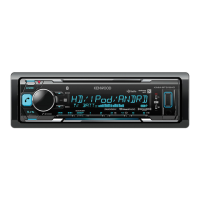
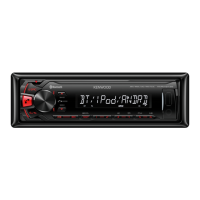
Kenwood KMM-BT35 - User Manual

Kenwood KMM-BT35
64 pages
Print Icon
To Next Page IconTo Next Page
Loading...
Data Size: B6L (182 mm x 128 mm)
Book Size: B6L (182 mm x 128 mm)
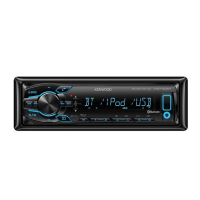
KMM-BT35
KMM-303BT
DIGITAL MEDIA RECEIVER
INSTRUCTION MANUAL
DIGITAL-MEDIA-RECEIVER
BEDIENUNGSANLEITUNG
ЦИФРОВОЙ МЕДИА-РЕСИВЕР
ИHCTPУKЦИЯ ПO ЭKCПЛУATAЦИИ
B5A-0167-00 (EN)© 2014 JVC KENWOOD Corporation
JS_KWD_KMM_BT35_EN_C00_3.indd 1JS_KWD_KMM_BT35_EN_C00_3.indd 1 23/9/2014 5:20:38 PM23/9/2014 5:20:38 PM

Questions and Answers

  • M
    Michelle ReynoldsSep 8, 2025
    Why is there echo or noise during phone conversations on my Kenwood KMM-BT35 Car Receiver?
    • T
      Troy ChanSep 9, 2025
      If you are experiencing echo or noise during a phone conversation using your Kenwood Car Receiver, adjust the microphone unit’s position and check the [ECHO CANCEL] setting.
  • M
    Morgan HerringAug 23, 2025
    What to do if my Kenwood KMM-BT35 is not detecting my Bluetooth device?
    • B
      bsullivanAug 23, 2025
      If your Kenwood Car Receiver is not detecting any Bluetooth devices, try searching for the device again from the Bluetooth device itself. If that doesn't work, reset the unit.
  • J
    john22Aug 25, 2025
    What to do if pairing cannot be made with Kenwood Car Receiver via Bluetooth?
    • N
      Nathan WoodwardAug 25, 2025
      If you are unable to pair your device with the Kenwood Car Receiver via Bluetooth: 1. Make sure you have entered the same PIN code to both the unit and Bluetooth device. 2. Delete pairing information from both the unit and the Bluetooth device, then perform pairing again.
  • A
    austin25Aug 26, 2025
    Why is there no sound coming from my Kenwood KMM-BT35?
    • J
      John HicksAug 26, 2025
      If you cannot hear any sound from your Kenwood Car Receiver, first, adjust the volume to the desired level. If the sound is still not audible, check the cords and connections to ensure they are properly connected.
  • R
    Richard VazquezAug 27, 2025
    What does 'MISWIRING CHECK WIRING THEN PWR' mean on my Kenwood KMM-BT35 and how to fix it?
    • G
      gilbertcodyAug 27, 2025
      If your Kenwood Car Receiver shows the message “MISWIRING CHECK WIRING THEN PWR Turn the power off, then check to be sure the terminals of the speaker wires are ON”, turn the power off. Check to be sure the terminals of the speaker wires are insulated properly, then turn the power on again.
  • N
    nicole44Sep 22, 2025
    What does 'NO INFO' mean on my Kenwood Car Receiver?
    • H
      hilldawnSep 22, 2025
      If your Kenwood Car Receiver displays “NO INFO”, the Bluetooth device cannot get the contact information.
  • W
    William RamirezSep 16, 2025
    What does 'NOT SUPPORT' mean on my Kenwood KMM-BT35?
    • P
      phillSep 16, 2025
      If your Kenwood Car Receiver displays “NOT SUPPORT”, the connected phone does not support Voice Recognition feature.
  • S
    Stephanie CarterSep 18, 2025
    What does 'NO ENTRY' / 'NO PAIR' mean on Kenwood KMM-BT35 Car Receiver?
    • S
      Sheila HernandezSep 18, 2025
      If your Kenwood Car Receiver displays “NO ENTRY” / “NO PAIR”, there is no registered device connected/found via Bluetooth.
  • M
    Molly VasquezSep 7, 2025
    Why is sound being interrupted during Bluetooth playback on my Kenwood KMM-BT35 Car Receiver?
    • D
      Dr. Lindsey PorterSep 7, 2025
      If the sound is being interrupted or skipped during playback of a Bluetooth audio player on your Kenwood Car Receiver: 1. Reduce the distance between the unit and the Bluetooth audio player. 2. Turn off, then turn on the unit and try to connect again. 3. Be aware that other Bluetooth devices might be trying to connect to the unit.
  • M
    mfosterSep 4, 2025
    Why is my Kenwood KMM-BT35 Car Receiver showing 'iPod ERROR'?
    • C
      Christopher Howe Jr.Sep 4, 2025
      If your Kenwood Car Receiver displays “iPod ERROR”, try reconnecting the iPod.

Summary

KENWOOD KMM-BT35; KMM-303 BT Instruction Manual

Digital Media Receiver Overview

Identifies the device as a Digital Media Receiver and its instruction manual.

Getting Started

Set the Clock

Step-by-step guide to setting the current time on the unit.

Set Initial Settings

Guide to setting the display language and other initial parameters.

USB, iPod, and Android Connectivity

USB, iPod, and Android File Management

Bluetooth Connection and Pairing

Pair a Bluetooth Device

Steps to pair a Bluetooth-enabled phone or device with the unit.

Bluetooth Mobile Phone Operations

Improve Voice Quality

Adjustments for microphone gain, noise reduction, and echo cancellation.

Bluetooth Call Management

Make a Call

Procedures for making calls via call history, phonebook, or number dialing.

Auxiliary Input and Audio Settings

Audio Control Settings

Adjustments for equalizer, bass, treble, subwoofer, and sound reconstruction.

Display Settings

Troubleshooting Guide

General Troubleshooting

Solutions for general problems like no sound or unit not turning on.

Troubleshooting (Continued)

USB;iPod Troubleshooting

Solutions for errors related to USB devices, iPods, and file playback.

Bluetooth Troubleshooting

Addresses common Bluetooth issues like pairing failures and audio interruptions.

Installation and Connection

Installation Warnings and Cautions

Important safety warnings and precautions before and during unit installation.

Basic Installation Procedure

Outlines the fundamental steps for installing the unit in a vehicle.

Wiring and ISO Connector Guide

Wiring Connection Diagram

Illustrates the wiring connections for the unit and its components.

Specifications Overview

Kenwood KMM-BT35 Specifications

General IconGeneral
DIN Size1 DIN
Power Output50 W x 4
Peak Output50 W x 4
BluetoothYes
USB PortYes
AUX InputYes
Radio TunerYes
Radio Data System (RDS)Yes
Display TypeLCD
MP3 PlaybackYes
WMA PlaybackYes
FLAC PlaybackYes
AAC PlaybackYes
WAV PlaybackYes
ID3 Tag DisplayYes
Display ColorWhite
Steering Wheel ControlYes
Faceplate SecurityDetachable
Equalizer13-Band
Button ColorVariable

Related product manuals