EasyManua.ls Logo

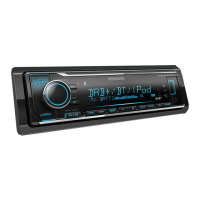
Kenwood KMM-BT502DAB - User Manual

Kenwood KMM-BT502DAB
64 pages
Print Icon
To Next Page IconTo Next Page
Loading...
Data Size: B6L (182 mm x 128 mm)
Book Size: B6L (182 mm x 128 mm)
B5A-0901-01 (EN)© 2015 JVC KENWOOD Corporation
KMM-BT502DAB
DIGITAL MEDIA RECEIVER
INSTRUCTION MANUAL
DIGITAL-MEDIA-RECEIVER
BEDIENUNGSANLEITUNG
JS_KWD_KMM_BT502DAB_EN_C01_1.indd 1JS_KWD_KMM_BT502DAB_EN_C01_1.indd 1 16/11/2015 11:11:48 AM16/11/2015 11:11:48 AM

Questions and Answers

  • S
    Sydney LopezAug 16, 2025
    How to fix Kenwood KMM-BT502DAB Receiver when sound cannot be heard?
    • J
      Jamie StephensAug 16, 2025
      If no sound is coming from your Kenwood Receiver, first, adjust the volume to the optimal level. If that doesn't work, check the cords and connections to ensure they are properly connected.
  • R
    Rhonda TurnerAug 19, 2025
    What to do if Kenwood KMM-BT502DAB displays “NO DEVICE” or “READING”?
    • V
      Valerie MeyerAug 19, 2025
      If your Kenwood Receiver displays “NO DEVICE” or “READING” keeps flashing, try these steps: First, switch off the developer options on your Android device. If that doesn't work, reconnect the Android device. Note that if the problem persists, your Android device might not support [BROWSE MODE].
  • I
    Isaac SmithAug 22, 2025
    How to fix Kenwood KMM-BT502DAB when no Bluetooth device is detected?
    • M
      Michael SmithAug 22, 2025
      If your Kenwood Receiver isn't detecting a Bluetooth device, try searching from the Bluetooth device again. If that doesn't work, reset the unit.
  • T
    Tracy RodriguezAug 25, 2025
    What to do if Kenwood Receiver shows “ANDROID ERROR” / “NA DEVICE”?
    • J
      jacksonbarbaraAug 26, 2025
      If your Kenwood Receiver displays “ANDROID ERROR” / “NA DEVICE”, try reconnecting the Android device. If that doesn't work, restart the Android device.
  • I
    Ian StevensAug 27, 2025
    How to resolve intermittent playback on Kenwood KMM-BT502DAB Receiver?
    • R
      Randall WalkerAug 28, 2025
      If you're experiencing intermittent playback or sound skipping on your Kenwood Receiver, turn off the power saving mode on your Android device.
  • T
    Tammy ThompsonAug 31, 2025
    How to fix “iPod ERROR” on Kenwood Receiver?
    • T
      tmartinezAug 31, 2025
      If your Kenwood Receiver displays “iPod ERROR”, try reconnecting the iPod. If the problem persists, reset the iPod.
  • A
    Amy HernandezSep 3, 2025
    How to stop echo on Kenwood KMM-BT502DAB during phone calls?
    • P
      Pamela MathewsSep 3, 2025
      If you are experiencing echo or noise during a phone conversation using your Kenwood Receiver, adjust the microphone unit’s position. Also, check the [ECHO CANCEL] setting.
  • L
    Laura HollowaySep 6, 2025
    Why correct characters are not displayed on Kenwood Receiver?
    • A
      Alexandra KingSep 6, 2025
      If the correct characters are not displayed on your Kenwood Receiver (e.g., album name), note that this unit can only display uppercase letters, numbers, and a limited number of symbols. Also, depending on the display language you have selected, some characters may not be displayed correctly.
  • M
    Michelle DavisSep 9, 2025
    What does “COPY PRO” mean on Kenwood Receiver?
    • M
      michelemitchellSep 9, 2025
      If you see “COPY PRO” on your Kenwood Receiver, it means a copy-protected file is being played.
  • K
    Kim GoodSep 12, 2025
    How to improve DAB reception on Kenwood Receiver?
    • J
      jaygarnerSep 12, 2025
      To address poor DAB reception on your Kenwood Receiver, make sure [ON] is selected for [DAB ANT POWER].

Summary

Health and Environmental Precautions

Equipment Disposal Information

Proper disposal of old electrical equipment and batteries according to regulations.

Regional Disposal Guidelines

Specific disposal instructions for Turkey and Israel.

Before Use

Important Usage Guidelines

Key instructions for safe and proper operation of the unit.

Safety Warnings and Cautions

Critical warnings about driving, volume levels, and device protection.

Basics

Faceplate Overview

Description of the unit's front panel controls and displays.

Getting Started

Initial Setup: Language and Demonstration

Setting display language and cancelling demonstration mode.

Setting the Clock and Date

Procedure to set the current time and date on the unit.

Configuring Initial System Settings

Guide for setting up system preferences and initial configurations.

Adjusting Crossover Settings

Steps to adjust crossover settings for speaker outputs.

Digital Radio

Understanding DAB Technology

Explanation of DAB technology and its features.

Searching and Selecting DAB Services

How to find and tune into DAB radio ensembles and services.

Digital Radio Configuration Options

Various settings for digital radio reception, including search methods.

Program Type (PTY) Features

Functionality for PTY search, ASW select, and PTY watch modes.

Service List and Time Synchronization

Updating service lists and synchronizing unit time with DAB signal.

Analog Radio

Tuning and Configuring Analog Radio

Procedures for station tuning and setting various radio options.

USB; iPod; Android

Connecting and Playing Media Devices

Steps for connecting devices and starting playback.

Supported Media Formats

List of supported audio file formats and media compatibility.

Device Control and Drive Selection

Switching control modes and choosing storage drives for playback.

File Navigation and Search

Methods for browsing, selecting, and searching files on devices.

Streaming Radio App Integration

Using the unit with streaming radio applications.

Additional USB;iPod;Android Settings

Further configuration options for connected devices.

Bluetooth

Bluetooth Connection and Setup

Steps for establishing Bluetooth connectivity and initial pairing.

Supported Bluetooth Features

List of compatible Bluetooth profiles and codecs.

Microphone Connection

How to connect the external microphone.

Automatic Pairing and Device Management

Automatic pairing setup and managing connected devices.

Managing Phone Calls

Handling incoming and ongoing phone calls on the unit.

Improving Call Voice Quality

Adjusting settings for better call clarity.

Making Calls and Using Call History

Initiating calls, using call history, and manual dialing.

Phonebook and Voice Recognition

Accessing phonebook and using voice commands for calls.

Voice Recognition Calling and Memory Storage

Making calls via voice and storing contacts in memory.

Managing Bluetooth Settings and Connections

PIN codes, device deletion, auto-reconnect, and initialization.

Bluetooth Connectivity Test

Verifying Bluetooth profile connectivity status.

Bluetooth Audio Playback Control

Controlling audio playback from a Bluetooth device.

AUX Input

Connecting and Using Auxiliary Audio

How to connect and play audio via AUX input.

Customizing AUX Input Settings

Renaming the AUX input and other related settings.

Audio Settings

Sound Adjustment Options

Overview of sound settings like EQ, bass, loudness, and subwoofer.

Crossover Frequency and Slope Adjustments

Detailed explanation of crossover frequency and slope settings.

Display Settings

Display Illumination and Brightness

Adjusting display brightness and dimming time.

Display Scrolling Options

Configuration for text scrolling on the display.

Troubleshooting

General, Radio, and USB;iPod Troubleshooting

Common issues and solutions for general, radio, and media playback.

Android Device and Bluetooth Issues

Solutions for Android connectivity, playback, and Bluetooth problems.

Bluetooth Operation and Connectivity Problems

Troubleshooting voice calling, audio playback, and connectivity issues.

References

Maintenance and Further Information Sources

Cleaning procedures, firmware updates, and additional resources.

Playable Media and Device Compatibility

Details on supported audio file formats and device compatibility.

Device Compatibility and Display Options

Information on USB, iPod/iPhone, Android, Bluetooth compatibility, and display info.

Specifications

Radio, USB, and Bluetooth Specifications

Technical details for radio reception, USB, and Bluetooth connectivity.

Audio and Auxiliary Specifications

Technical details for audio output and auxiliary inputs.

Audio and General Specifications

Technical details for audio output, general operation, and physical characteristics.

Installation and Connection

Installation Safety and Basic Procedure

Important warnings, cautions, and step-by-step installation guide.

In-Dash Unit Installation Steps

Detailed instructions for mounting the unit in the dashboard.

Unit Removal and Component List

Procedure for detaching the unit and list of installation parts.

Wiring Connection Diagrams

Guide for connecting unit wires and specific vehicle harnesses.

DAB Antenna Installation and Placement

Guide for installing and positioning the DAB antenna.

Antenna Installation Locations and Parts

Advice on placement, left/right side installation, and parts list.

Windscreen Antenna Mounting Procedure

Steps for mounting the antenna on the vehicle windscreen.

Kenwood KMM-BT502DAB Specifications

General IconGeneral
MP3 playbackYes
CD-RW playbackNo
Audio formats supportedAAC, FLAC, MP3, WAV, WMA
FM band range87.5 - 108 MHz
LW band range153 - 279 kHz
Supported radio bandsAM, FM, LW, MW
Preset stations quantity24
DIN size1 DIN
Clock mode24h
Output power200 W
Product colorBlack
Frequency range2.402 - 2.48 Hz
Equalizer bands quantity13
Mobile operating systems supportedAndroid
Connector typeMolex 16 pin
Output voltage14.4 V
Disc playback modesRandom, Repeat interval
Light exposure modesManual
Antenna connector typeFM
USB version2.0
Bluetooth range10 m
Bluetooth version2.1+EDR
Bluetooth profilesA2DP, HFP
USB ports quantity1
Bluetooth functionsHandsfree calling
Headphone connectivity-
Apple docking compatibilityiPad, iPod
Display typeLCD
Illumination colorWhite
Number of OSD languages3
On Screen Display (OSD) languagesENG, ESP, RUS
Cables includedDC
Operating temperature (T-T)-10 - 60 °C
Weight and Dimensions IconWeight and Dimensions
Weight600 g
Dimensions (WxDxH)182 x 107 x 59 mm

Related product manuals