EasyManua.ls Logo

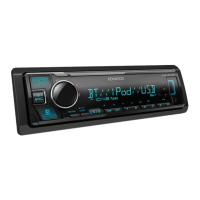
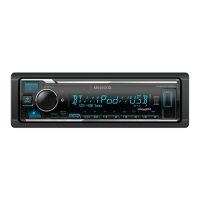
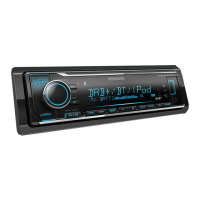
Kenwood KMM-BT504DAB - User Manual

Kenwood KMM-BT504DAB
116 pages
Print Icon
To Next Page IconTo Next Page
Loading...
Data Size: B6L (182 mm x 128 mm)
Book Size: B6L (182 mm x 128 mm)
KMM-BT504DAB
DIGITAL MEDIA RECEIVER
INSTRUCTION MANUAL
DIGITAL-MEDIA-RECEIVER
BEDIENUNGSANLEITUNG
RICEVITORE MULTIMEDIALE DIGITALE
ISTRUZIONI PER L’USO
B5A-2108-00 (EN)© 2017 JVC KENWOOD Corporation
JS_KWD_KMM_BT504DAB_EN_C00.indd 1JS_KWD_KMM_BT504DAB_EN_C00.indd 1 9/20/2017 3:56:12 PM9/20/2017 3:56:12 PM

Questions and Answers

  • A
    Amber ThompsonSep 12, 2025
    Why is voice calling not successful on my Kenwood Receiver?
    • D
      darrell19Sep 12, 2025
      If voice calling is not successful on your Kenwood Receiver, use voice calling in a quieter environment. Also, reduce the distance from the microphone when speaking the name, and make sure to use the same voice as the registered voice tag.
  • T
    Teresa PerryAug 25, 2025
    What to do if Kenwood KMM-BT504DAB displays “NO DEVICE”?
    • K
      Kathy SmithAug 25, 2025
      If your Kenwood Receiver displays “NO DEVICE”, connect a USB device and change the source to USB again.
  • A
    Ashley MooreAug 25, 2025
    What to do if Kenwood Receiver displays “UNSUPPORTED DEVICE”?
    • L
      lsmithAug 26, 2025
      If the Kenwood Receiver displays “UNSUPPORTED DEVICE”, check if the connected device is compatible with the unit and that the file systems are in supported formats. You can also try reattaching the device.
  • M
    Michelle PotterSep 23, 2025
    What to do if Kenwood KMM-BT504DAB displays “READING” keeps flashing?
    • J
      Jennifer HerreraSep 23, 2025
      If the Kenwood Receiver displays “READING” keeps flashing, avoid using too many hierarchical levels or folders.
  • B
    Benjamin HendersonSep 13, 2025
    Why is sound interrupted during Bluetooth playback on my Kenwood KMM-BT504DAB Receiver?
    • D
      Dawn MitchellSep 13, 2025
      If sound is interrupted or skipped during playback of a Bluetooth audio player on your Kenwood Receiver, reduce the distance between the unit and the Bluetooth audio player. Try turning the unit off and then on again, and then try to connect again. Other Bluetooth devices might also be trying to connect to the unit.
  • W
    weberchristopherSep 22, 2025
    What to do if Kenwood KMM-BT504DAB displays “NO INFO” or “NO DATA”?
    • V
      Victoria EllisSep 22, 2025
      If the Kenwood Receiver displays “NO INFO” or “NO DATA”, it means the Bluetooth device cannot get the contact information.
  • S
    Sara CoxSep 6, 2025
    What to do if Kenwood KMM-BT504DAB displays “CHECK APP”?
    • J
      Jeremy CrossSep 6, 2025
      If the Kenwood Receiver displays “CHECK APP”, end the Spotify application and restart it, then log in to your Spotify account.
  • Q
    qprattSep 7, 2025
    What to do if Kenwood Receiver displays “DAB ANT ERR”?
    • V
      vickimanningSep 7, 2025
      If the Kenwood Receiver displays “DAB ANT ERR”, check the DAB antenna. If using a passive antenna (without a booster), set [DAB ANT POWER] to [OFF].
  • M
    monicagrantSep 23, 2025
    What to do if Kenwood KMM-BT504DAB Receiver displays “HF ERROR XX” or “BT ERROR”?
    • M
      Marisa ColonSep 23, 2025
      If the Kenwood Receiver displays “HF ERROR XX” or “BT ERROR”, reset the unit and try the operation again. If this does not solve the problem, consult your nearest service center.
  • C
    Christopher ConnerAug 31, 2025
    How to stop Kenwood KMM-BT504DAB from skipping during playback?
    • A
      Amber DavisAug 31, 2025
      If you are experiencing intermittent playback or sound skipping on your Kenwood Receiver, turn off the power saving mode on the Android device.

Summary

BEFORE USE

Usage and Safety Precautions

Important usage instructions, warnings, and safety cautions for proper operation.

DIGITAL RADIO

ANALOG RADIO

USB, iPod, and ANDROID Connectivity

Connecting and Playing Media Devices

Instructions for connecting USB, iPod, or Android devices and starting playback.

Spotify Music Streaming

BLUETOOTH WIRELESS TECHNOLOGY

Bluetooth Device Pairing and Connection

Step-by-step guide to pair and connect a Bluetooth device for the first time.

Bluetooth Phone Call Management

Procedures for handling incoming and active calls during Bluetooth connection.

Making and Managing Bluetooth Calls

Instructions for making calls, storing contacts, and accessing call history.

AUDIO SETTINGS

Digital Time Alignment (DTA) Setup

Guide to setting speaker delays for optimal sound staging in the vehicle.

TROUBLESHOOTING GUIDE

Common Unit and Radio Troubleshooting

Solutions for general problems and issues with DAB and analog radio reception.

USB, iPod, Spotify, and Bluetooth Issues

Troubleshooting steps for Spotify connection and Bluetooth audio playback problems.

Bluetooth Device and Connection Errors

Solutions for Bluetooth errors like "DEVICE FULL", "NO PAIR", and "HF ERROR".

INSTALLATION AND CONNECTION

Kenwood KMM-BT504DAB Specifications

General IconGeneral
CategoryReceiver
BrandKenwood
ModelKMM-BT504DAB
TypeDigital Media Receiver
DIN Size1 DIN
Power Output4 x 50W
BluetoothYes
DAB/DAB+Yes
USB PortYes
AUX InputYes
Display TypeLCD
Display ColorWhite
DSPYes
Time AlignmentYes
Pre-out Voltage2.5V
Compatible withAndroid, iOS
Weight1.2 kg
Audio Formats SupportedMP3, WMA, WAV, FLAC
Equalizer13-Band Graphic EQ
Pre-out3

Related product manuals