Need help?
Do you have a question about the Kenwood KR-X1000 and is the answer not in the manual?
How to select the correct AC voltage for the unit based on the region to prevent damage.
Essential warnings to prevent fire, electric shock, and ensure safe operation.
Diagrams and instructions for connecting audio sources like turntables and CD players.
Diagrams and instructions for connecting video sources like TVs, VCRs, and LD players.
Guides on connecting front, center, and surround speakers, including banana plugs.
Step-by-step guide to insert batteries into the remote control unit.
Basic steps to turn on the system and operate components using the remote.
Procedure to program the remote to control other manufacturers' video components.
Steps to operate pre-set components, including turning them ON and OFF.
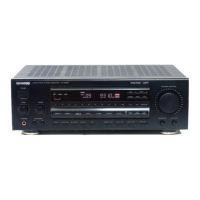
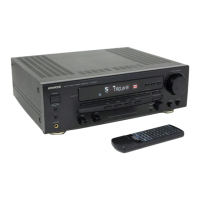
Detailed explanation of all buttons, knobs, and indicators on the front panel.
How to adjust bass and treble controls to fine-tune audio output.
Guide to tuning into FM and AM radio stations using auto or manual tuning.
How to directly tune to a specific FM or AM station frequency using numeric keys.
Steps to enable DOLBY 3 STEREO mode and select center speaker settings.
Fine-tuning surround modes like THX Cinema and Pro Logic for room acoustics.
Calibrating channel levels with test tones to achieve identical sound levels for all speakers.
Procedure to reset the microcomputer to factory condition in case of malfunction.
Common amplifier symptoms, causes, and remedies for sound output problems.
Common tuner symptoms, causes, and remedies for reception and interference problems.
Common remote control symptoms, causes, and remedies for operation failures.
Technical details for audio output power, input sensitivity, and tone controls.
 General
| Tuning range | FM |
|---|---|
| Damping factor | 60 |
| Input Sensitivity | 2.5mV (MM) |
| Signal to noise ratio | 100dB (line) |
| Speaker load impedance | 4-16 ohms |
| Power Output | 100W per channel (8 ohms, 20Hz-20kHz, 0.08% THD) |


 To Next Page