EasyManua.ls Logo

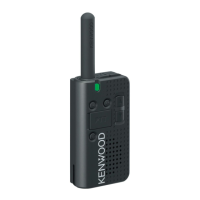
Kenwood ProTalk LT PKT-23 - User Manual

Kenwood ProTalk LT PKT-23
64 pages
Print Icon
To Next Page IconTo Next Page
Loading...
INSTRUCTION MANUAL
B62-2576-20 (K)
UHF FM TRANSCEIVER
PKT-23

Other manuals for Kenwood ProTalk LT PKT-23

Questions and Answers

  • K
    Kevin WalkerJul 27, 2025
    How to fix Kenwood ProTalk LT PKT-23 Transceiver when other voices are present on the channel?
    • L
      Larry MartinJul 28, 2025
      If you are hearing voices besides those of your group members on the channel of your Kenwood Transceiver, change the QT/DQT settings. Ensure that all members of your group update their transceiver settings to match the new QT/DQT configuration.
  • S
    Sherri MendezAug 3, 2025
    How to fix Kenwood ProTalk LT PKT-23 Transceiver when it cannot turn on?
    • M
      moralesbethAug 4, 2025
      If your Kenwood Transceiver will not power ON, the battery pack may be dead. Try recharging or replacing the battery pack. Also, the battery pack may not be correctly installed. Remove the battery pack and reinstall it.
  • H
    Holly LewisAug 10, 2025
    Why can't I hear other members on my Kenwood Transceiver?
    • T
      Todd BriggsAug 10, 2025
      If you cannot communicate with other members in your group, ensure that your transceiver uses the same frequency and QT/DQT settings as the others. Also, verify that all group members are within the communication range of the transceivers.
  • E
    Eric BullockAug 18, 2025
    What to do if my Kenwood Transceiver battery dies quickly after charging?
    • D
      daynatalieAug 19, 2025
      If the battery power of your Kenwood Transceiver diminishes shortly after charging, the battery pack's lifespan may be over. Replace it with a new battery pack.

Summary

Terminal Descriptions

3.5 mm Phone Jack Terminal

Details the pinout and specifications for the 3.5 mm phone jack.

Micro USB Jack Terminal

Details the pinout and specifications for the Micro USB jack.

Introduction and Features

Thank You

Expresses gratitude for the purchase and welcomes the user.

Product Features Overview

Lists the key features of the transceiver, such as channels and voice announcement.

Operating Conditions and Range

Describes transmission range under various environmental conditions.

FCC License Information

FCC Warnings and Compliance

User Notices and Precautions

Critical Safety Warnings

Battery Pack Danger Warnings

Battery Pack Handling Dangers

Battery Safety and Copyrights

Unpacking and Equipment Check

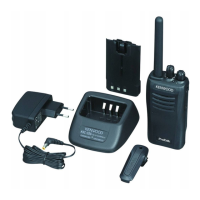
Supplied Accessories

Lists the items included in the transceiver package.

Preparation and Charging

Charging the Battery Pack

Explains how to charge the battery pack for the first time.

Charging with a USB Cable

Details the process of charging the transceiver using a USB cable.

Charger Usage

Charging with KSC-44 CR Charger

Details the process of charging the transceiver using the KSC-44CR charger.

Replacing the Battery Pack

Battery Pack Replacement Procedure

Step-by-step guide on how to remove and install a new battery pack.

Accessory Installation

Installing the Belt Clip

Explains how to attach the belt clip using screws.

Connecting an Earphone; Microphone

Details how to connect an earphone/microphone to the transceiver.

Device Orientation and Controls

3.5 mm Phone Jack

Explains the function of the 3.5 mm phone jack.

Micro USB Jack (B Type)

Explains the function of the Micro USB jack.

PF-1 Key Operation

Describes the PF-1 key and its programmable functions.

PTT (Push to Talk) Switch

Explains how to use the PTT switch for transmitting.

Power Switch Operation

Details how to turn the transceiver power ON/OFF and check battery level.

Key and Indicator Descriptions

LED Indicator Status

Refers to the LED indicator status table for understanding its meanings.

PF-2 Key Operation

Describes the PF-2 key's functions and how to toggle modes.

Up;Down Keys Function

Explains how to adjust volume and change channels using the Up/Down keys.

Strap Hole Location

Indicates where to attach a strap for carrying the transceiver.

Basic Operations

Power and Volume Adjustment

How to turn the transceiver on/off and adjust the volume level.

Transmitting and Receiving Procedures

Procedures for selecting channels, making calls, and receiving transmissions.

Indicator Status and Battery Guide

Troubleshooting Guide

All Reset Mode

All Reset Procedure

Steps to reset all transceiver settings to their original defaults.

Channel Setup Mode

Operating Frequency and QT;DQT Setting

Procedure to change channel frequency and QT/DQT settings.

Quiet Talk (QT) and Digital Quiet Talk (DQT)

DQT Channel Settings

Channel Confirmation Mode

Channel Settings Confirmation Procedure

Steps to check the transceiver's channel, frequency, and QT/DQT settings.

Key Assignment Mode

Key Function Reprogramming

Guide to reassigning functions to PF-1 and PF-2 keys.

Programmable Functions

Troubleshooting Common Issues

All Reset Mode

All Reset Procedure

Steps to reset all transceiver settings to their original defaults.

Kenwood ProTalk LT PKT-23 Specifications

General IconGeneral
BrandKenwood
ModelProTalk LT PKT-23
CategoryTransceiver
LanguageEnglish

Related product manuals