EasyManua.ls Logo

KERN EOB - User Manual

KERN EOB
24 pages
Print Icon
To Next Page IconTo Next Page
Loading...
KERN & Sohn GmbH
Ziegelei 1
D-72336 Balingen
email: info@kern-sohn.com
Phone: +49-[0]7433- 9933-0
Fax: +49-[0]7433-9933-149
Internet: www.kern-sohn.com
Operating instructions
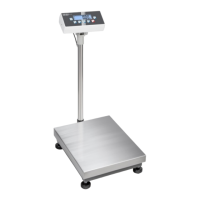
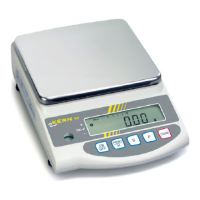
Platform/floor scales
KERN EOB / EOE_L / EOE_XL / EOS
Version 3.0
07/2010
GB
EOB/EOE_L/EOE_XL/EOS-BA-e-1030

Other manuals for KERN EOB

Questions and Answers

  • C
    Christina RussellJul 26, 2025
    Why is the weighing value obviously wrong on my KERN EOB?
    • F
      Frederick KellyJul 26, 2025
      The weighing value on your KERN Scales might be incorrect due to several factors. Electromagnetic fields or static charging could be interfering; try relocating the scale or switching off any nearby devices that may be causing interference. Also, ensure the display is at zero, the adjustment is correct, the surface is even, and there are no significant temperature fluctuations.
  • A
    Amy HowardAug 1, 2025
    What to do if the displayed weight is permanently changing on KERN Scales?
    • C
      connorwilliamsAug 1, 2025
      If the displayed weight on your KERN Scales is constantly changing, it could be due to several reasons. Ensure the balance is switched on and that the mains supply connection is stable (check the mains cable). A power interruption could also be the cause. Other potential factors include draught or air movement, table or floor vibrations, or the weighing plate coming into contact with foreign matter. Address these issues to stabilize the weight display.
  • D
    Danielle MasseyAug 5, 2025
    What to do if KERN EOB display unit shows an EEPROM error?
    • J
      Janet MathewsAug 5, 2025
      If your KERN Scales display unit shows an EEPROM error, reset the device.
  • M
    Mr. David Warren PhDAug 11, 2025
    What to do if my KERN EOB show an EEPROM error?
    • S
      samanthaelliottAug 11, 2025
      If your KERN Scales show an EEPROM error, reset the device.
  • C
    Curtis MartinezAug 15, 2025
    What to do if my KERN EOB show an overload error?
    • D
      david93Aug 15, 2025
      If your KERN Scales display an overload error, it means the weight on the balance exceeds its capacity. Reduce the weight to resolve this issue.
  • P
    Pamela BlackwellAug 20, 2025
    What to do if KERN EOB Scales show weight under the minimum value?
    • M
      Mary SimsAug 20, 2025
      If your KERN Scales indicate that the weight is below the minimum value, increase the weight on the balance.

Summary

Technical Specifications

Appliance overview

2.1 Overview of displays

Explains the various indicators and displays on the balance unit.

2.2 Keyboard overview

Details the function of each key on the balance control panel.

Basic Safety Precautions

Unpacking, Setup and Commissioning

6.1 Installation Site, Location of Use

Provides guidelines for selecting an appropriate location for the balance to ensure accurate results.

6.2 Unpacking and placing

Details the process of unpacking the appliance and positioning it correctly.

6.3 Mains connection

Explains how to connect the balance to the mains power supply using an adapter.

Adjustment

Performing the adjustment

Step-by-step guide on how to adjust the balance for accurate measurements.

Operation

Start-up

Instructions for turning on the balance and initiating its self-test.

Weighing

Describes the procedure for performing a standard weighing operation.

Taring

How to zero the balance with a container or prior weight.

Service, maintenance, disposal

KERN EOB Specifications

General IconGeneral
InterfaceRS-232
CalibrationExternal calibration
Weighing range [Max]6 kg
Permissible ambient temperature5 °C/35 °C
MaterialPlastic
Readability0.1 g
Reproducibility0.1 g

Related product manuals