Modeling
https://www.ketron.it/images/ketron/Manuali_HTML/SD90/english/55_modeling.html[13/05/2020 13:55:18]
Just simply select one of the files that you want to hear about the variation.
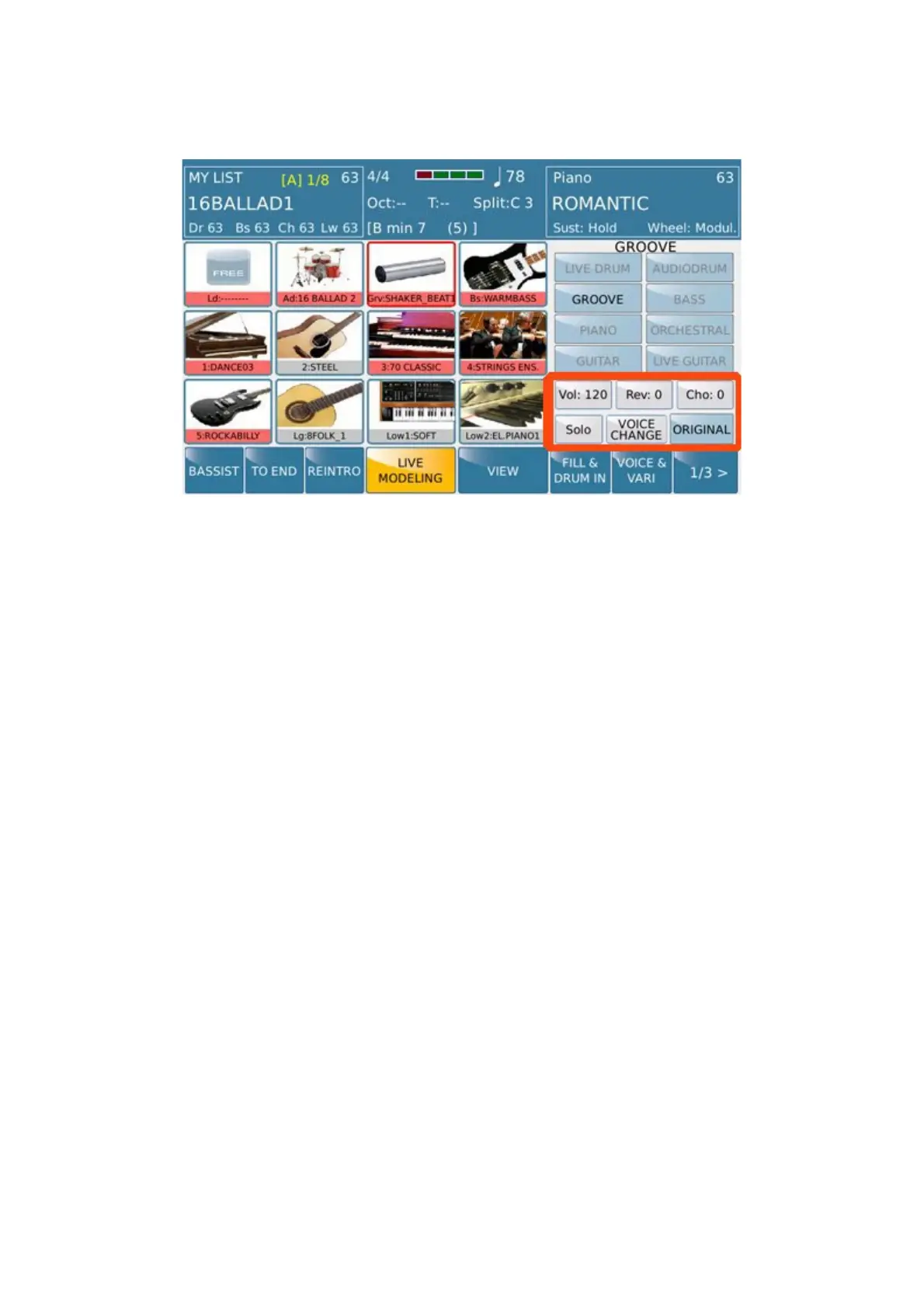
here commands placed on the right side of the display available for this menu :
- VOL : .Using the Dial these value controls Volume of the section where operating
-
REV : Using the Dial these value controls Reverb of the section where operating
-
CHO : Using the Dial these value controls Chorus of the section where operating
- SOLO : This tab allows you to place in SOLO (isolate) the section where operating .In this way you can listen
section Groove excluding automatically all other parts of Bass, Drum and Chord
-
ORIGINAL: Using this Tab original set will be restored .
These command are present on others section plus the VOICE CHANGE tab which allows to change the Voice on
the desiderated harmonic section.



 To Next Page