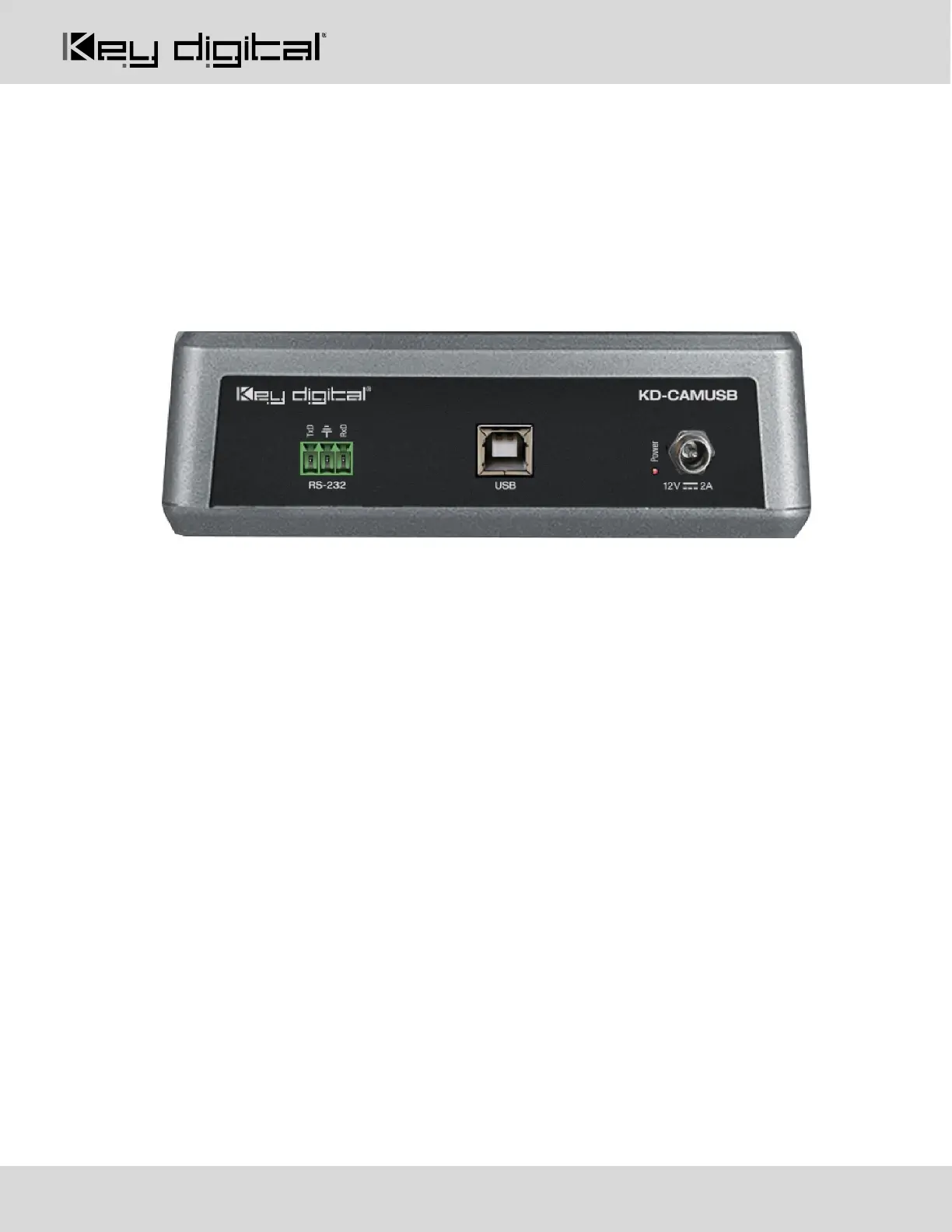
Connections, Switches, and LEDs
FRONT LED
• GREEN solid illumination when power is ON
• RED solid illumination when power is OFF
UNIT REAR
USB
• Effortless use on Windows 7, Windows 10, Mac OS X, and Linux machines
• Generic USB Video Class 1.1 Driver
• USB-B 2.0 with Female connector type
• Video stream bandwidth = < 100Mbps
• Use KD-XUSB2 if USB extension is needed beyond 5m / 16.4ft. KD-XUSB2 extends USB2.0 signals up
to 50m / 164ft via single CAT5e/6.
RS-232 Port
• Default baud rate = 9,600.
o May also be set to 4,800 via dipswitch setting
• Pinout:
o Pin 1 = TxD
o Pin 2 = Ground
• Pin3 = RxD
o See RS-232 Control section
Power
• 12V/2A (24W) Power Supply. Center-in positive
• First connect KD-CAMUSB side, then connect wall outlet side
• GREEN LED indicator light illuminates solid with active power connection


 To Next Page