CONTROL
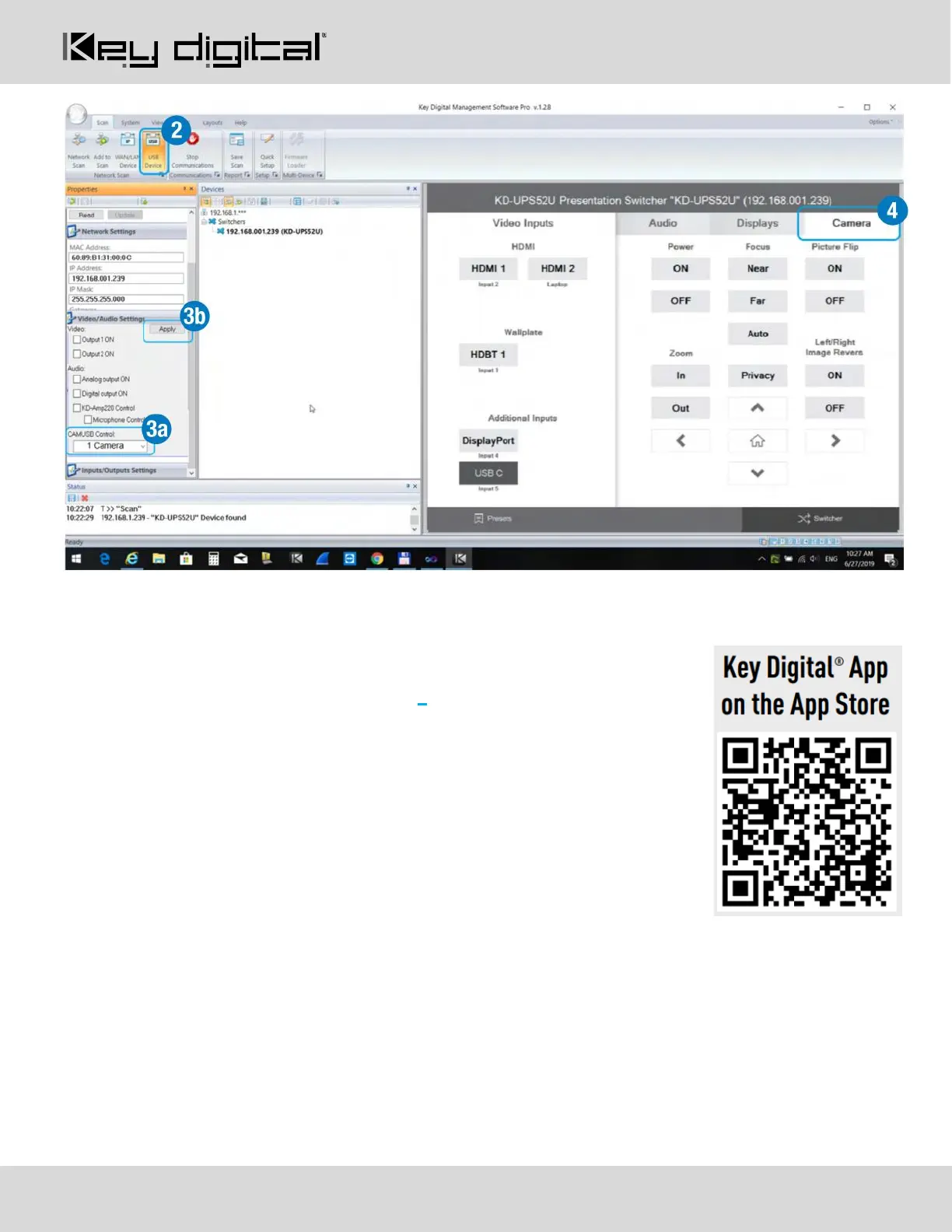
4. In KDMS™ Pro, select the Camera tab 4 to enter the camera controls page
5. For iOS control, download the Key Digital App.
6. With the iOS device on the same network as the Presentation Switcher,
open the KD-App, and press DEVICES to perform a network scan for your
system.
7. Once the system has been detected, you may enter the control page and
choose the Camera tab to enter the camera controls page


 To Next Page